In Version 9, after installing modules, its steps are not appearing in the project.

I performed a fresh installation of Version 9 on my local VM to evaluate it. I installed the OpenAI module, but the installation appears incomplete since I can't see the list of OpenAImodule steps in the toolbox under Integration -> Internal
0
Comments
-
In Version 9, after installing any module, users need to create a module dependency at the project level to expose it to that specific project.
To link the OpenAI module to your project, follow these steps:
- Navigate to the project to which you want to link the module.
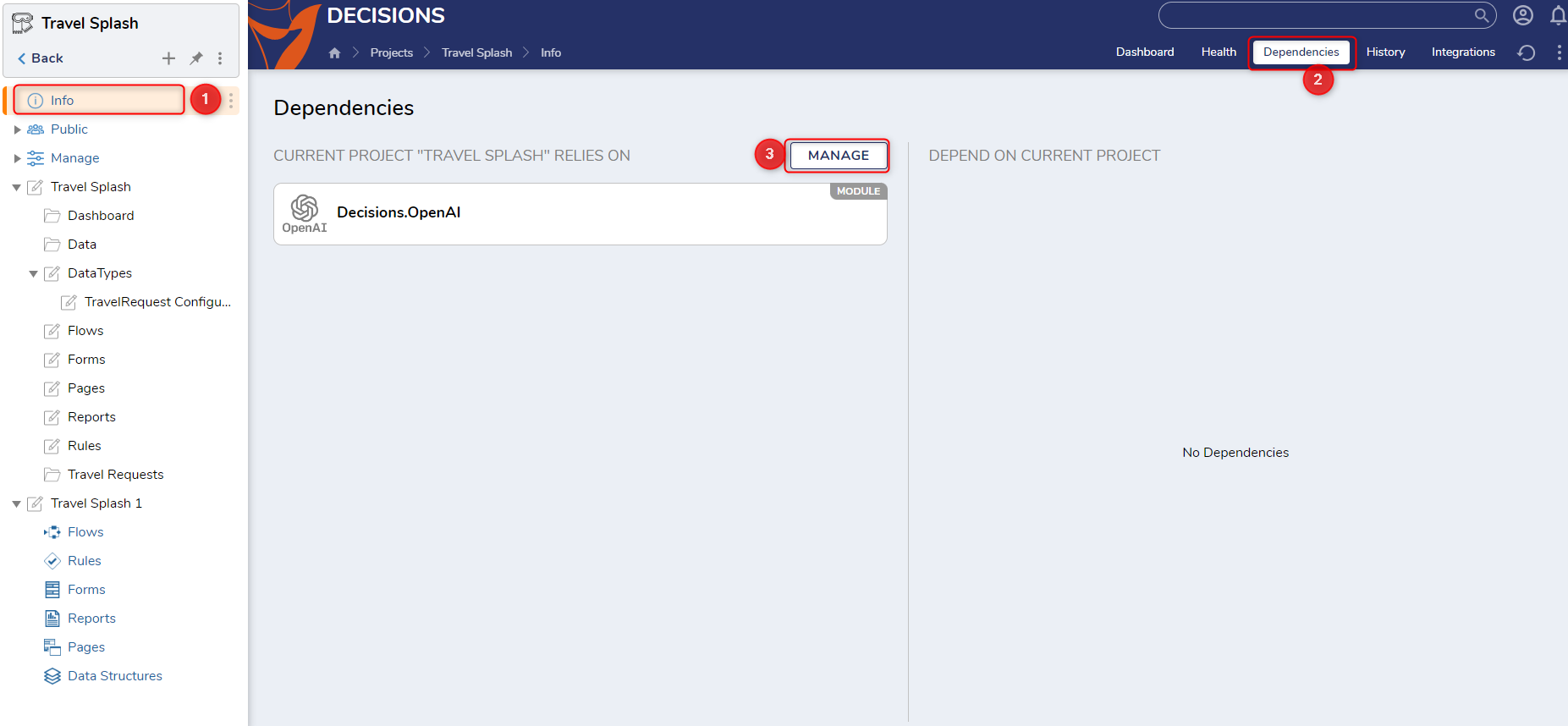
- In the left pane, select 'Info', then go to the 'Dependencies' tab.
- Within the Dependencies tab, click on 'Manage'. (Refer to the screenshot below for further guidance.)
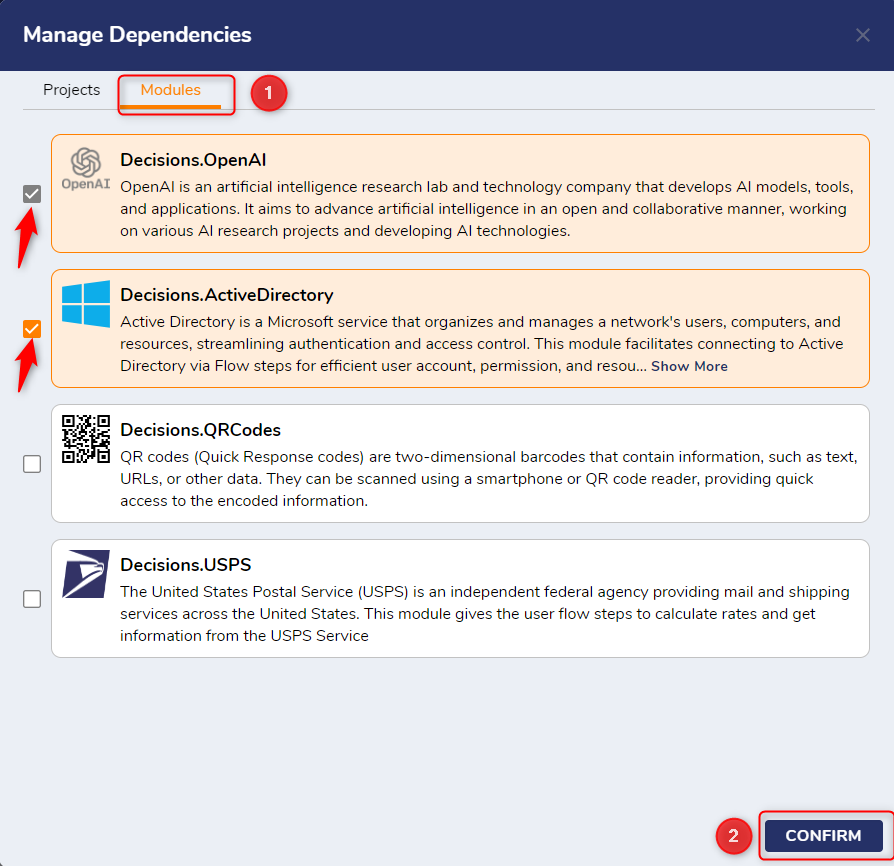
- In the 'Manage Dependencies' window that appears, navigate to the 'Modules' tab.
- Select the modules you want to include in the project, then click 'Confirm'.
 0
-
Kindly refer to the documentation below for more details regarding Modules in Version 9.
0

Howdy, Stranger!