Cannot delete certain users and case entities
![[Deleted User]](https://w1.vanillicon.com/v2/13832175faaef368db7e187158c210c0.svg)
Why
am I unable to delete certain user accounts or individual Case Entities in
Decisions, even though I can delete multiple Case Entities using bulk actions?
0
Comments
-
Hey there,
Thank you for engaging in our forum! For user accounts, inactive accounts cannot be deleted directly. This is intentional behavior designed to help prevent issues with history, tasks, and Active Directory synchronization.
To delete an account:
- Navigate to System > Security > Accounts.
- Activate the account.
- Delete the account after it has been activated.
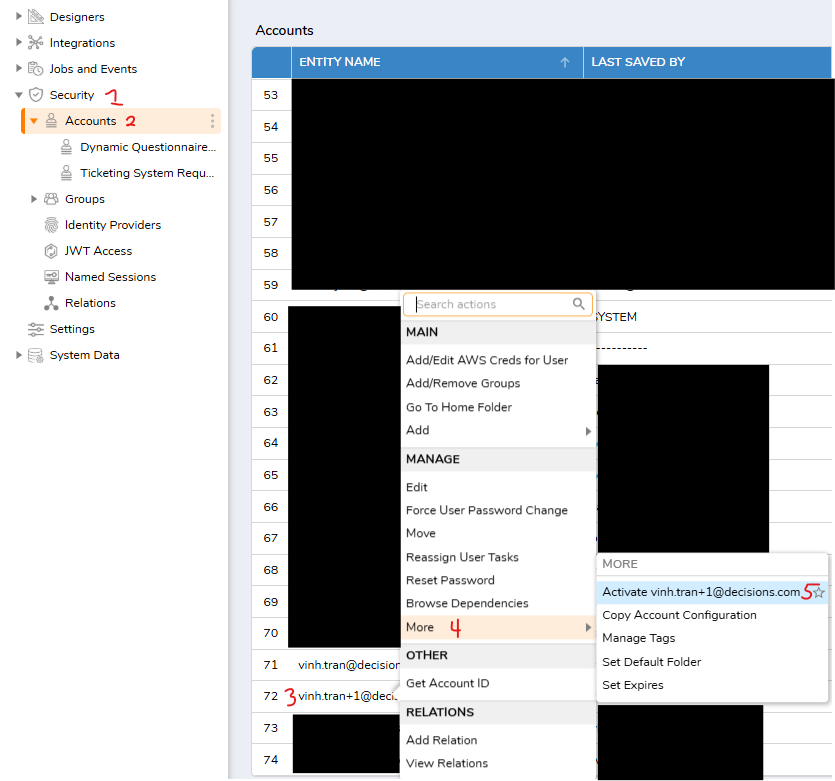
For Case Entities, the individual Delete action is controlled by the Data Structure configuration.
To enable it:
- Open the associated Case Data Structure.
- In the Properties panel, locate Show Delete Action.
- Enable Show Delete Action.
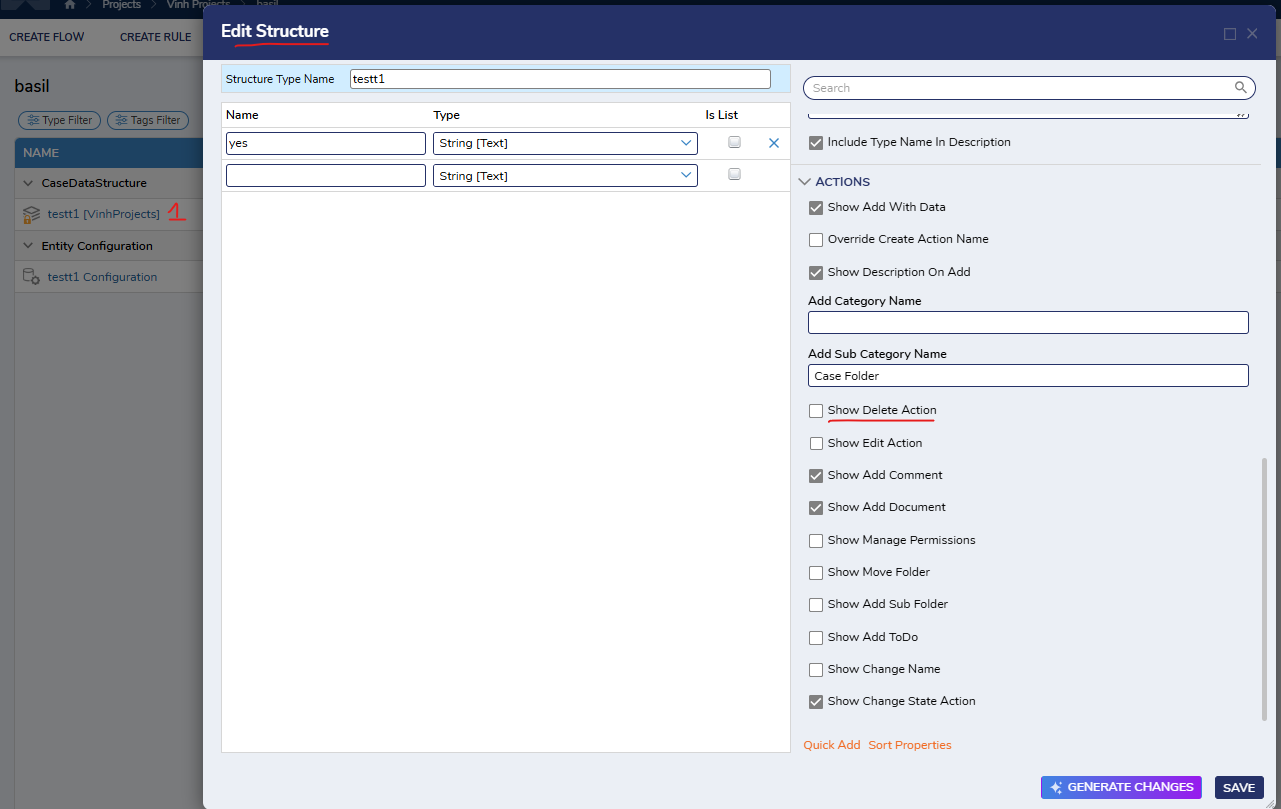
If users can delete Case Entities through multi-select or bulk actions but cannot delete them individually, verify both the Show Delete Action setting and the user's CanDelete permissions on the project.
Regards,
Vinh Tran | Decisions Support0
![[Deleted User]](https://w2.vanillicon.com/v2/24aad915403ca4009ca61883cde865c5.svg)
Howdy, Stranger!