Show popup when running flow in new tab

Is there any way to have a pop up show up when you are running a flow in it's own tab? If I go to integration details and launch a flow in it's own tab I'm unable to see the popup. Is there a way around this or should I force the user to run the flow in the portal?
0
Comments
-
Hello,Currently, there is no supported method to force pop-ups to display when a flow is run in its own browser tab outside of the Decisions portal. Pop-up steps are designed to work within the portal.If requiring portal usage is not feasible for your users, an alternative is to pass the intended pop-up message as a string in the Output data of your Flow’s end step. This way, the information can still be accessed and handled by the application or integration as needed.Hope this helps!0
-
Here are some screenshots for reference.
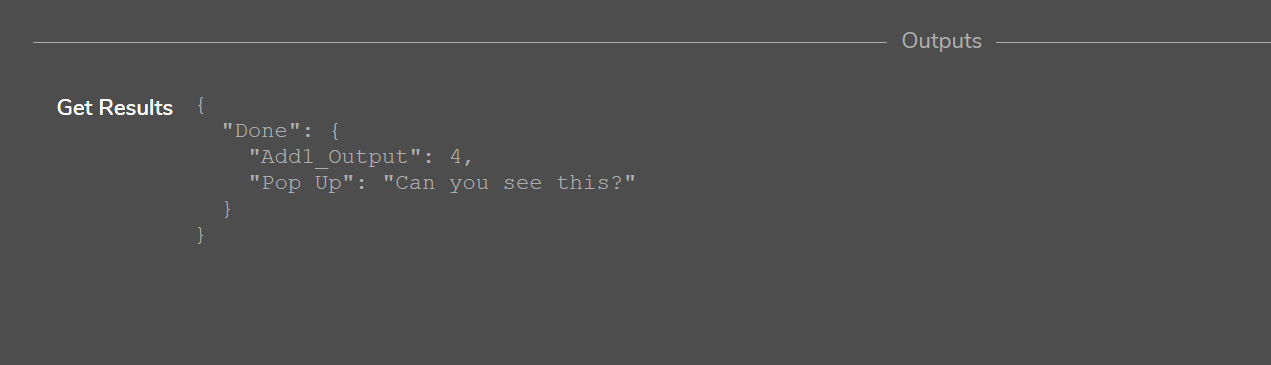
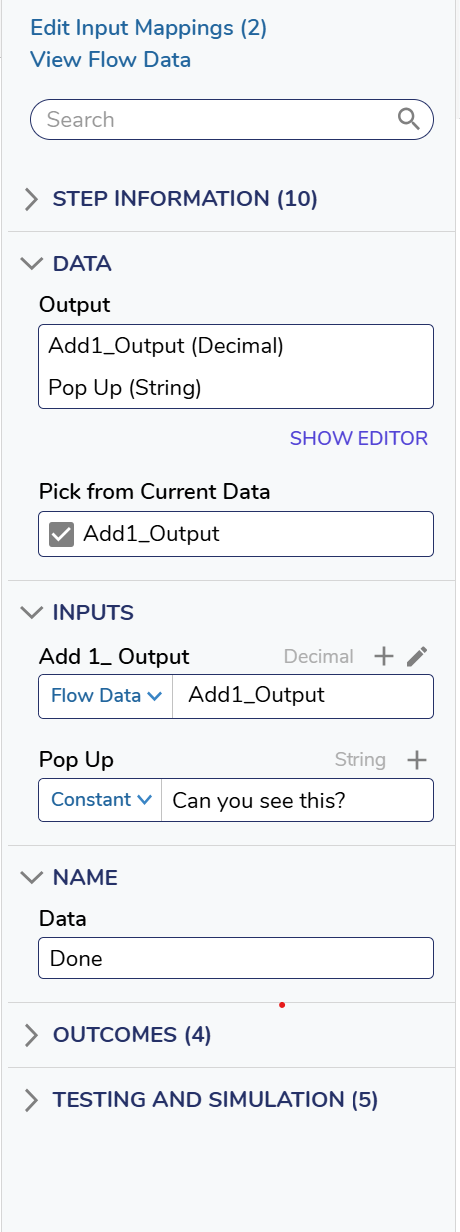 0
0 -
Thanks for the info!! Good to know. I'm using a form within the flow so I can probably use a sub dialog to show a "pop up" form instead. Just wanted to do the easy way if possible.0

Howdy, Stranger!