Daily Assignment Reminders

Comments
-
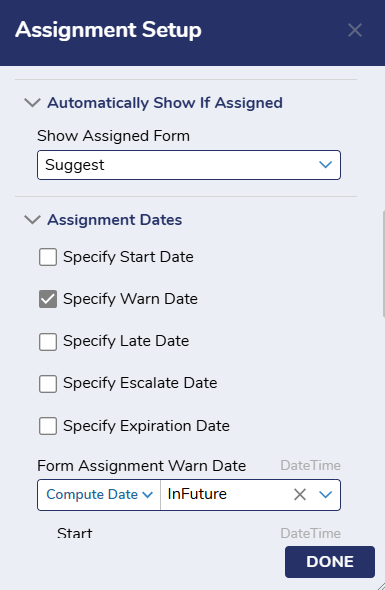
This is a great question. The first thing you will need to do is edit your assignment setup. Under the "Assignment Dates" section you will need to check the "Specify Warn Date" box.
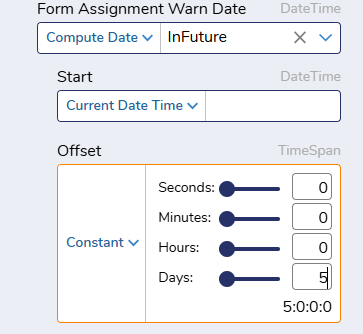
You will then set this date to your desired outcome. For this example I will set the assignment to warn after 5 days. This will decide how long it takes for the assignment to go into the "warn" state. Once the assignment hits the state, the assignee will begin getting emails.
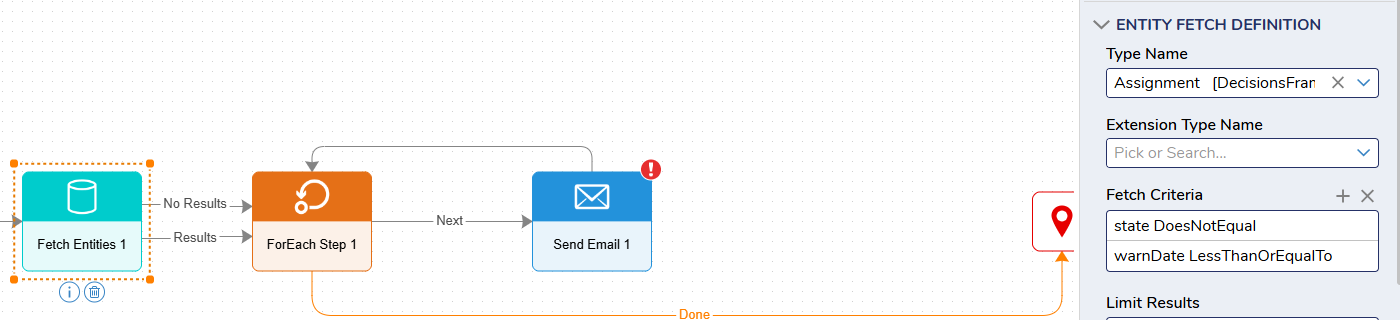
Now it is time to make the flow to send the emails. This flow will start with a fetch entities step. This step will take in the type name "Assignment" and have two fetch criteria. One criteria will be state DoesNotEqual and the other will be warnDate LessThanOrEqualTo.
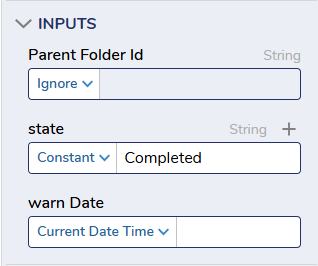
For the inputs, the state should be Completed. This will ensure that assignments that have been completed will not be fetched. The warn Date should be the current date time.
This will then be followed by a for each step that sends an email for each assignment that was just fetched. The for each step should be setup the following way:
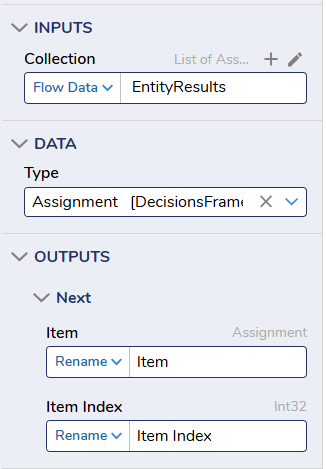
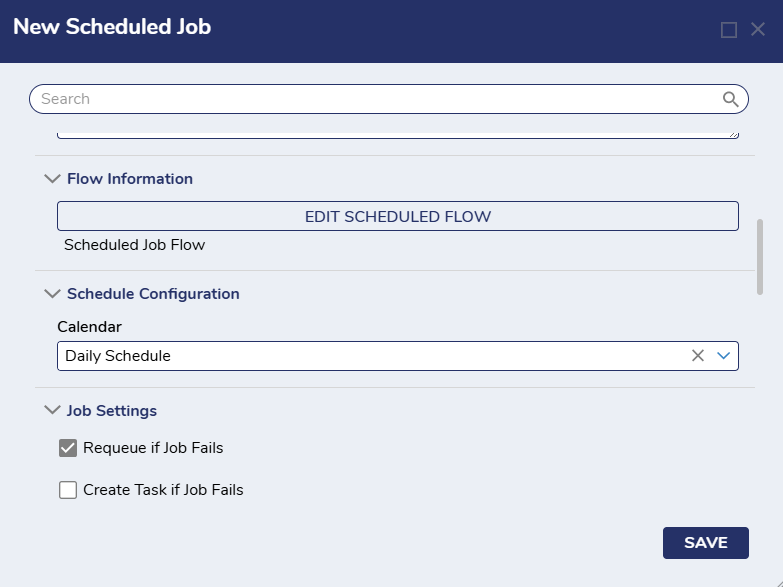
You will then setup the send email step within the for each to send whatever email you would like. The next step would be to setup a scheduled job that uses this flow. Navigate to Manage -> Jobs & Events -> Scheduled Jobs -> New Scheduled Job. Then ensure that you select the flow you just created and set the calendar to daily schedule.
0

Howdy, Stranger!