How do I upgrade my modules in an offline container?

hey, I am using an v9 offline container. I want to upgrade my image to the latest version of v9. How should I update the modules since my container does not have outbound internet access?
0
Comments
-
Hello! Thank you for using the Decisions Forum!
For containers, in order to install modules you can grab from the Platform (if you have internet access) or you can upload the modules directly to the filestorage\CustomModules volume mount directory.
Since you are using an offline container, you need to update these modules manually. You need to download the modules from an environment of the same exact version you want to update your container to. Then, once you update the container to your desired version, place the modules.zip folders inside the CustomModules folder and restart the container. This will manually update the modules. If you do not have another Decisions instance, please reach out to support@decisions.com for assistance.
We also have GitHub page that houses most of our modules that you can download from.
Decisions-Modules repositories · GitHub
Lastly, here is our Documentation on how to install modules.
Installing Modules
Thank you!
Best regards,
Andrew || Decisions Support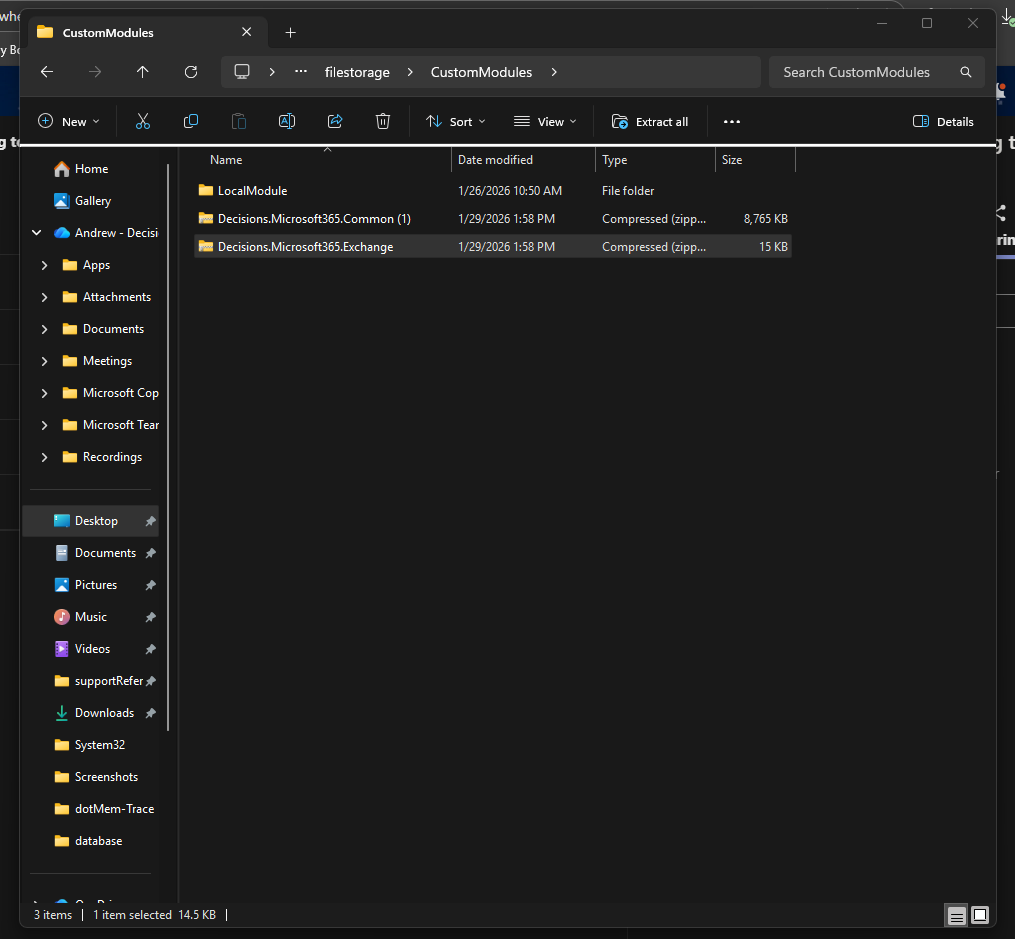 0
0

Howdy, Stranger!