How to delete file references?

I
have a flow that creates File References and using an “Add FileReferences to
Folder” step to save the file references to a folder. However, I am looking to
delete some existing file references. How would I go about doing this?
0
Comments
-
The best way to go about this would be to create a flow using a “Delete File” step. This step can be found by going to All Steps -> Integration -> Internal Services -> Call Internal Decisions Service. Under the Service Name select FileReference Service. Then, for the method name select Delete File.
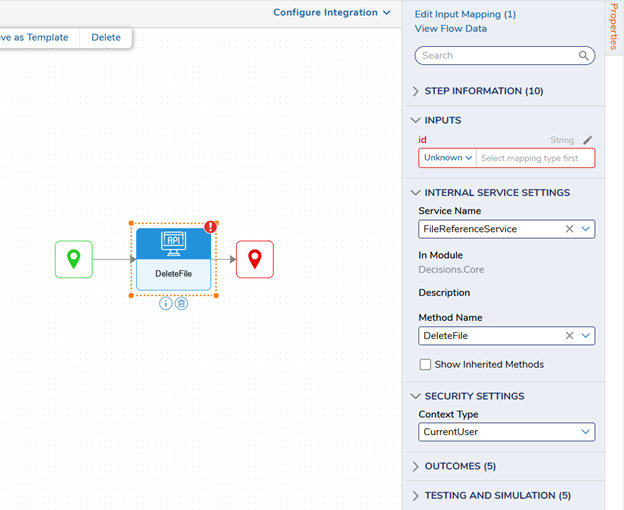
After that has been done, simply add the File Reference id into the id input to delete the FileReference.
Note: It is important to use this step as it deletes both the file and the file reference. Other methods that could be used to delete the file reference could potentially leave the file unaffected, thus leaving an orphaned file.0

Howdy, Stranger!