How to keep my row selection in my data grid?

Comments
-
Thank you for using the Decisions Forums!Inside the Report on your Advanced Data Grid, select “Specified” for the Grid Settings inside the Grid View header. From here, you can select the “Selected Rows Style" to “Row Background” which will retain some highlighting on the selected row.In addition, if you would like to further customize the highlight color for the selected row, here is the CSS class and some example code for the selected row on the report inside the advanced data grid..dp-gridview .dp-report-grid-viewer__row-holder--selected {background-color: yellow;}
Report Configuration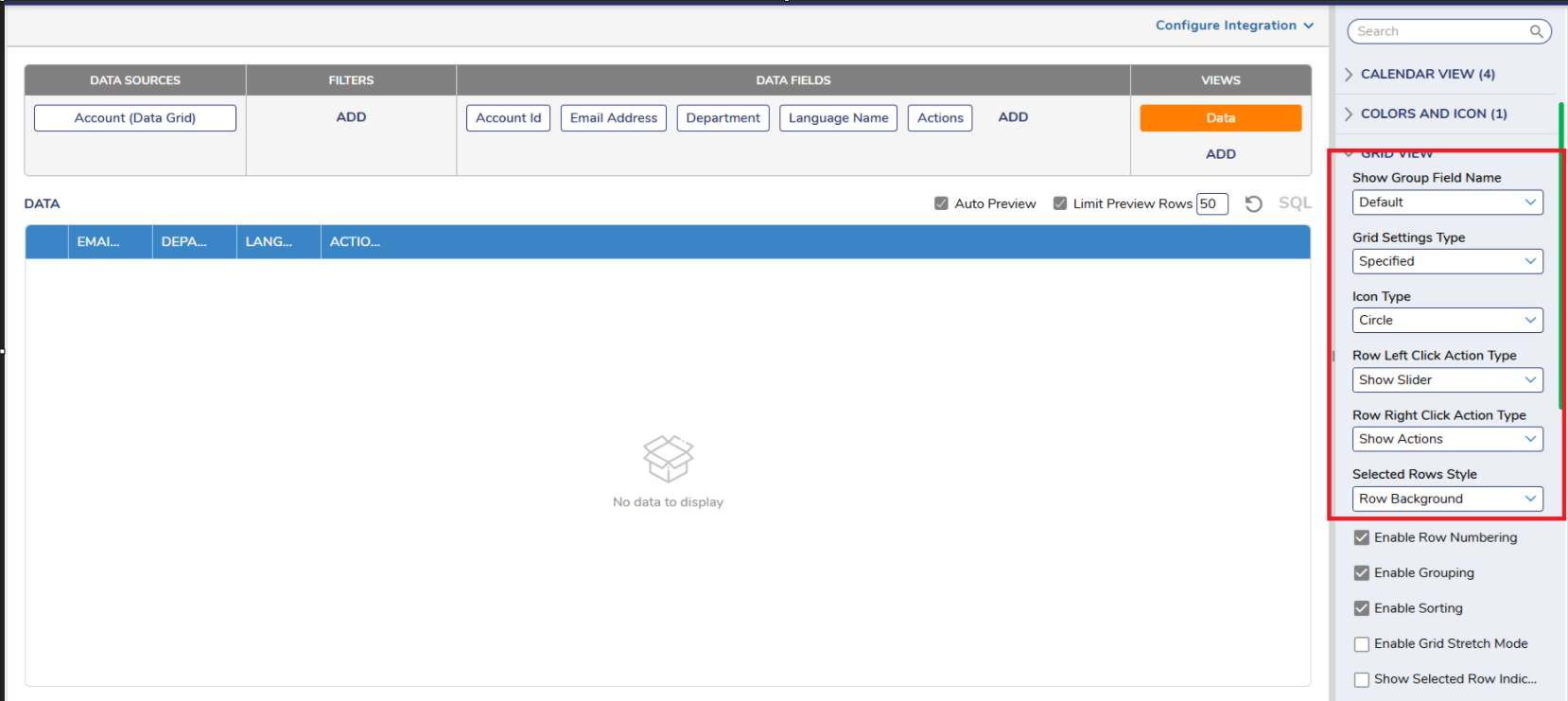
Report CSS Configuration (displayed using a CSS runtime browser tool)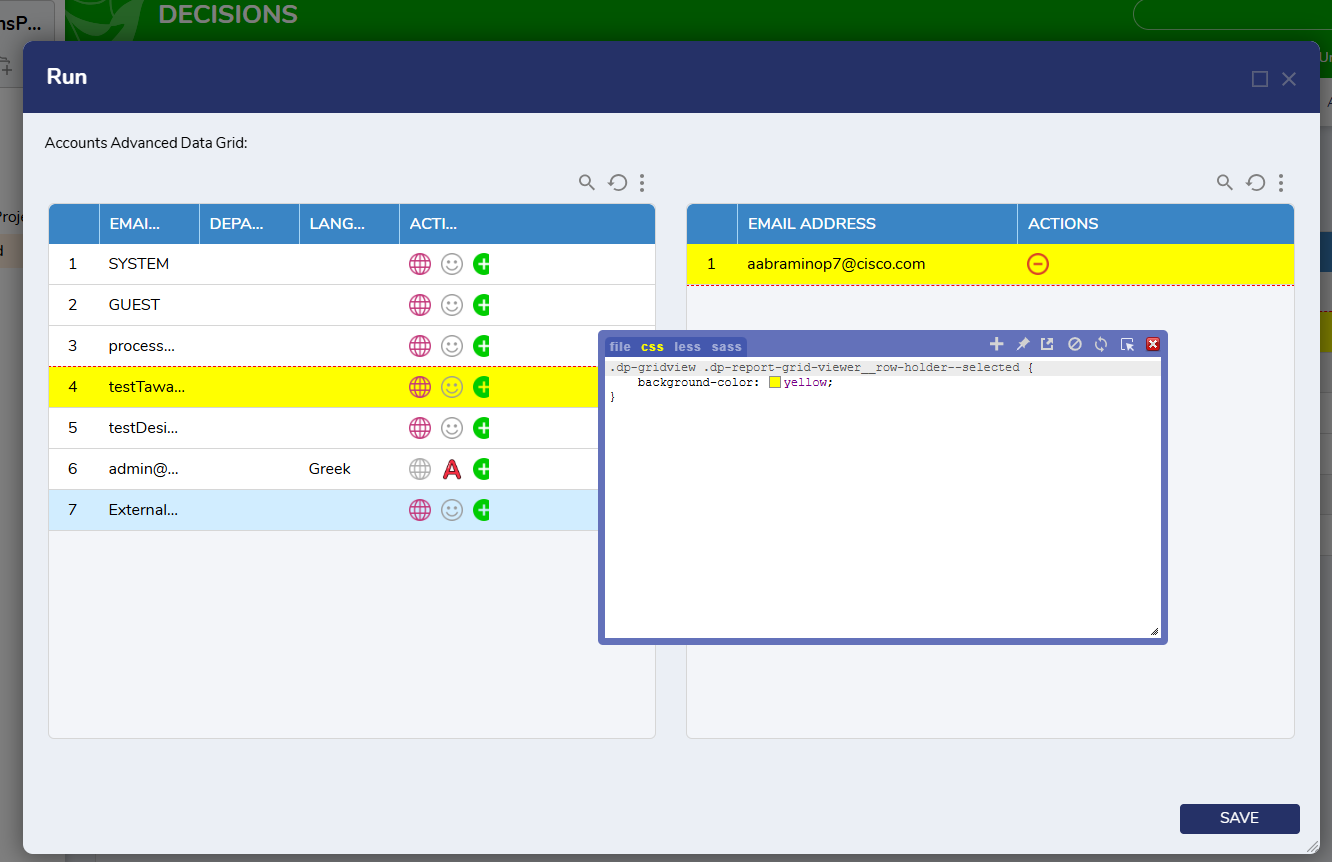 0
0

Howdy, Stranger!