How to monitor account changes to groups?

Comments
-
That is an excellent question! Yes, there is a way to do this in Decisions. The first step is to create an entity configuration datatype. After selecting “CREATE DATATYPE/INTEGRATION”, select “CONFIGURATION EXTENSION” -> “Add Entity Actions and Configuration.

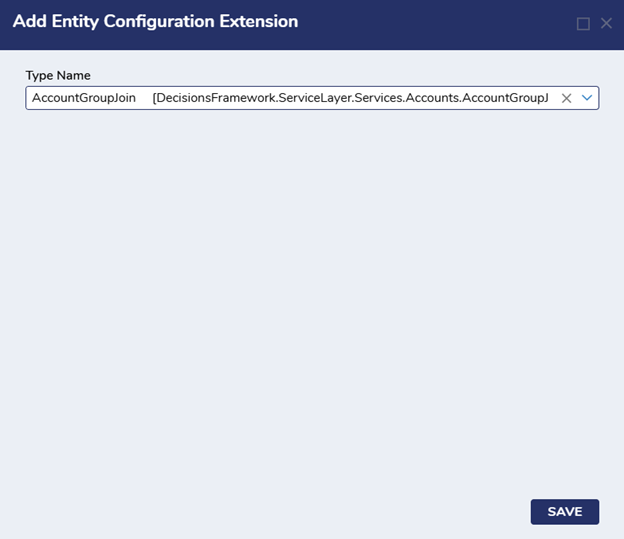
Next, select “AccountGroupJoin” as the Type Name.
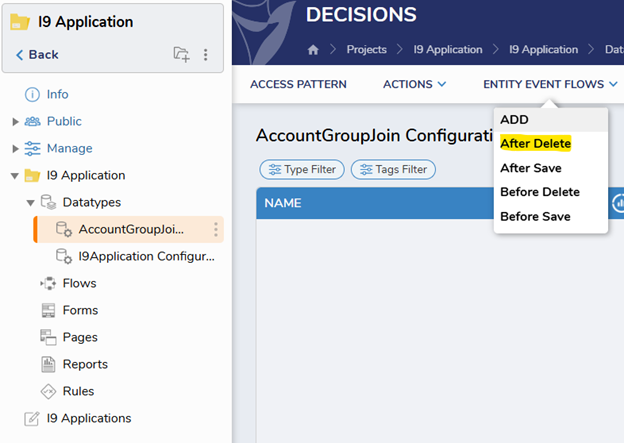
Now, select the datatype, navigate to “Entity Event Flows”, and select “After Delete” and/or “After Save”. After Delete will run after an account is moved out of a group and the After Save event flow will run after an account has been added to a group.
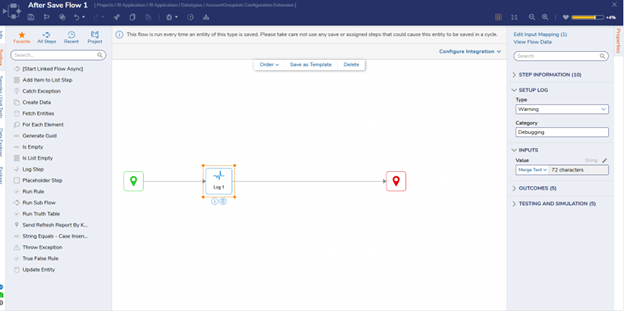
After creating the flow, you can create a log step to create a log. You can set the type to whatever level you would like; however, make sure that your portal settings are set up in a way that the type you select is displayed in your logs. Now when an account is moved, this log you created will show up in the server logs under System -> Administration -> System Tools-> Logging.
If you would like to add some additional information to your log step you can add a fetch entities step. Set the Type Name to Account and the Fetch Criteria to accountID Equals. For the account ID input, select Flow Data -> Entity -> Account ID. The information from this fetch entities step can be used in the Value section of your log step.
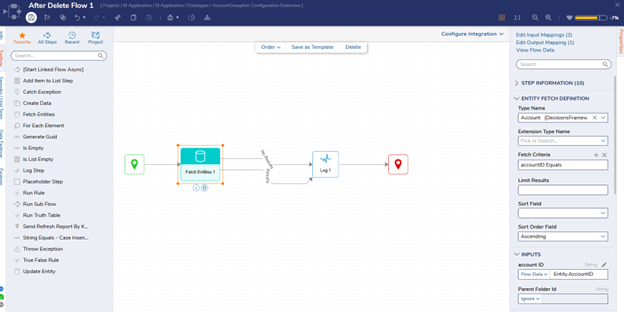
Note: you could also add a fetch entities step to get information regarding the group:
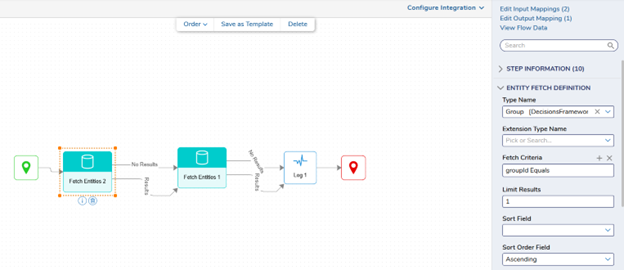
Now by combining the group and account information, you can set up a log that looks like this:

To achieve this, you can set the log value to something like this:

Note:
This is how you would create a log when an account is moved into or out of a group. However, you could also add steps to the flow for notifications if you would like. For example, you could add a send email step to email an admin or someone else of you choosing when an account is changed. You could also add a “Send Notifications to Accounts and Groups” to send a notification to a specific user or group. The important idea is creating the datatype and creating the After Save or After Delete Event Flows. This will allow you to then choose what you want to happen when an account is added/removed from a group.
0

Howdy, Stranger!