How Can I Display a Web Page in a Form with a Dynamic URL in Decisions?

Hello,
I want to display a web page inside a form using the HTML Display control in Decisions, but I need the URL to be dynamic (with parameters passed in at runtime), not static. I see how to set a static URL in the control’s properties, but I don’t see a way to pass parameters or set the URL dynamically. Is there a way to do this?
Comments
-
Hello,
Yes, you can display a web page with a dynamic URL in a form using the HTML Display control by mapping the URL property to a flow variable.
Resolution Steps:
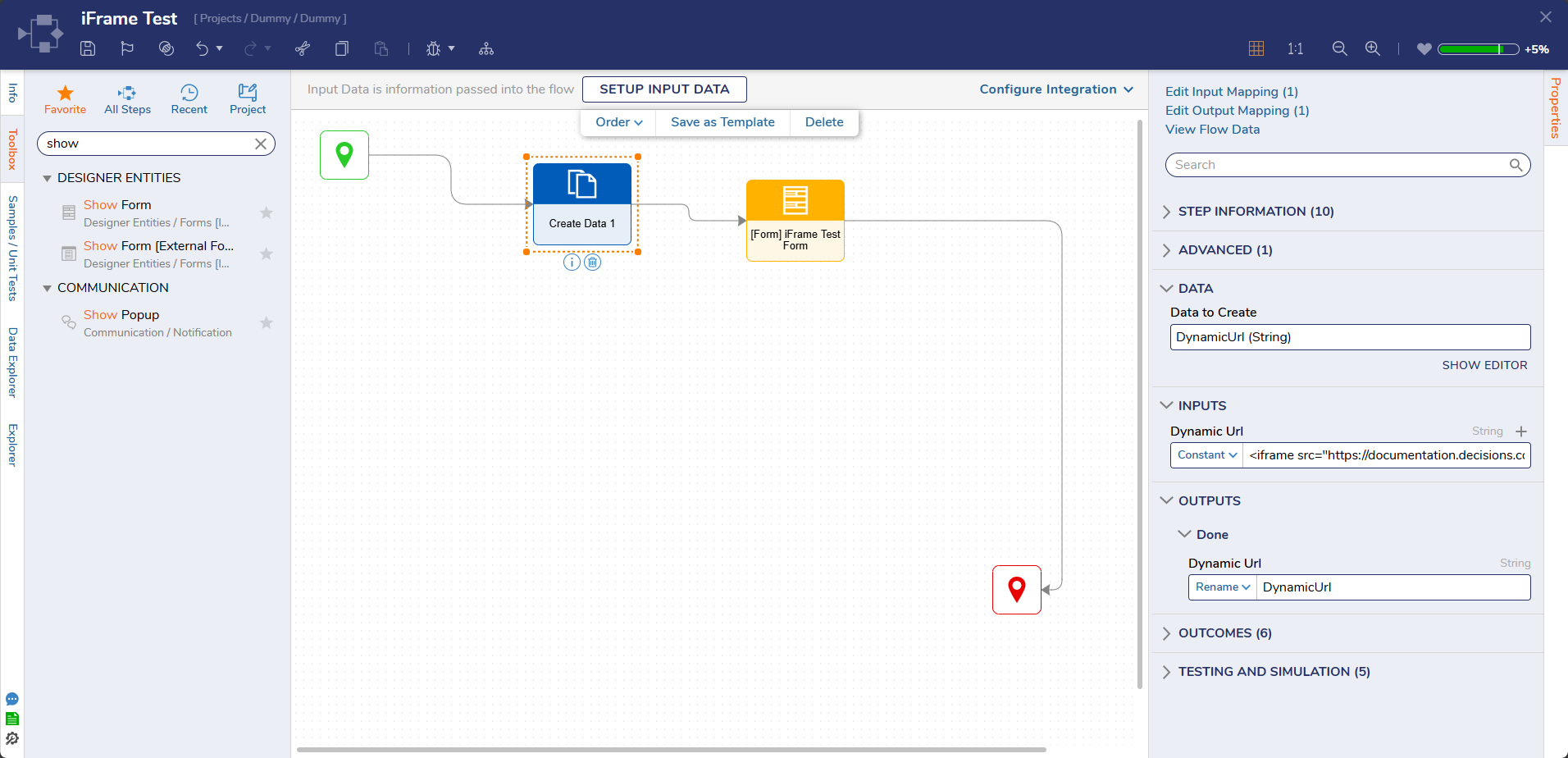
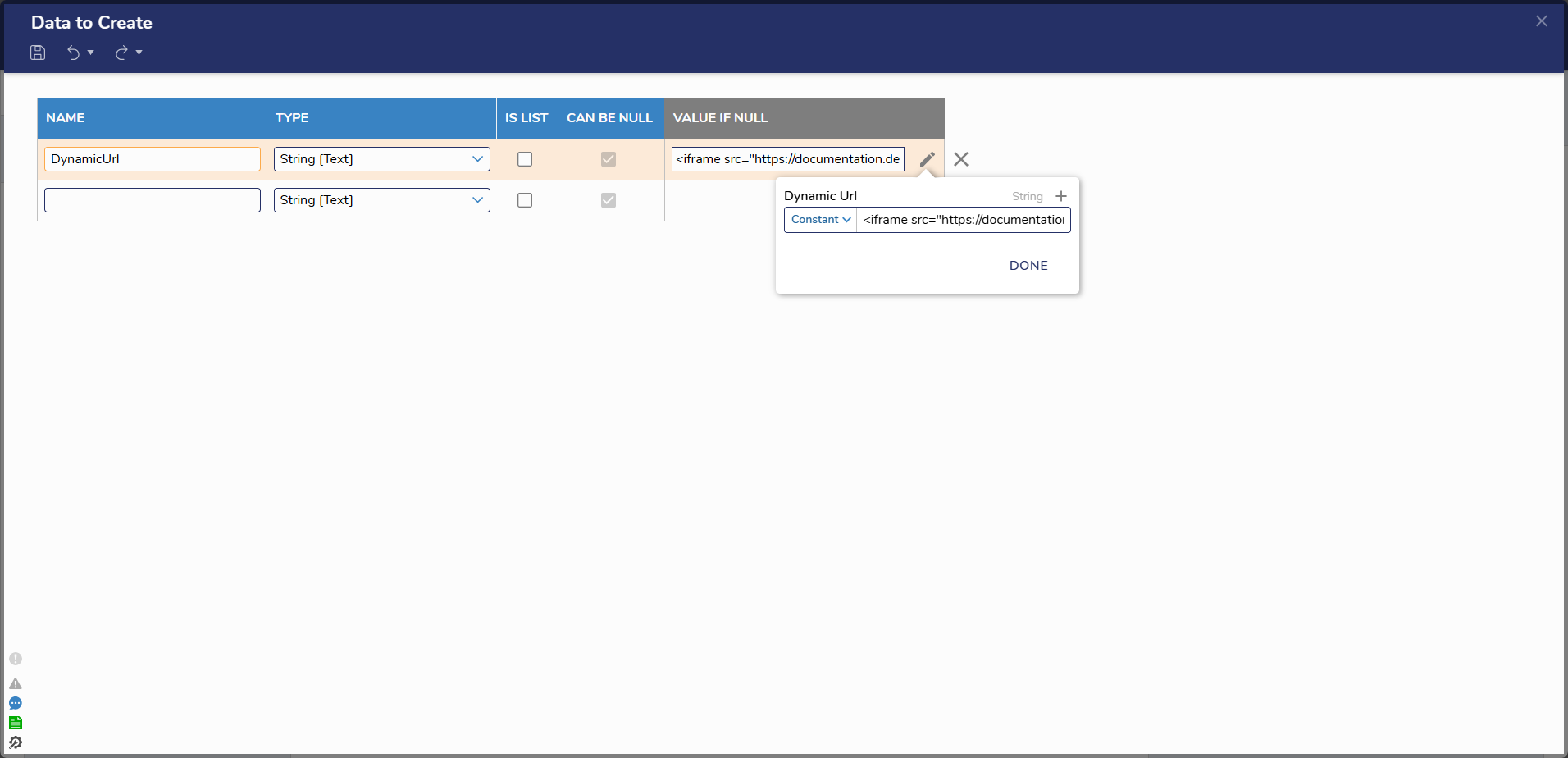
- In your flow, add a Create Data step to build a string variable (e.g., DynamicUrl) with your desired URL and parameters.
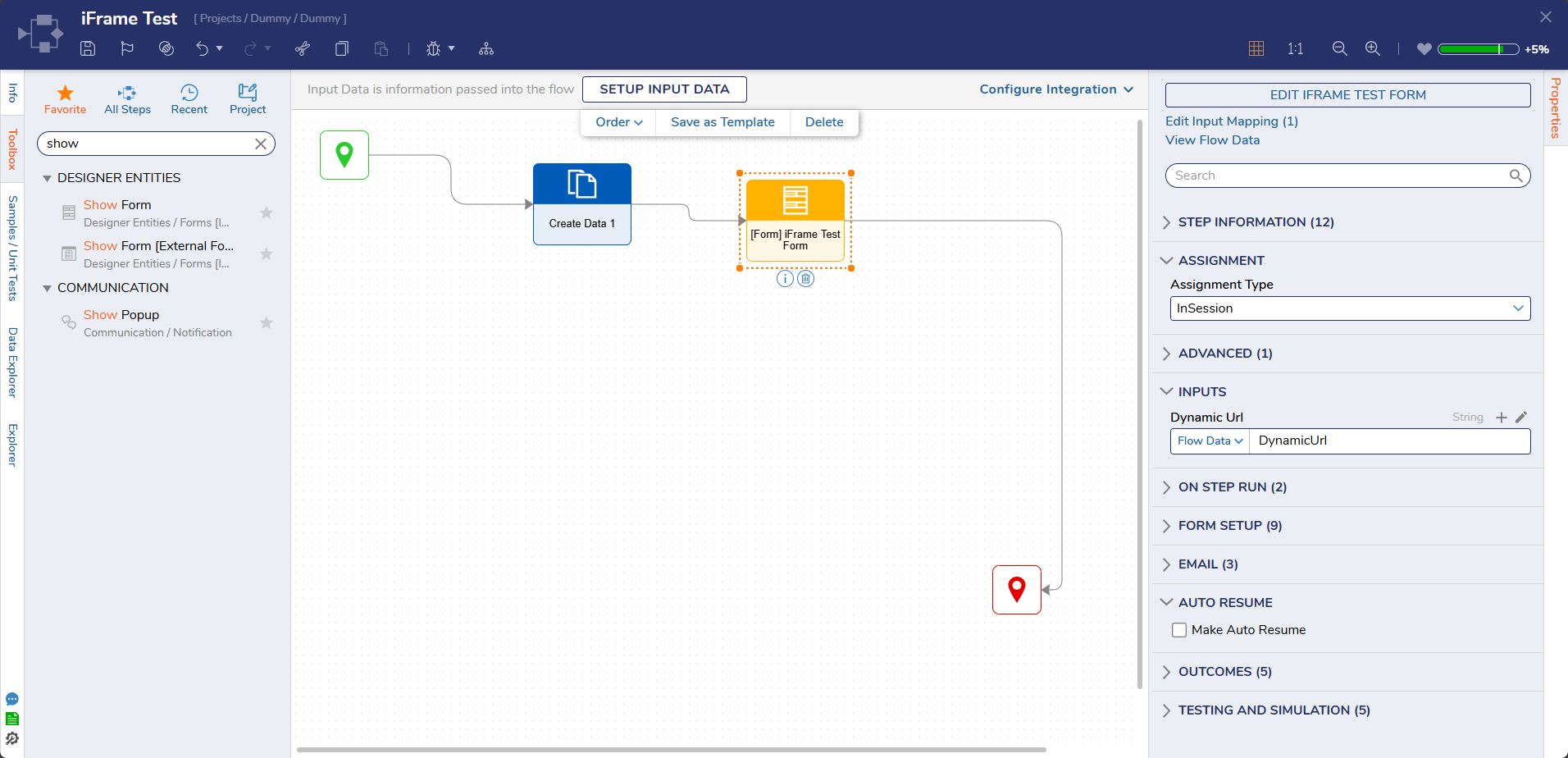
- Add a Show Form step.
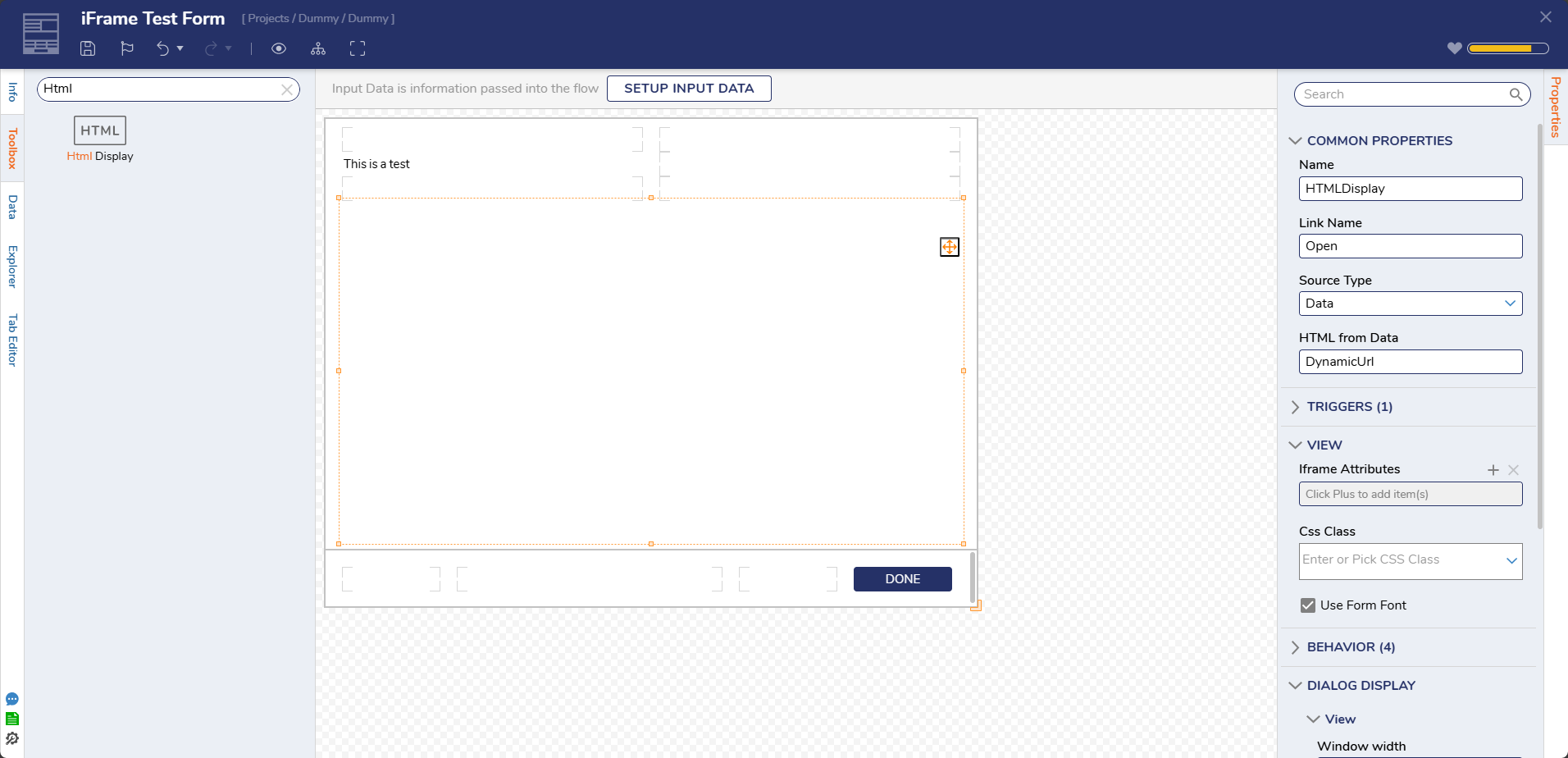
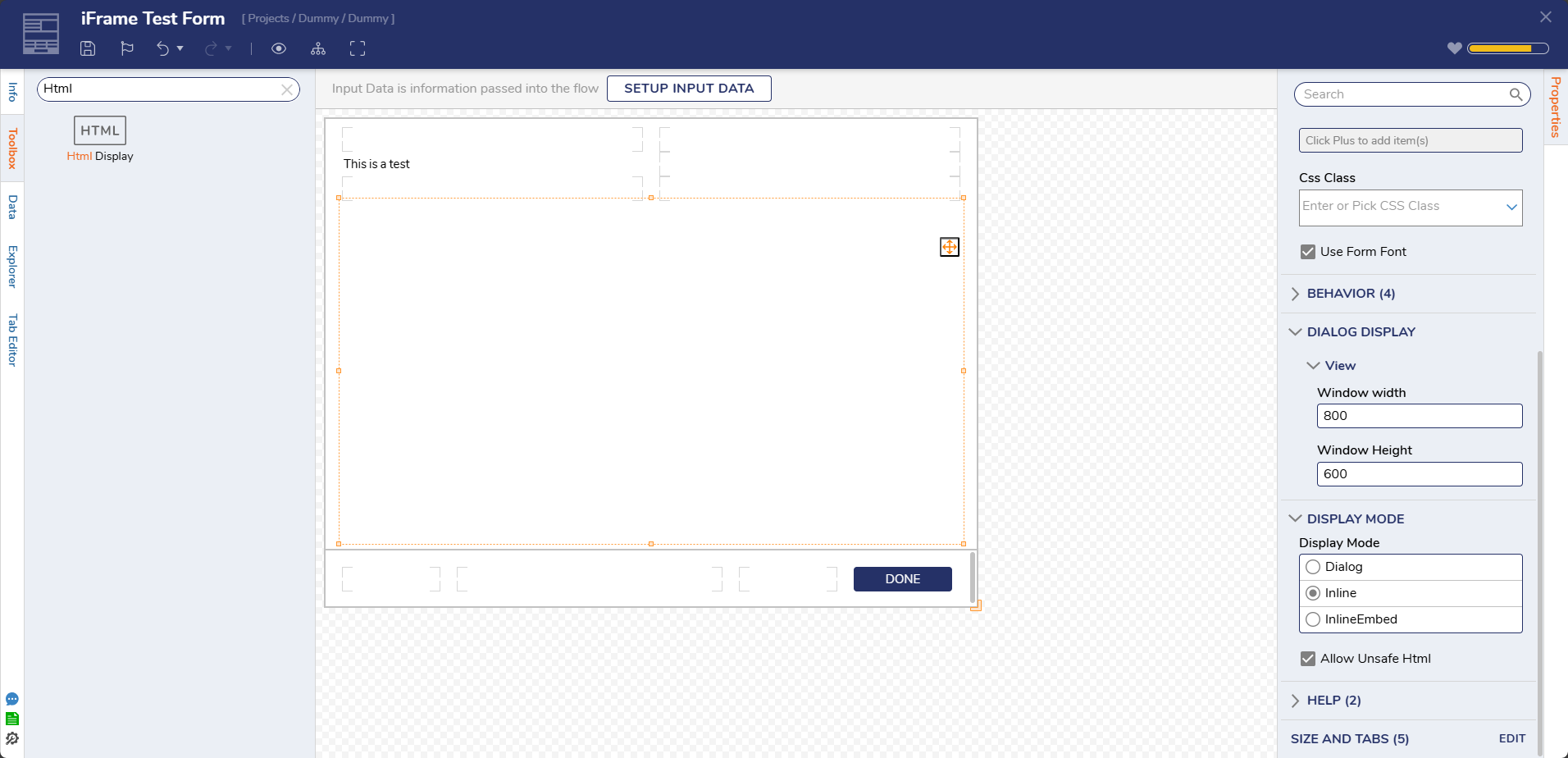
- In the Form Designer, add the HTML Display control.
- Set the control’s URL property to use Data Name mapping, referencing your DynamicUrl variable.
- Make sure the Show Form step passes the DynamicUrl variable to the form.
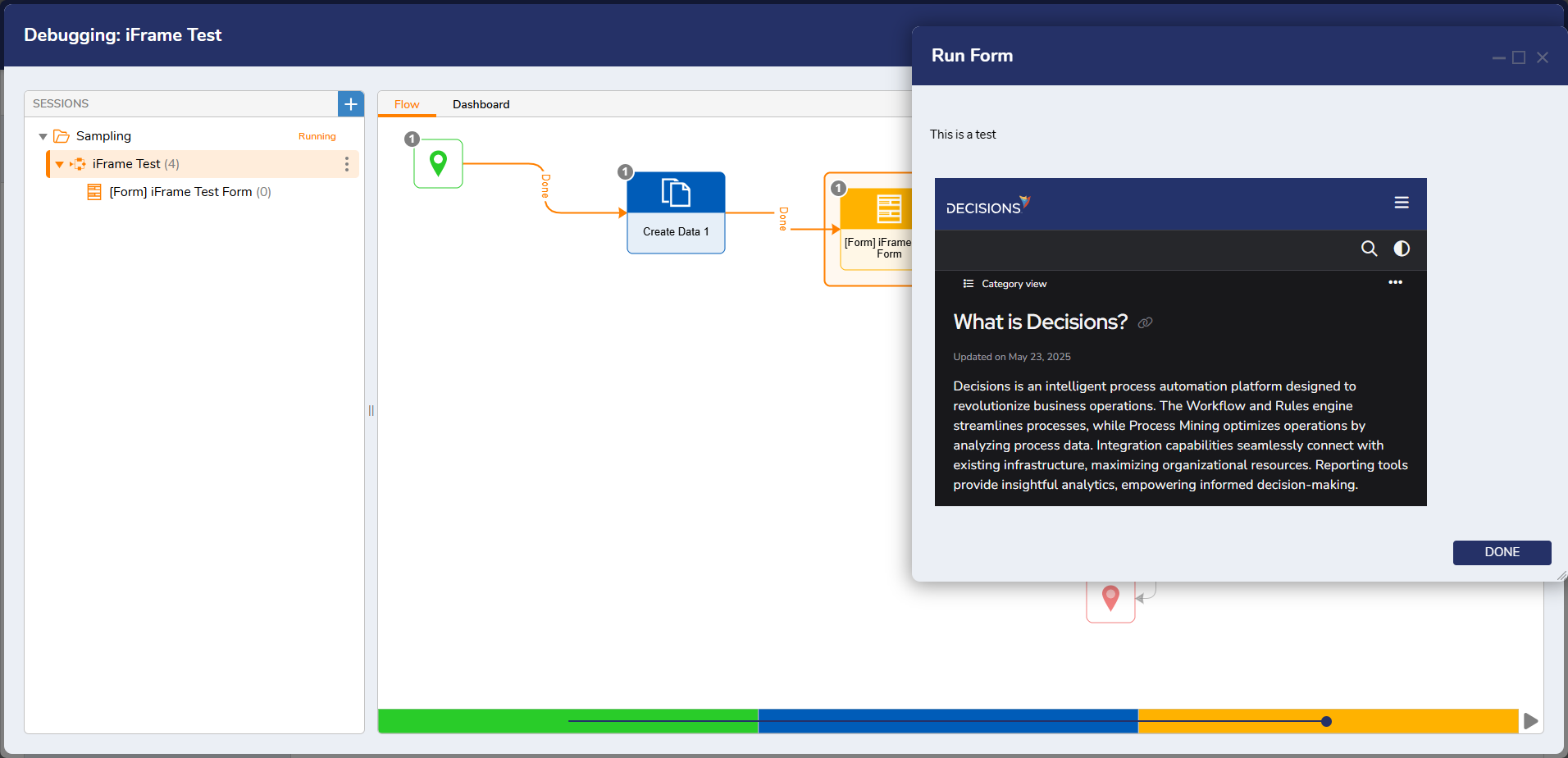
- This will display the web page at the dynamic URL, and users won’t be able to change it.
Relevant Links:
https://documentation.decisions.com/docs/html-display-control
0 -
Please refer to the following screenshots demonstrating the steps listed above, along with resources from the documentation guide linked. Also, it's important to note Pages do not support parameter passing, but forms do via flow variables:
 0
0

Howdy, Stranger!
Categories
Training YouTube Channel
- Subscribe to the Decisions Training channel