How Can I Display a Web Page in a Form with a Dynamic URL in Decisions?

in Pages
Hello,
I want to display a web page inside a form using the HTML Display control in Decisions, but I need the URL to be dynamic (with parameters passed in at runtime), not static. I see how to set a static URL in the control’s properties, but I don’t see a way to pass parameters or set the URL dynamically. Is there a way to do this?
0
Comments
-
Hello,
Yes, you can display a web page with a dynamic URL in a form using the HTML Display control by mapping the URL property to a flow variable.
Here’s how to do it:
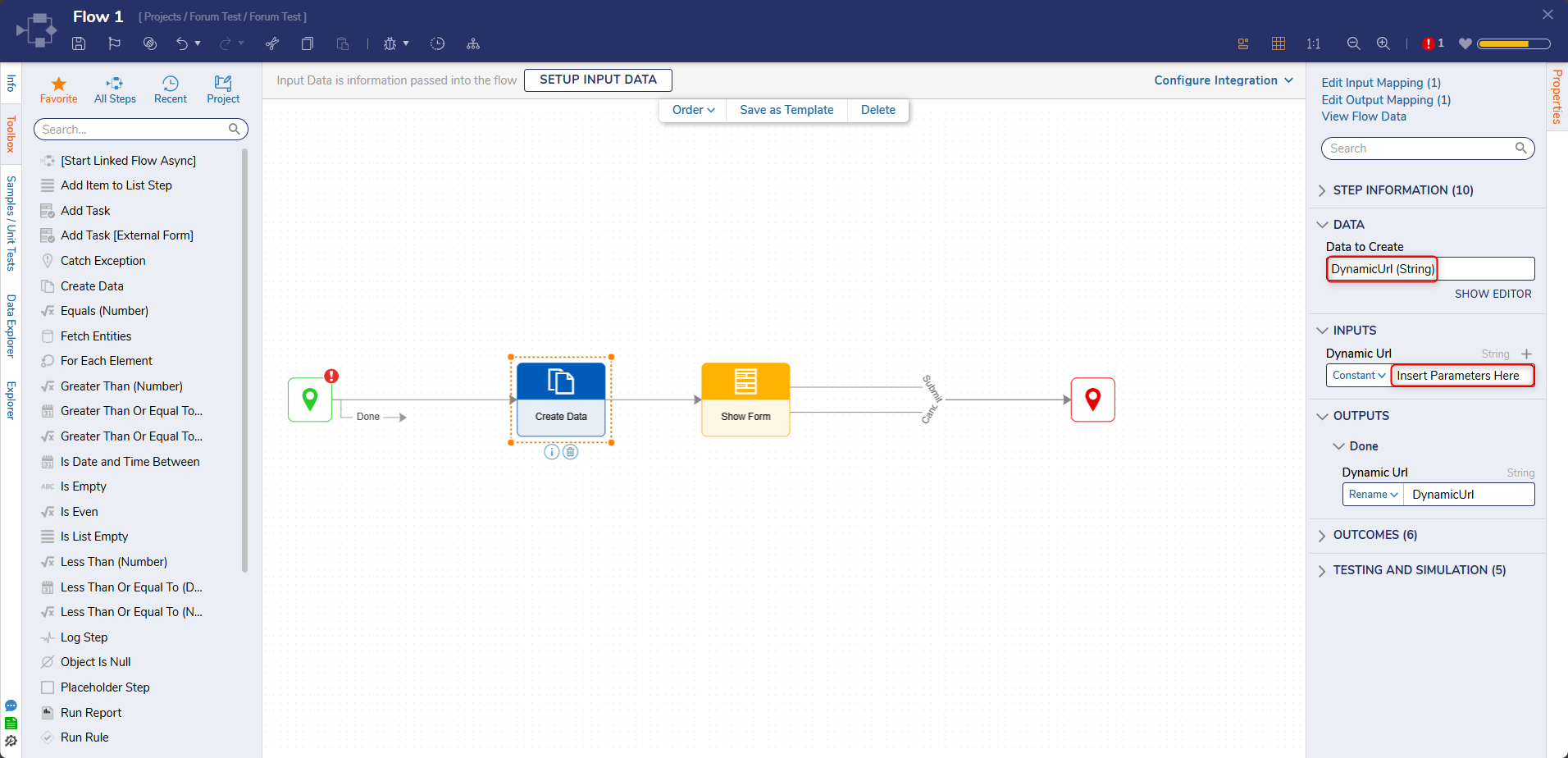
- In your flow, add a Create Data step to build a string variable
(e.g., DynamicUrl) with your desired URL and parameters.
- Add a Show Form step.
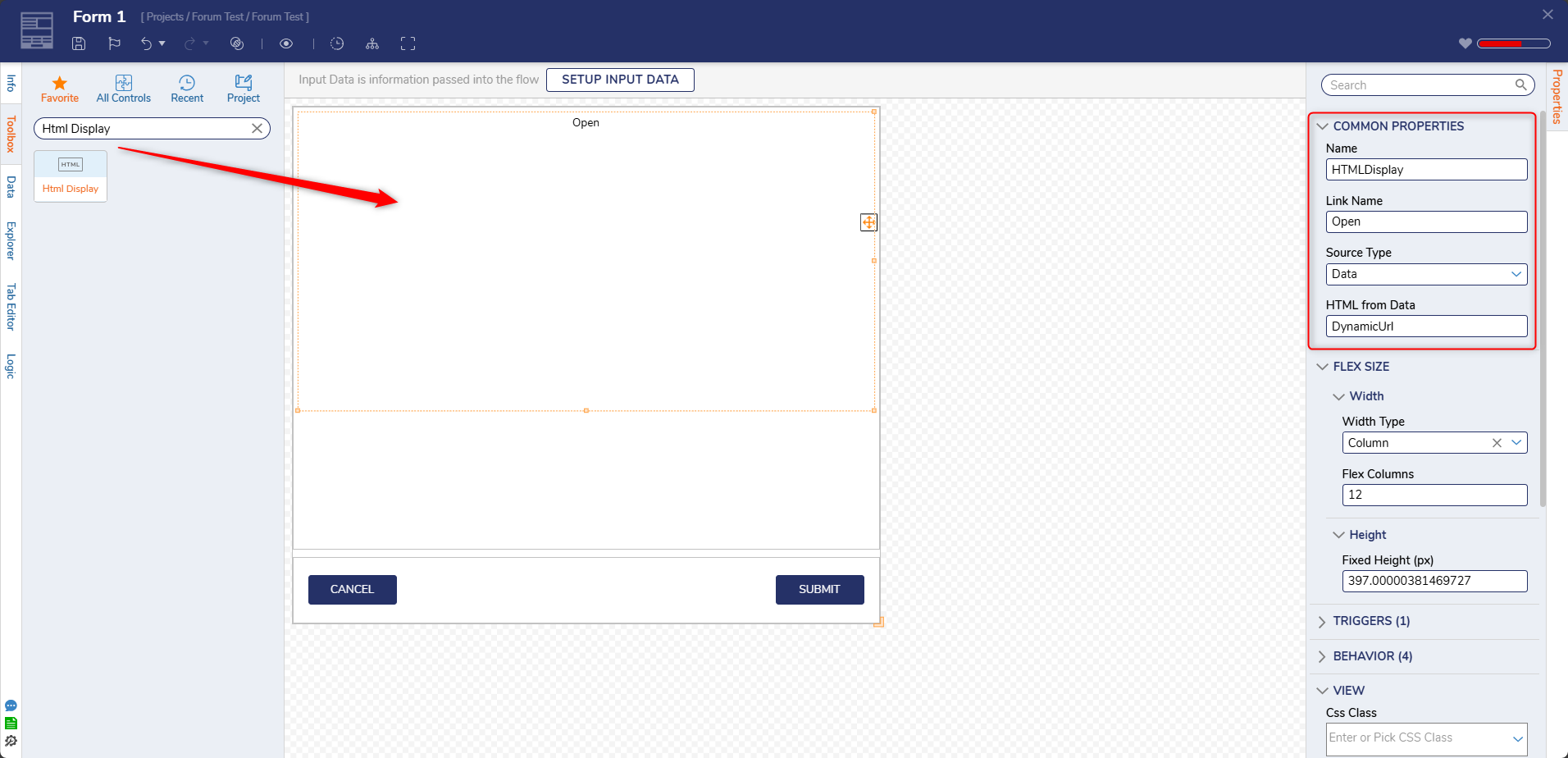
- In the Form Designer, add the HTML Display control.
- Set the control’s URL property to use Data Name mapping, referencing the DynamicUrl variable.
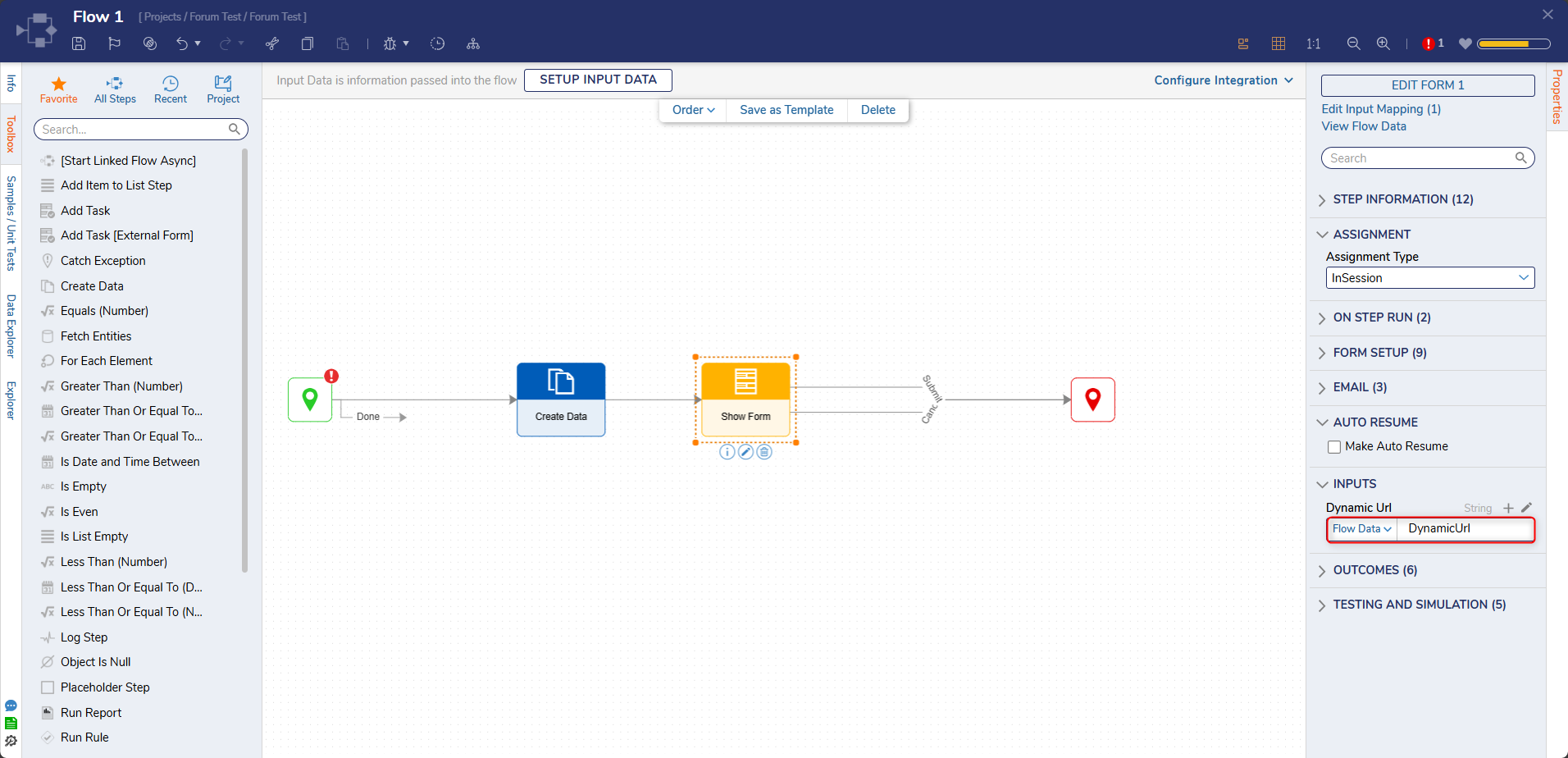
- Make sure the Show Form step passes the DynamicUrl variable to the
form.
- When the flow runs, the form will display the web page at the dynamic URL, and users won’t be able to change it.
Note: Pages do not support parameter passing, but forms do via flow variables. HTML Display Control
Hope this helps!0 - In your flow, add a Create Data step to build a string variable
(e.g., DynamicUrl) with your desired URL and parameters.

Howdy, Stranger!