Best practices for configuring webhook authentication in Decisions (utility user, session ID, etc.)

When setting up webhooks in Decisions, what are the best practices for choosing an authentication setup? Should I create a utility user with minimal permissions, generate a session and reuse the session ID, or use a named session? Any advice on securely configuring and permissioning these options would be appreciated.
Comments
-
Hello,
It is recommended to use a Named Session tied to a user account with only the permissions needed for the webhook’s actions. Here’s how to do it:
Resolution Steps:
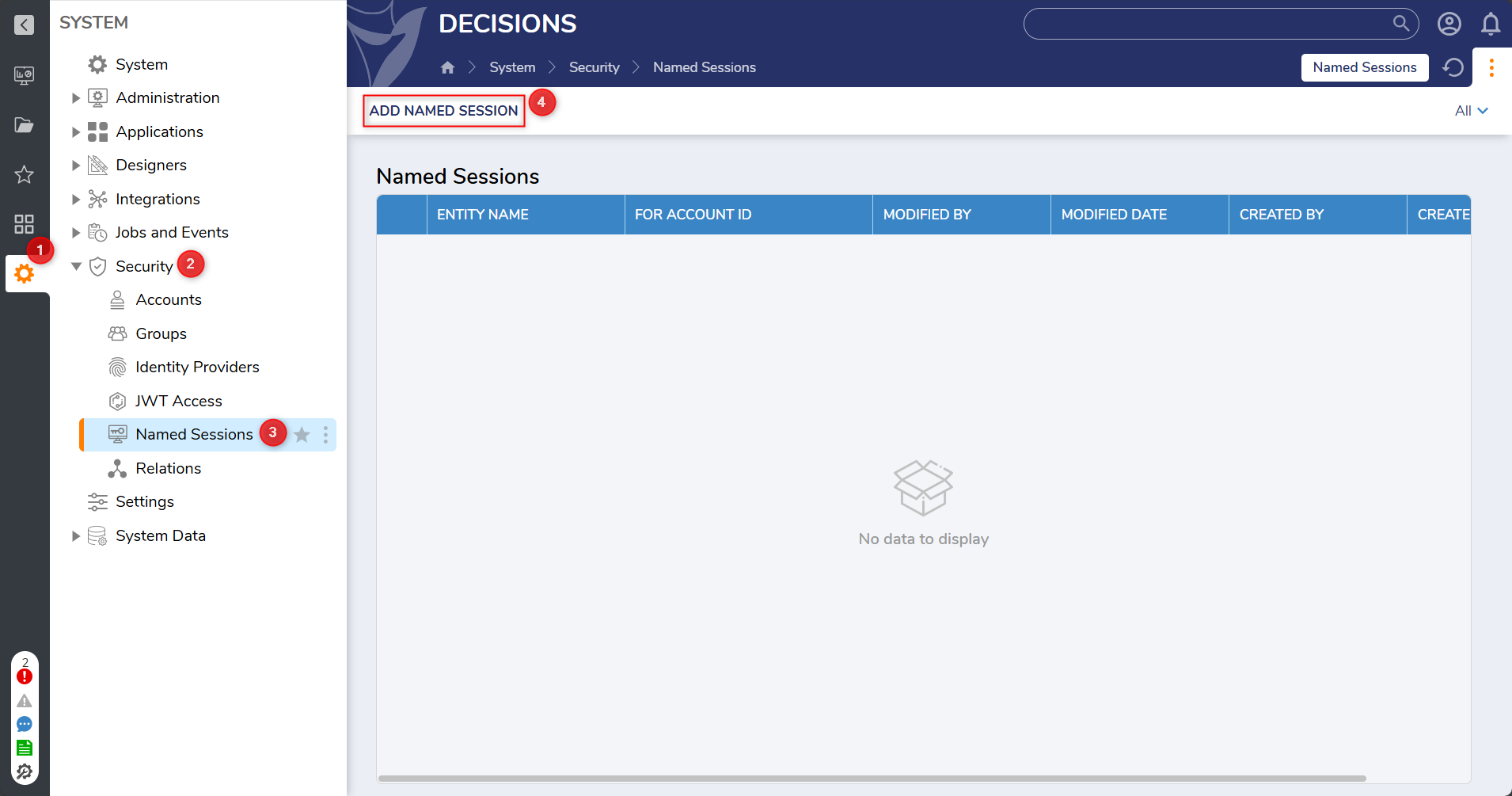
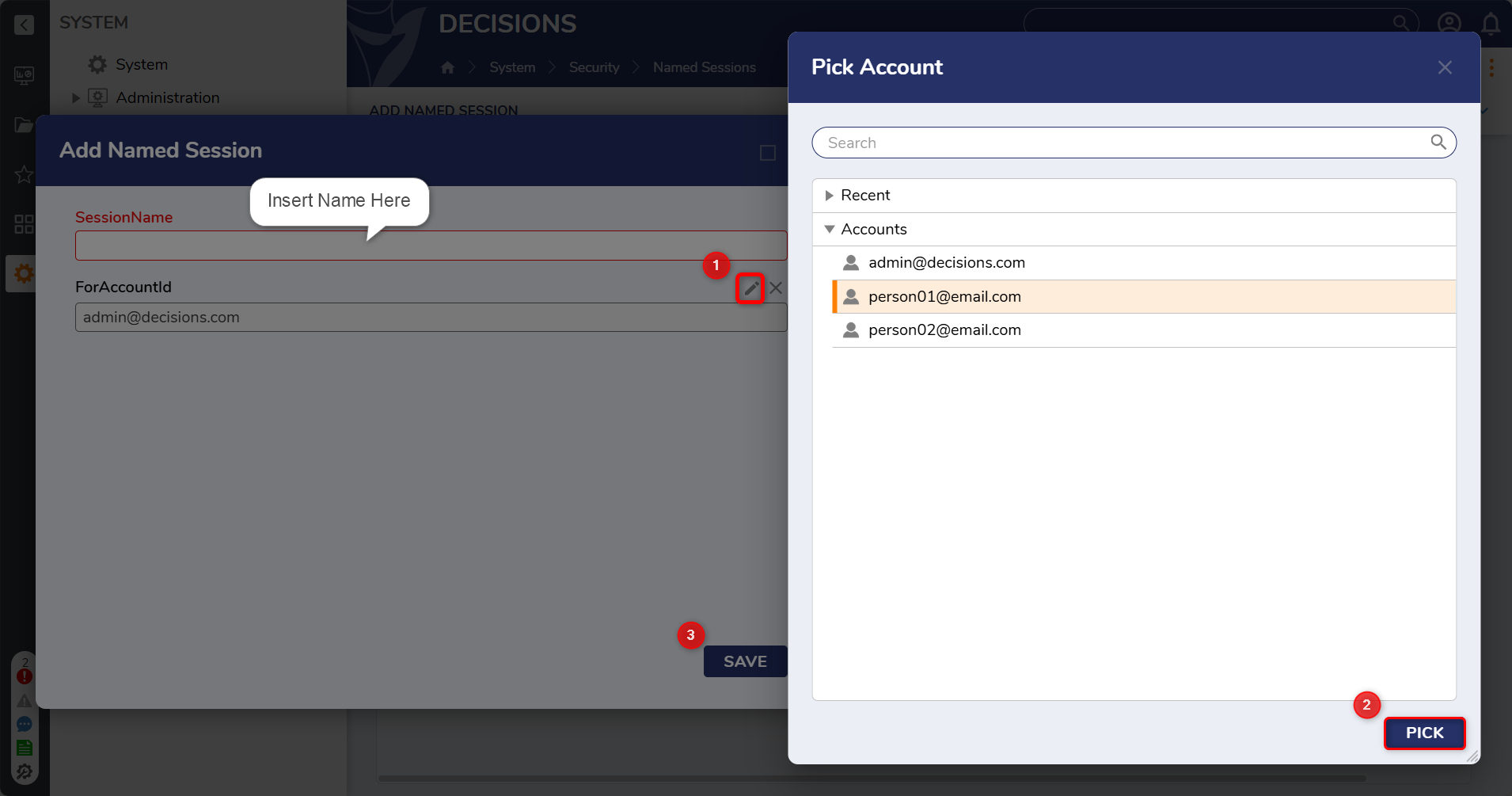
Create a Named Session: Go to Settings > Security > Named Sessions > Add Named Session, and select the appropriate user.
Assign least privilege: Ensure the user account for the Named Session has only the permissions required for the webhook.
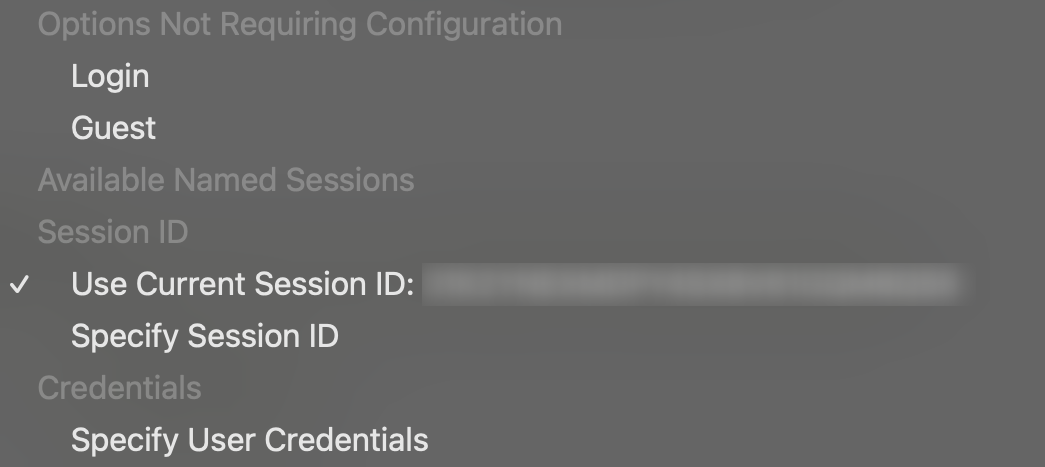
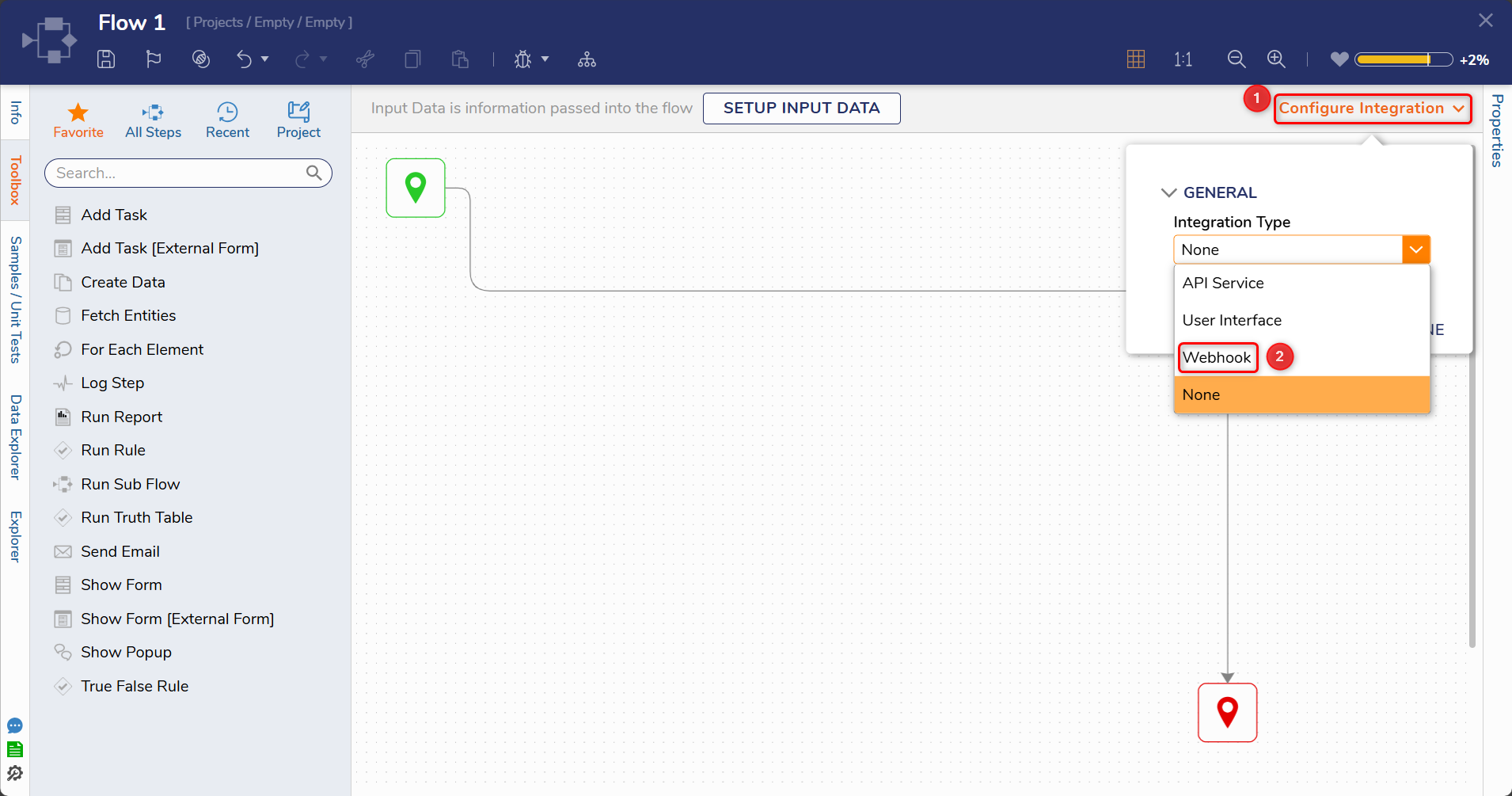
Configure the webhook: In your webhook integration, select the Named Session as the authentication type.
This approach is secure, manageable, and aligns with least privilege principles.
Hope this helps!
Relevant Documentation:
Named Sessions Documentation - https://documentation.decisions.com/docs/named-session?highlight=named%20sessions
Creating Webhooks - https://documentation.decisions.com/docs/creating-webhooks
Best Practices for External Integrations - https://documentation.decisions.com/docs/best-practices-for-decisions-deployment?highlight=best%20practices%20for%20external%20integrations
0

Howdy, Stranger!