How do I strip emojis from text?

Comments
-
Hello, thanks for reaching out to us through the forum!
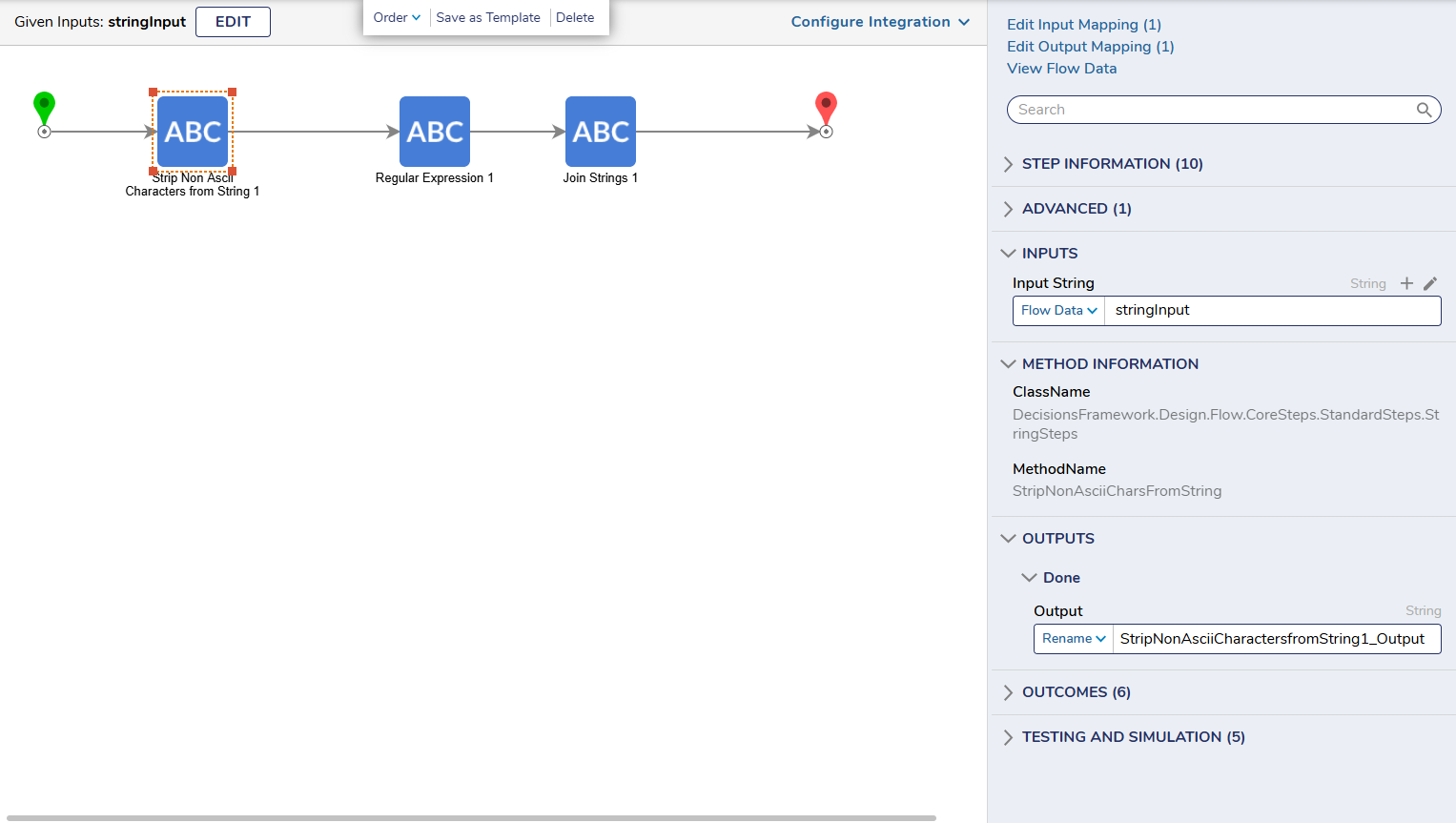
If you only expect the basic English chars and punctuation, you can use a step called “Strip Non Ascii Characters from String”. This will strip all non-Ascii chars from the string, which means everything that's not an English character, simple punctuation, or a number will be removed.
Strip Non Ascii Characters from String: https://documentation.decisions.com/step-library/docs/en/strip-non-ascii-characters-from-string
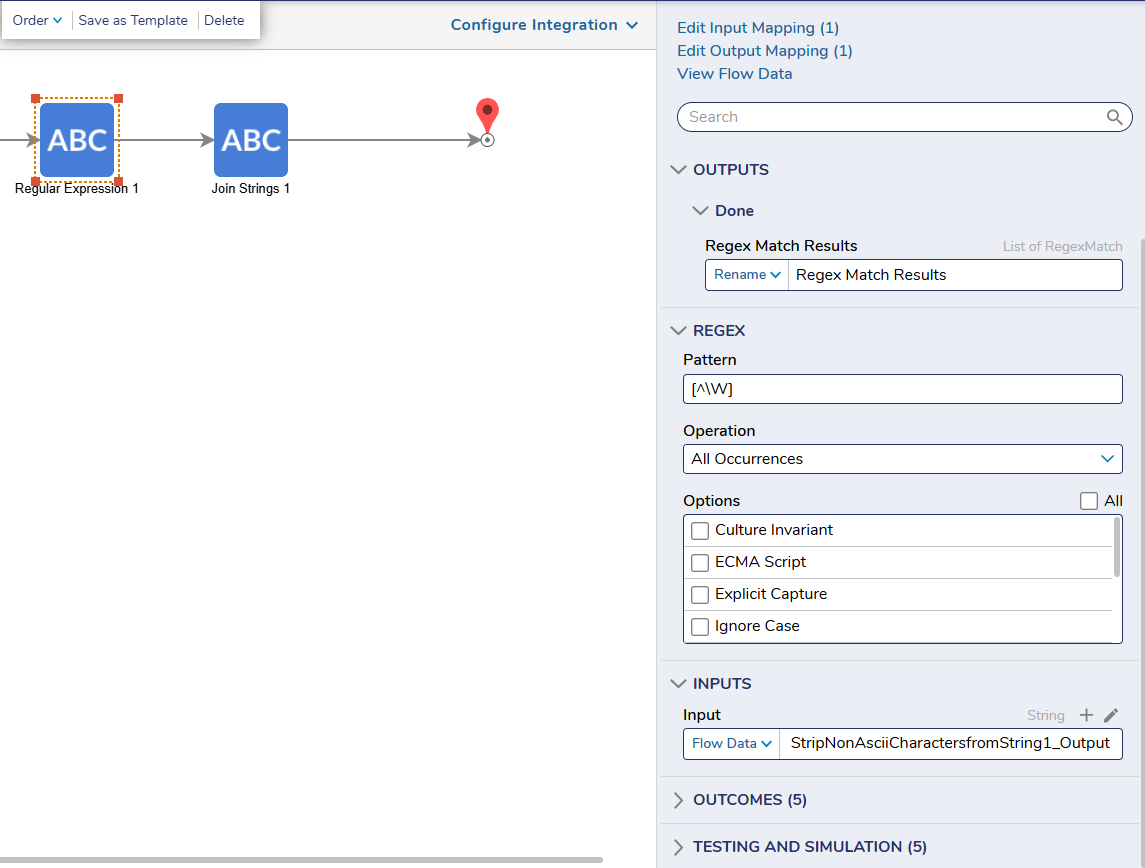
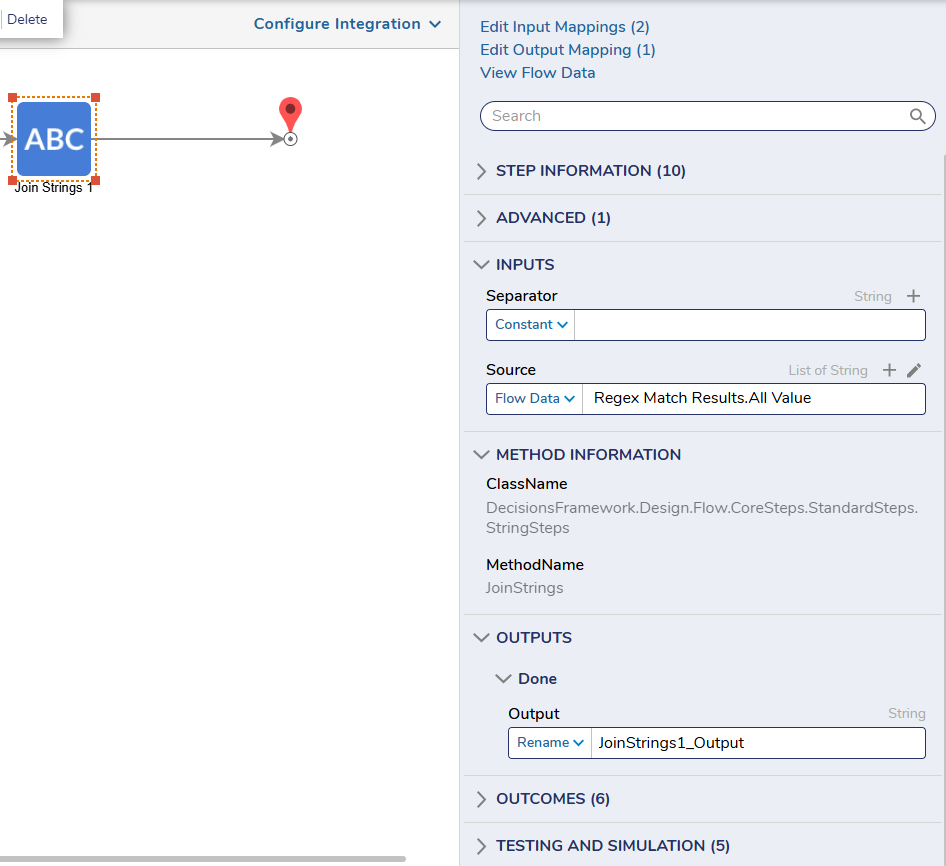
Next, if you do expect the users to add non-English characters like the letters above, then I would recommend a regex expression. For example, using the regex "[^\W]" returns only letters in most language and numbers. The step is called "Regular Expression" and it is located in the step toolbox by going to DATA > TEXT > Regular Expression step. Following that step, you do have to use a "Join Strings" step and the input would be “Regex Match Results.All Value” and the separator would be blank.
Regex Steps: https://documentation.decisions.com/step-library/docs/regular-expression-steps
Join Strings: https://documentation.decisions.com/step-library/docs/join-strings
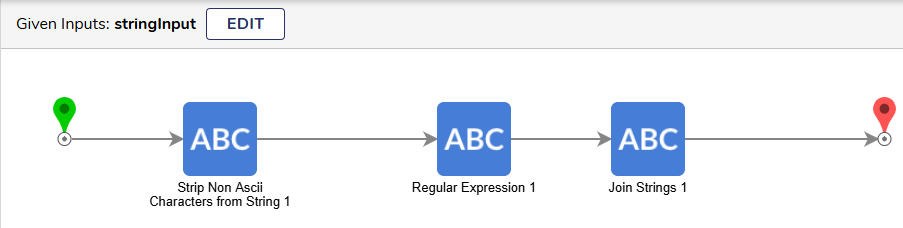
Here are screenshots of the flow I built that satisfies your use case.
Flow Overview:
Strip Non Ascii Character Step:
Regular Expression Step:
Join Strings Step:
Thank you again for using the forum!
Best regards,
Andrew || Decisions Support
0

Howdy, Stranger!