Public Folders Check-in Behavior
![[Deleted User]](https://w1.vanillicon.com/v2/13832175faaef368db7e187158c210c0.svg)
I have several FolderExtensionDataStructures within the project. One contains status records that need to be promoted across environments, while the other two contain user-generated records that should remain local to each environment.
Is there a way to permanently exclude specific folder contents or entity records from deployment? I understand they can be manually deselected during check-in via the wizard, but this must be repeated for each item every time.
Comments
-
Hi there,
Thank you for reaching out to support! Data created inside a Public Folder, including folder extensions, process folders, and documents are not automatically selected when the project is checked into the Repository except for Pages. This means the two FolderExtensionDataStructures containing user-created records can be placed in a Public Folder, so their data is not deployed to other environments.The structure containing statuses can still be deployed by right clicking the entity > Deployment > Designer Repository > Add To Deployment on the required entity before checking in the project. You can also toggle the multi-select function on the report if there are multiple entities that needs to be checked in
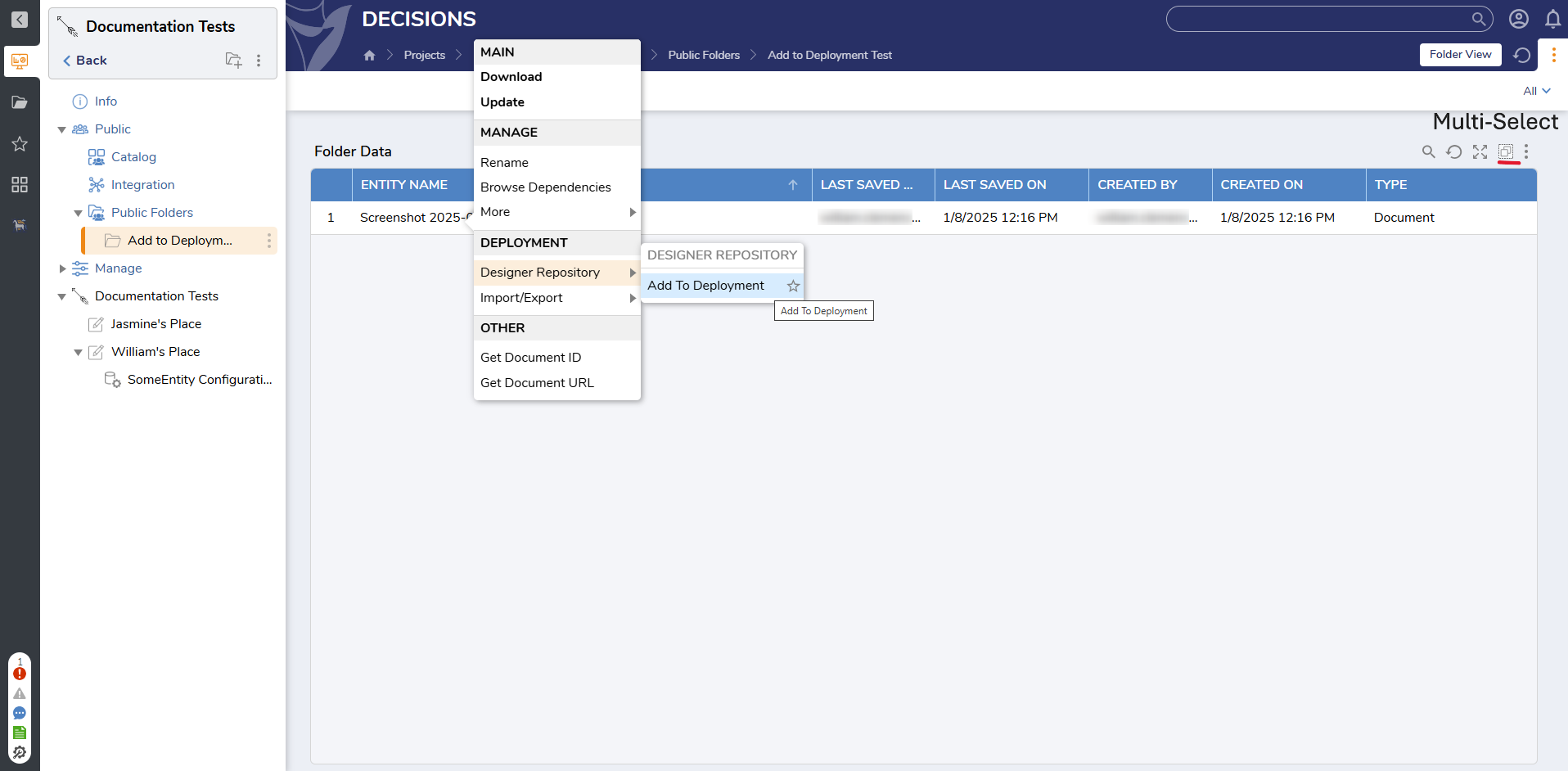
This avoids having to manually deselect the user-created records during every deployment while still allowing selected data to be promoted when needed.
Regards,
Vinh Tran | Decisions Support
0
![[Deleted User]](https://w2.vanillicon.com/v2/24aad915403ca4009ca61883cde865c5.svg)
Howdy, Stranger!