Text extraction from documents
![[Deleted User]](https://w1.vanillicon.com/v2/13832175faaef368db7e187158c210c0.svg)
Comments
-
Good afternoon Harvey,
Thank you for reaching out in our community forum! Short answer is, yes, we have many different steps to help you extract data from uploaded documents. We also offer the Text Extraction Agent (TEA) service, where unstructured document data from sources like PDFs, scans, emails, forms, images, and contracts is extracted, interpreted, and converted into structured, actionable data using OCR, AI-driven prompts, and validation workflows. If interested, please reach out to sales@decisions.com.
There are many out-of-the-box steps available to extract data from documents:
1. If a fillable PDF is uploaded
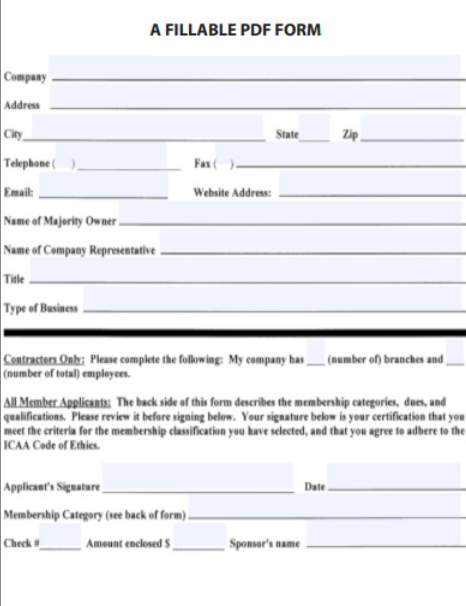
a. You can retrieve data via the 'Get PDF Form Fields' step, which will automatically grab all of the data filled in the predetermined form fields
b. Below is an example of a PDF with fillable fields
2. If a non-fillable PDF is uploaded
a. You can get ALL text on the PDF via the 'Get Text From PDF' step
b. Once you have all of the text, you can filter for which fields manually with the following steps
ii. Regular Expression Steps (more advanced, but can grab multiple specified line items)
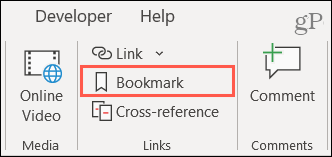
3. If a MS Word Document with Bookmarks is uploaded
a. Get Text from Document Bookmark
4. If an Excel file is uploaded
a. You can use the 'Convert Document' step to convert this into a PDF and follow step 2a and 2b
Please let us know if you have any further questions.
Regards,
Vinh Tran | Decisions Support
0
![[Deleted User]](https://w2.vanillicon.com/v2/24aad915403ca4009ca61883cde865c5.svg)
Howdy, Stranger!