Dynamically Create Lists for Each Item
![[Deleted User]](https://wa.vanillicon.com/v2/a956ae5b01d02b69dd349bcd60564717.svg)
Is it possible to create a new list of strings for each item so that each item is contained in a separate list?
Comments
-
Hi there!
You can create a data pair that includes a name and an object that holds a list of strings. By using the name, you can easily access the list stored in that object.
Create a new flow and add ‘Create Data’ step to create the string list of get strings from.
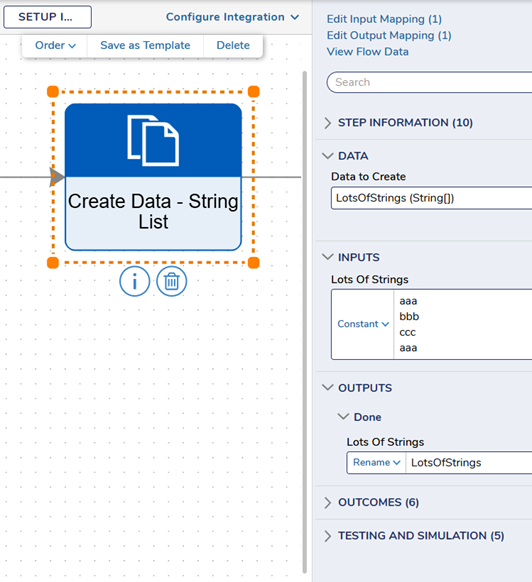
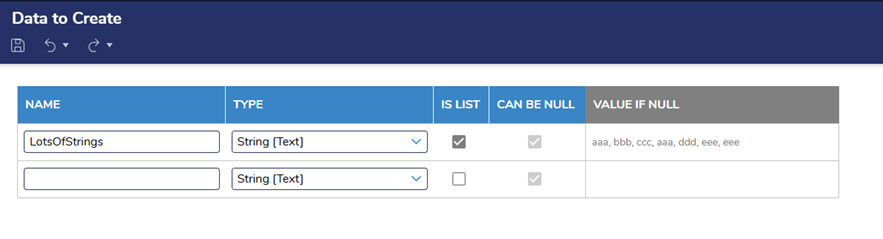
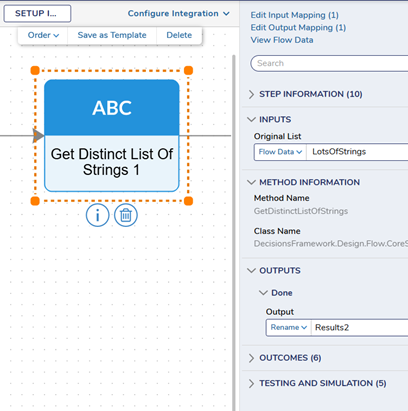
Add ‘Get Distinct List Of Stings’ step to return only the unique entries of that string list.
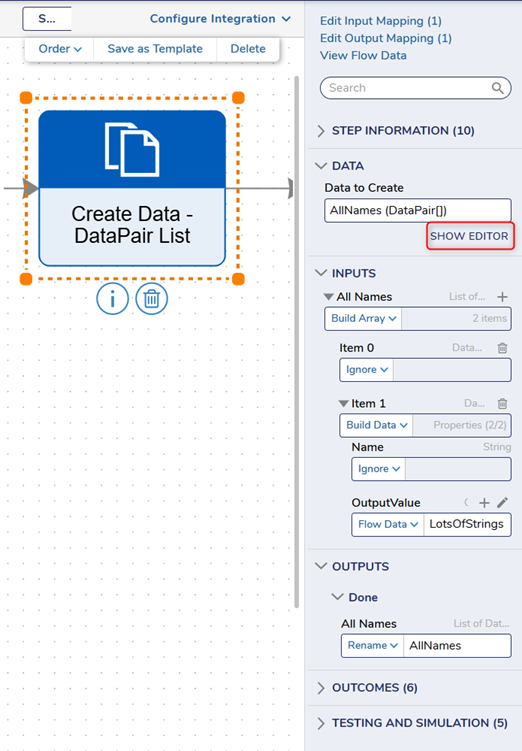
Add ‘Create Data’ step to create the data pair list. Click SHOW EDITOR to add the variables. Provide a name and select DataPair from the Type selector. Check ‘Is List.’ Under ‘Value If Null,’ click the pencil icon and ‘Build Array.’ Under each item, use ‘Build Data’ to expose each part of the Data Pair. Set your values. The OutputValue will be your original list. Exit and SAVE.
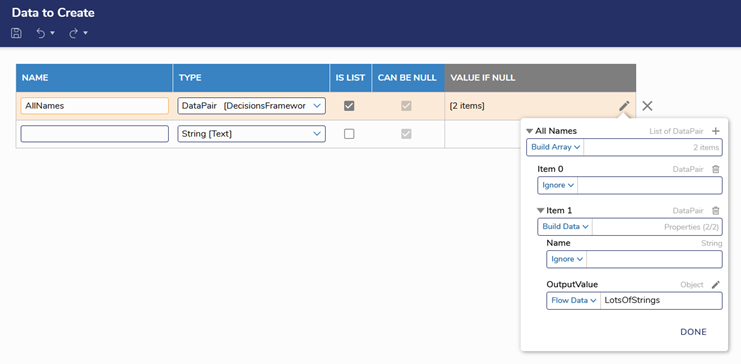
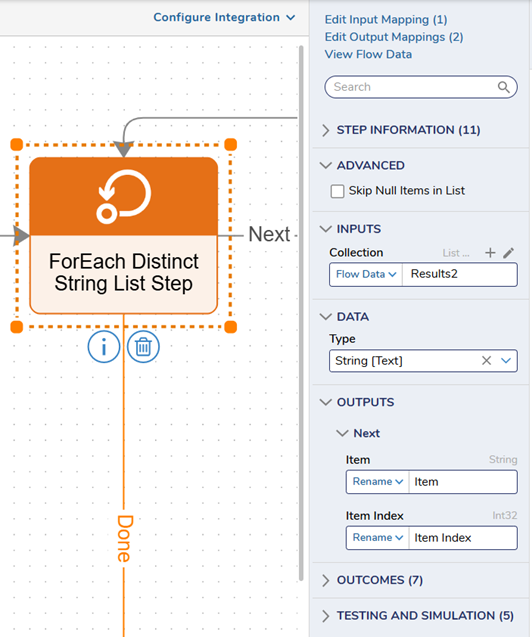
Next, add a ‘ForEach’ step. The INPUT should be your unique list.
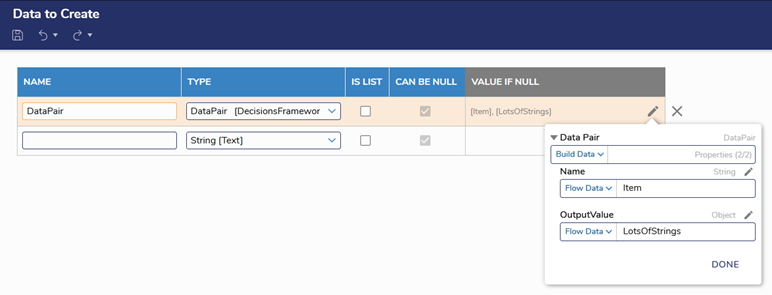
Next, add another ‘Create Data’ step to create the data pair. Click SHOW EDITOR. Provide a name and select DataPair from the Type selector. Under ‘Value If Null,’ click the pencil icon and ‘Build Data.’ Set your values. The Name will be the Item output from the ForEach step, and the OutputValue will be your original list. Exit and SAVE.
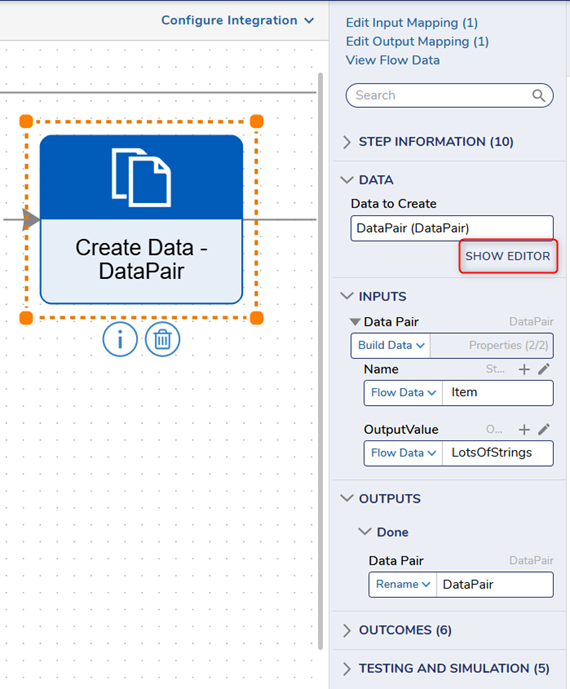
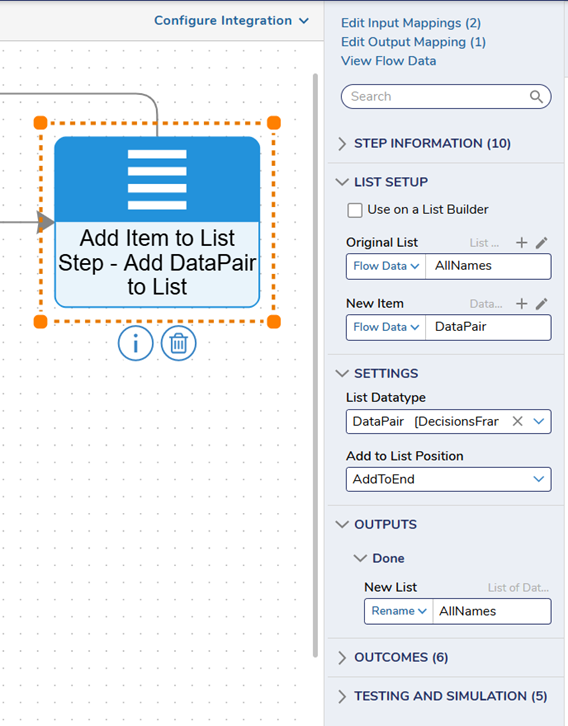
Next, add the ‘Add Item To List’ step to save the original list into the data pair.
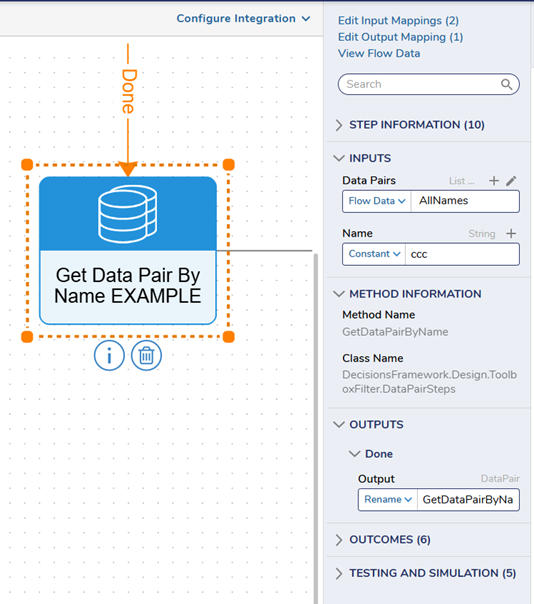
To search for a list by name, add the ‘Get Data Pair By Name’ step. The Data Pairs INPUT will be the output from the last step, and the Name will be set to Constant. Input the name of the list.
All the best,
Tracey | Decisions Support0
![[Deleted User]](https://w0.vanillicon.com/v2/0c580e728ff6a0ec9dea1bae73a60f64.svg)
Howdy, Stranger!