Hide the Properties Slider
![[Deleted User]](https://wa.vanillicon.com/v2/a956ae5b01d02b69dd349bcd60564717.svg)
How
do you hide the ‘Created by’ properties in the slider for all users?
0
Comments
-
Hi there!
You can disable the slider two different ways. It can be disabled on a specific report or globally in the entire server.
To disable the slider action in a specific report:
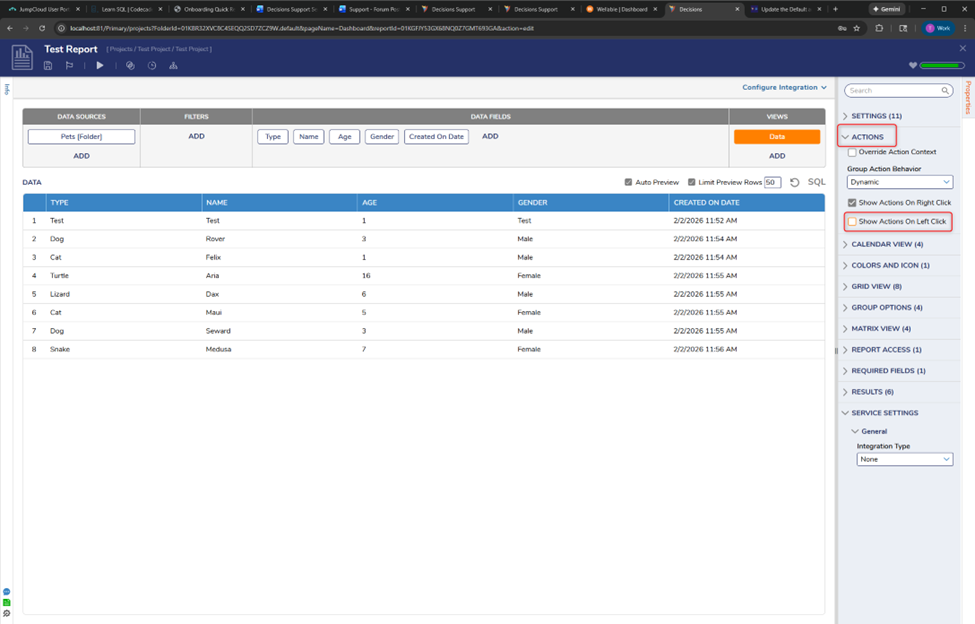
Open the report in the Report Designer. In the properties panel on the right side, expand ACTIONS and uncheck ‘Show Actions on Left Click.’ SAVE your report.
If you want to disable the slider globally for all users:
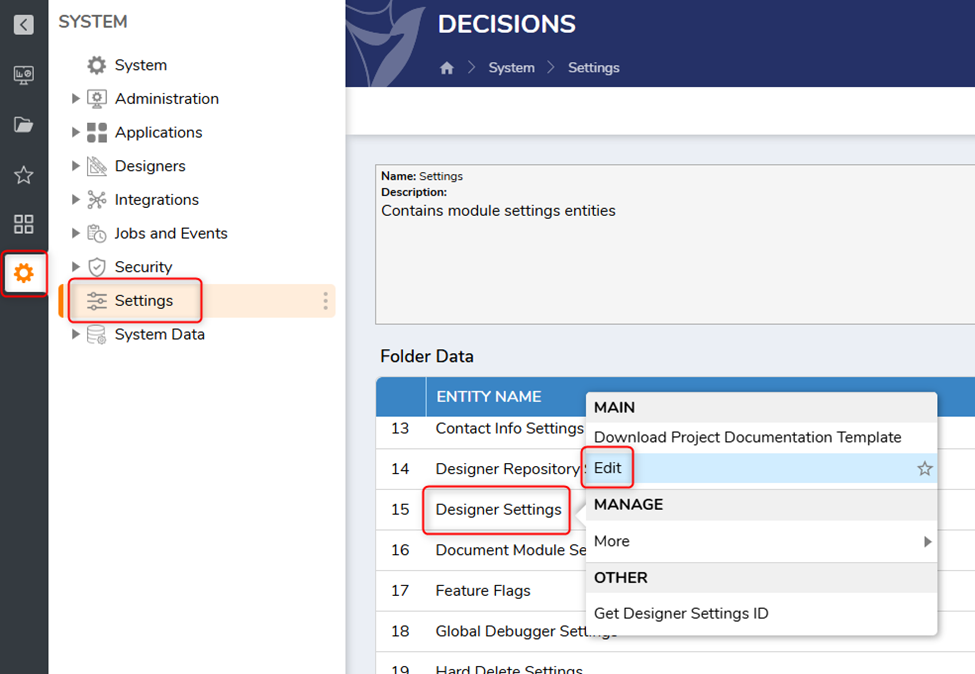
As an Admin, navigate to System >> Settings, and right-click on Designer Settings. Select Edit.
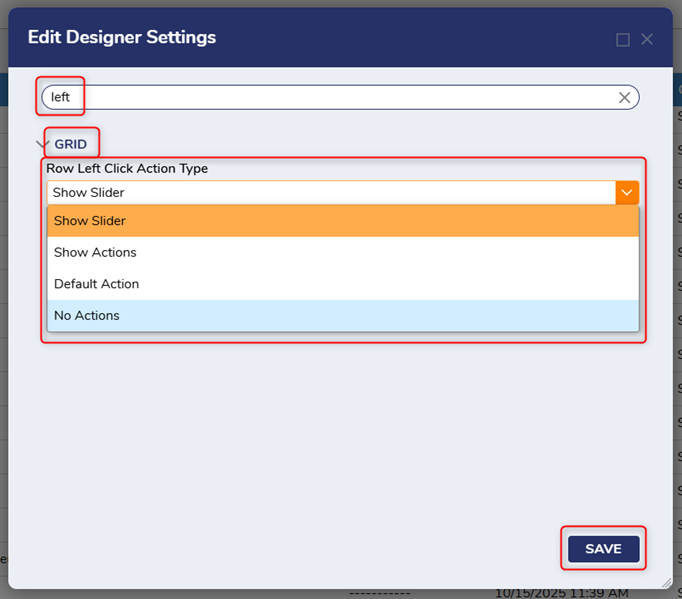
In the ‘Edit Designer Settings’ window, search ‘action’ or ‘left.’ Under the Grid section, select the ‘Row Left Click Action Type’ drop-down menu and choose your desired action. Click SAVE.
All the best,
Tracey | Decisions Support
0
![[Deleted User]](https://w0.vanillicon.com/v2/0c580e728ff6a0ec9dea1bae73a60f64.svg)
Howdy, Stranger!