Disable Multi-Select
![[Deleted User]](https://wa.vanillicon.com/v2/a956ae5b01d02b69dd349bcd60564717.svg)
The multi-select feature appears to be triggering without being prompted. Is there a way to turn this feature off?
0
Comments
-
Hi there!
Oftentimes, the multi-select will trigger without being prompted. Yes, we can simply disable the multi-select button. Multi-select can be disabled on the page itself, and here’s how.
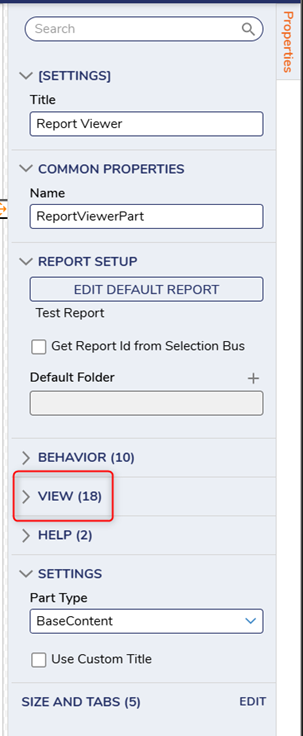
Open the Page Designer. Select the appropriate page component. In the properties panel, expand VIEW.
Scroll down to Grid and uncheck ‘Show Group Actions Button.’ SAVE your page.
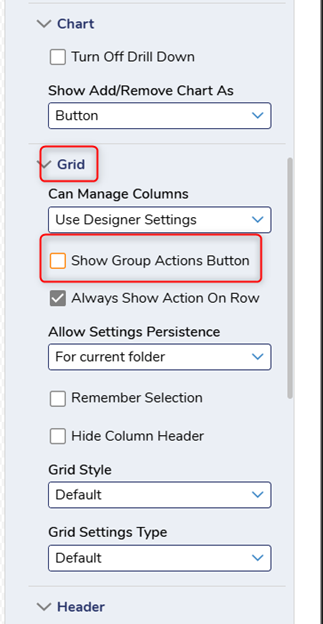
Now, the CTRL button will not open the multi-select feature.
All the best,
Tracey | Decisions Support
0
![[Deleted User]](https://w0.vanillicon.com/v2/0c580e728ff6a0ec9dea1bae73a60f64.svg)
Howdy, Stranger!