How to Set Report Parameters using Form Tile on a Page.

in Pages
Hello,
I have a report that on a page that contains currently active accounts. I need users to have the ability to select an authentication type to filter the report using a predetermined list. I have created a form tile where the type can be selected via a dropdown. However, I can not get the report to filter properly. Am I missing anything configuration wise to allow a report to be filtered using a file control?
0
Comments
-
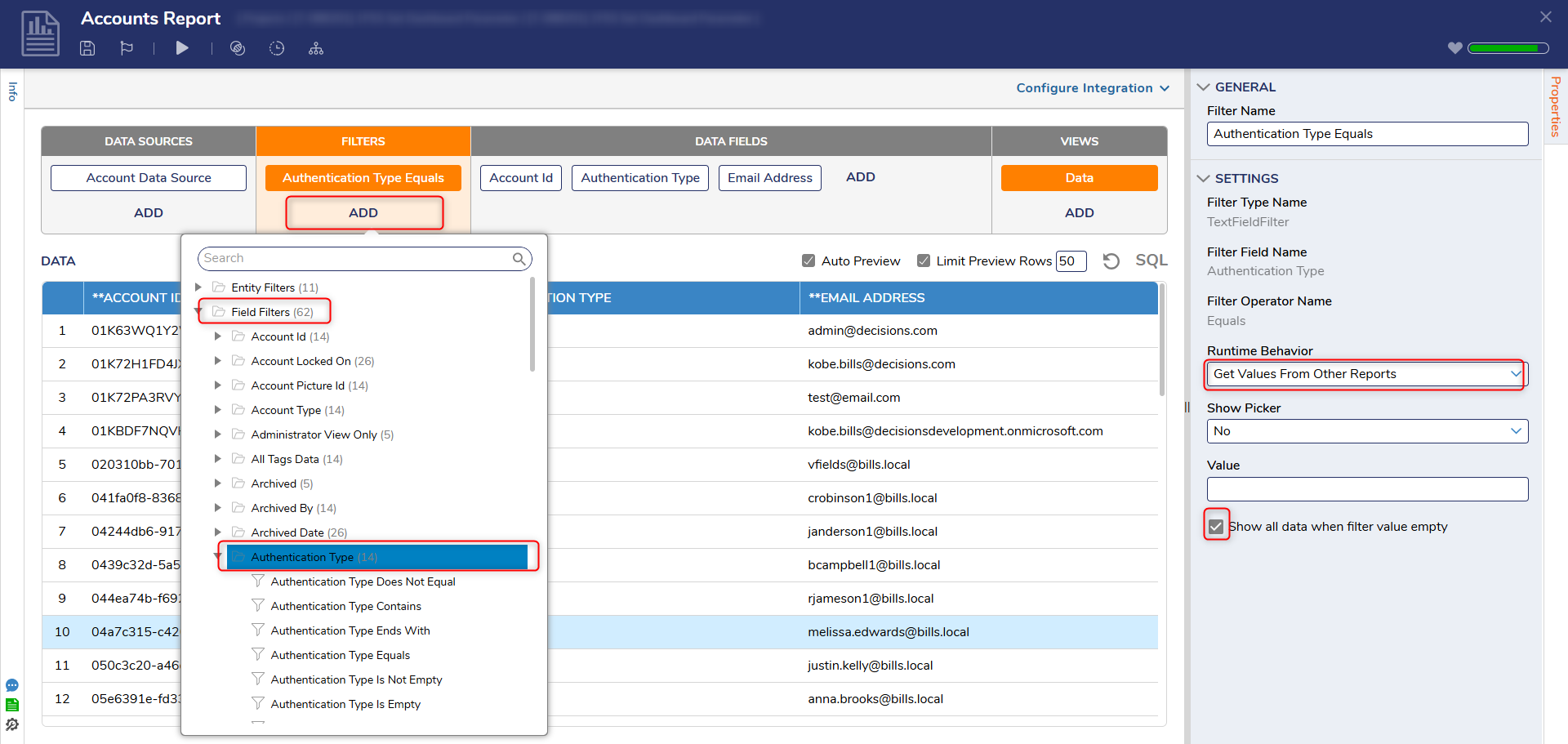
Hello,Thank you for contacting Decisions Support.There are few ways to filter reports using page controls. For your use case, you will need to create an active form flow in the form tile form that will update the report parameters for a page. The following steps will demonstrate configuring how to filter report using form controls:Prerequisites:1)Page created with report and form tile.2)Form Tile Form created.Steps:1)Add Field Filter to report under Filters > Add > Field Filters > <Select Field to Filter>2)Adjust Runtime Behavior for Field Filter under Properties to 'Get Value from Other Reports'.(Optional: Show all when filter value empty)
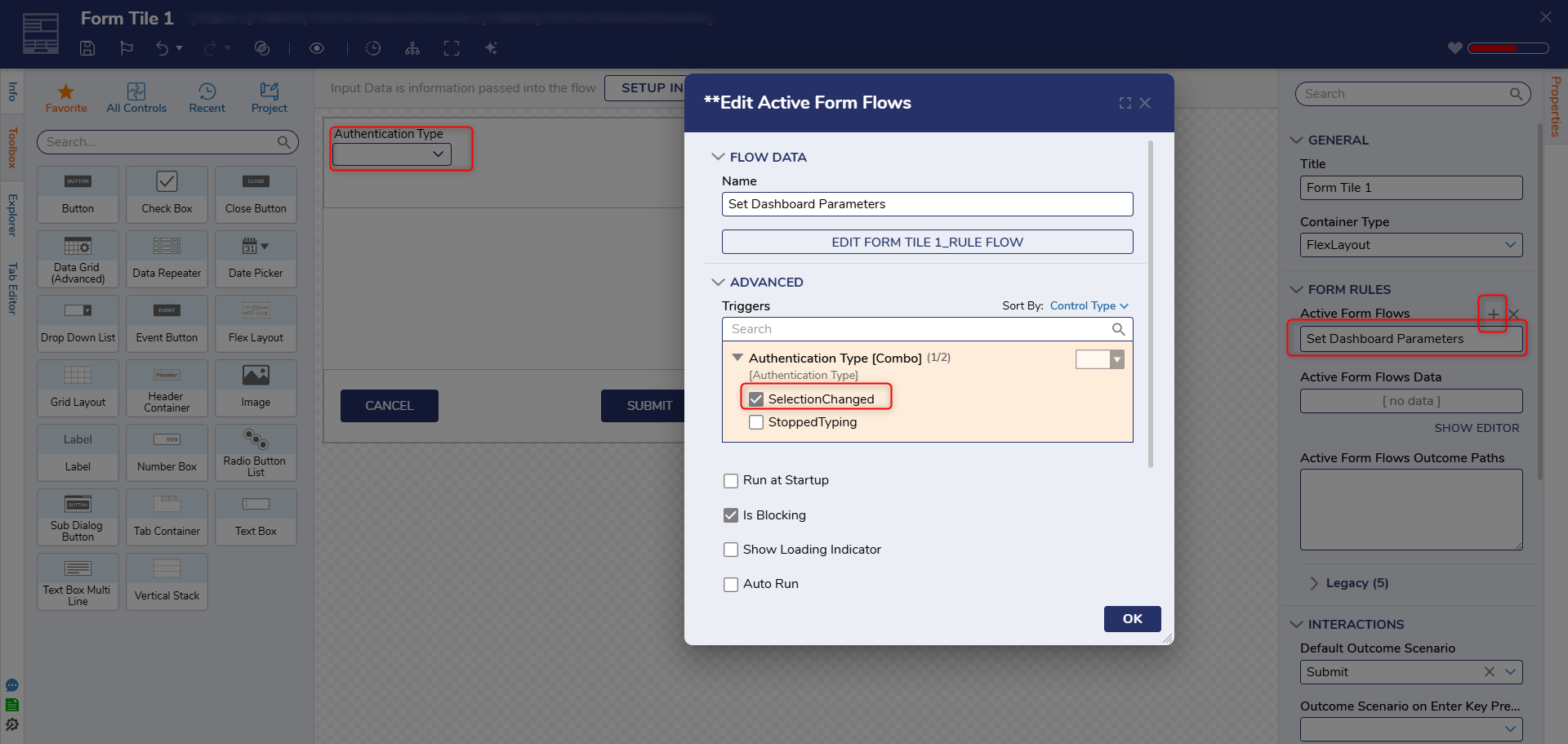
 3)Create AFF in Form Tile Form under Properties > Form Rules > Active Form Flow and Set Trigger to 'SelectionChanged'
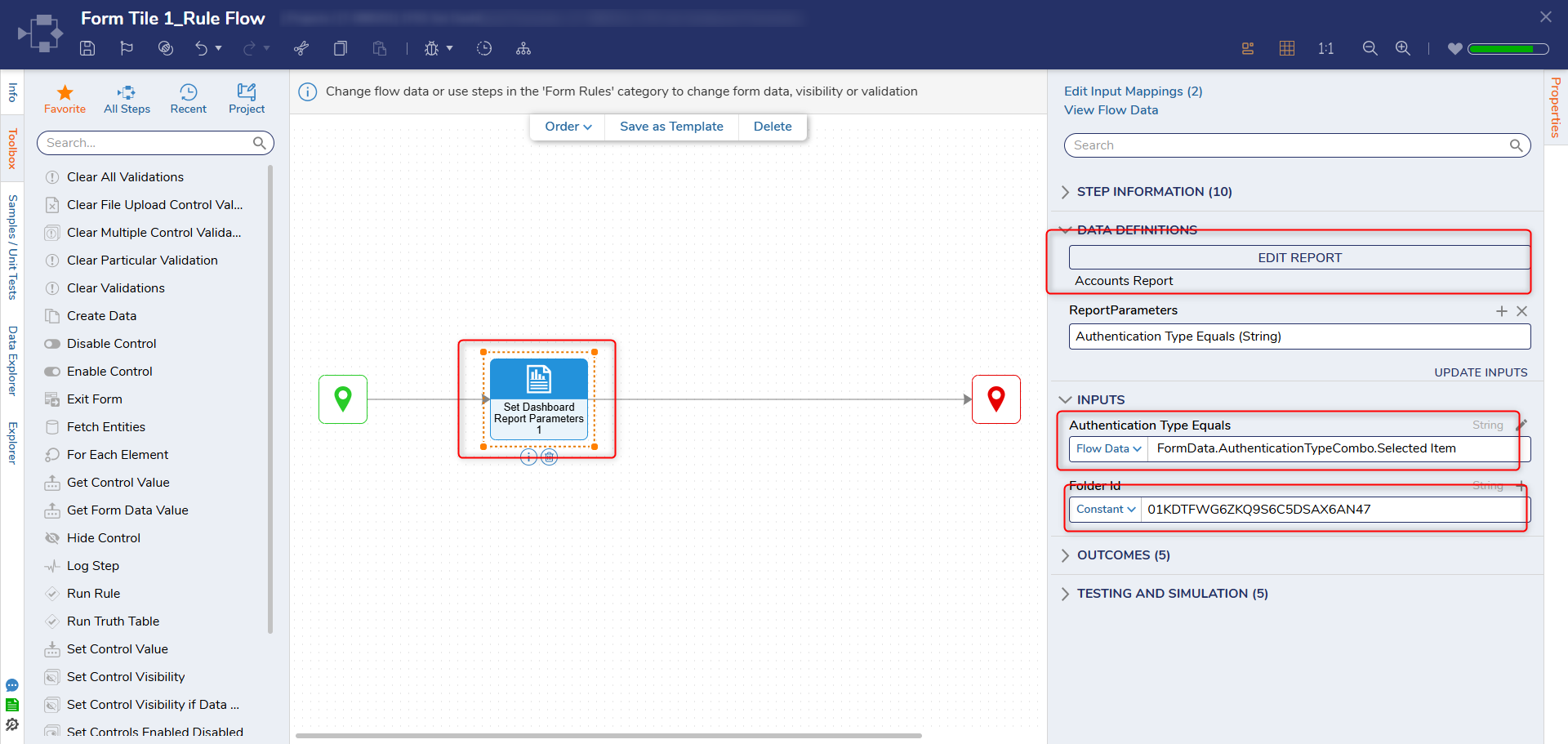
 4)Inside AFF, add 'Set Dasboard Report Parameters' step.a) Select previously created report. This will creat an ReportParameter. Pass in the form fields selected value from FormData.b) Set Folder ID to ID of the page/dashboard.
 5)After saving, the report will be filtered based on selected authentication when the selection is changed.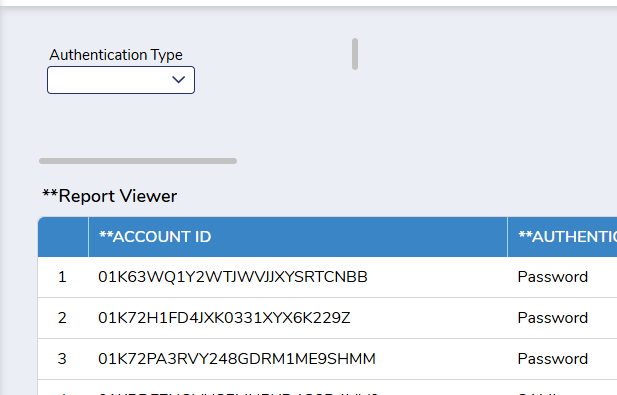
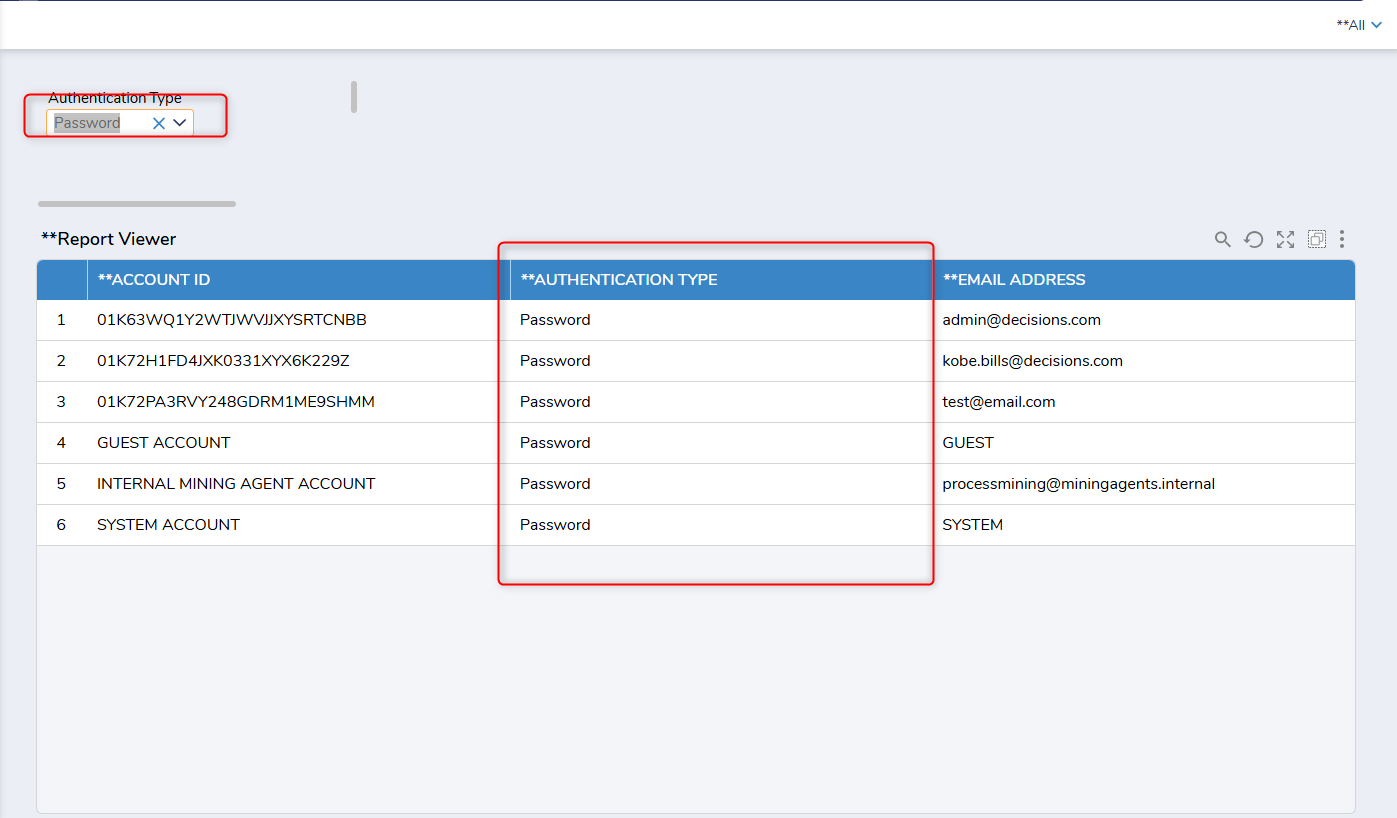 For more information and other ways to set dashboard parameters please refer to the following documentation:
https://documentation.decisions.com/docs/filtering-reports-via-page-controls?highlight=set%20dashboard
Thank you,
Kobe Bills0

Howdy, Stranger!