How to display formatted JSON in a form?
![[Deleted User]](https://w1.vanillicon.com/v2/13832175faaef368db7e187158c210c0.svg)
I want to display formatted JSON in a form like how it shows up in the debugger with indents and everything, how?
0
Comments
-
Hey there,
Thank you for using our forum! You can display formatted JSON in your form by first adding a Text Box Multiline in your form and giving it a data name.
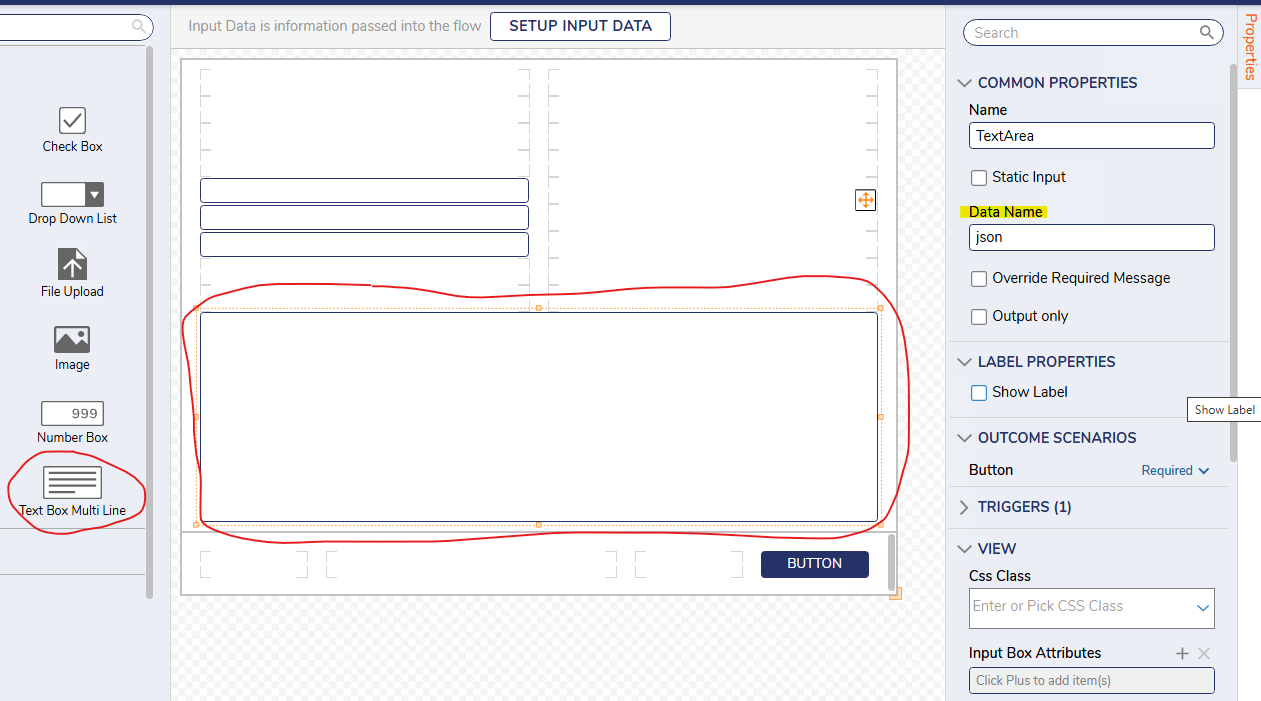
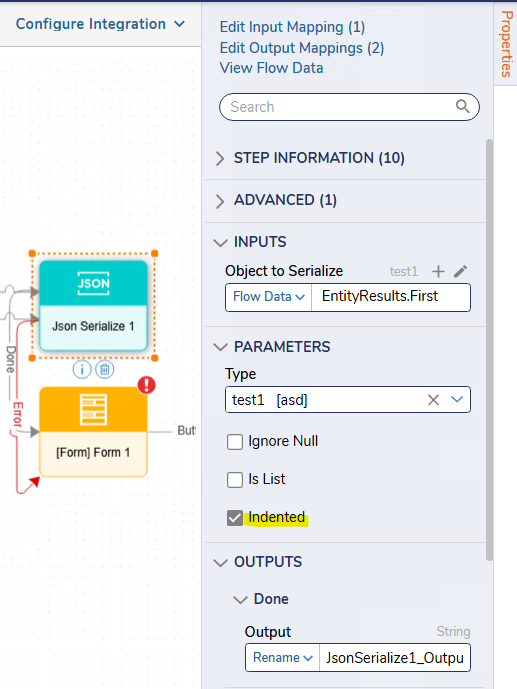
Then, in a flow you can pass in the JSON output that you want displayed into a JSON Serialize step with indented enabled.
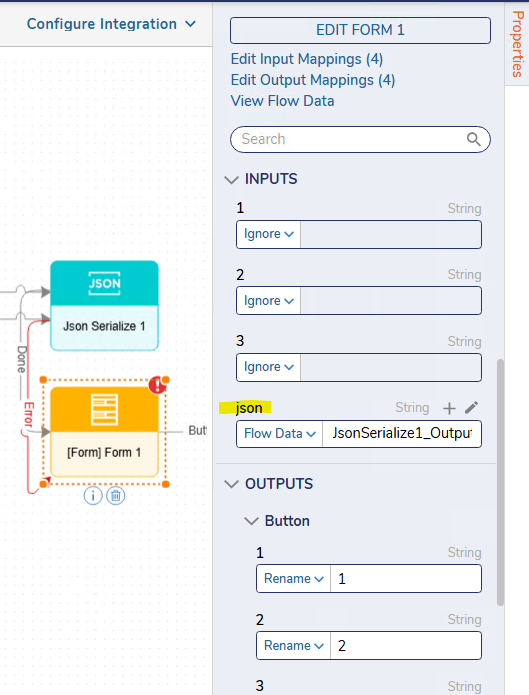
Finally, use the 'Show Form' step, pick the form with the Textbox Multiline that you've set up with a data name for the textbox. Pass in the output of the JSON Serialize step in the inputs section for your Textbox Multiline.
Regards,
Vinh Tran | Decisions Support
0
![[Deleted User]](https://w2.vanillicon.com/v2/24aad915403ca4009ca61883cde865c5.svg)
Howdy, Stranger!