How to use Enable Bulk Name Change Action?
![[Deleted User]](https://w1.vanillicon.com/v2/13832175faaef368db7e187158c210c0.svg)
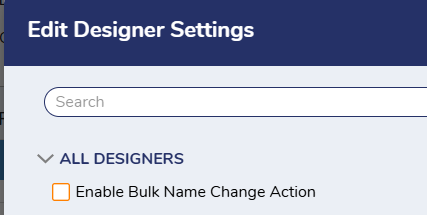
How does the 'Enable Bulk Name Change Action' in Designer Settings work?
0
Comments
-
Hi there,
Thank you for participating in our forum! The 'Enable Bulk Name Change Action', when activated toggles the appearance of the 'Rename Data Types' in Folder Designer Project action. This action alters the reference for one data type by name, to another datatype for every flow, rule, report, etc. inside the folder and is recommended for more advanced users as it can cause unintended consequences when used incorrectly. When enabled, the action can be found when right clicking your designer folder > other.
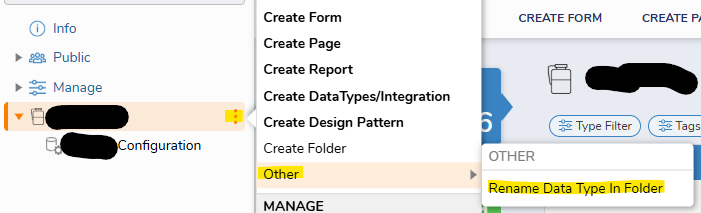
Attached are the documentation for this setting as well.
Regards,
Vinh Tran | Decisions Support
0
![[Deleted User]](https://w2.vanillicon.com/v2/24aad915403ca4009ca61883cde865c5.svg)
Howdy, Stranger!