Making and Using Rule Templates

A rule template can be used to create a basis for future rules that get created. The following describes how to create one.
Creating the Template
1 Locate the intended rule to create as a template. If this rule is not created yet, do so now. For information on how to do so, refer to this article: https://documentation.decisions.com/docs/create-rules?highlight=rule
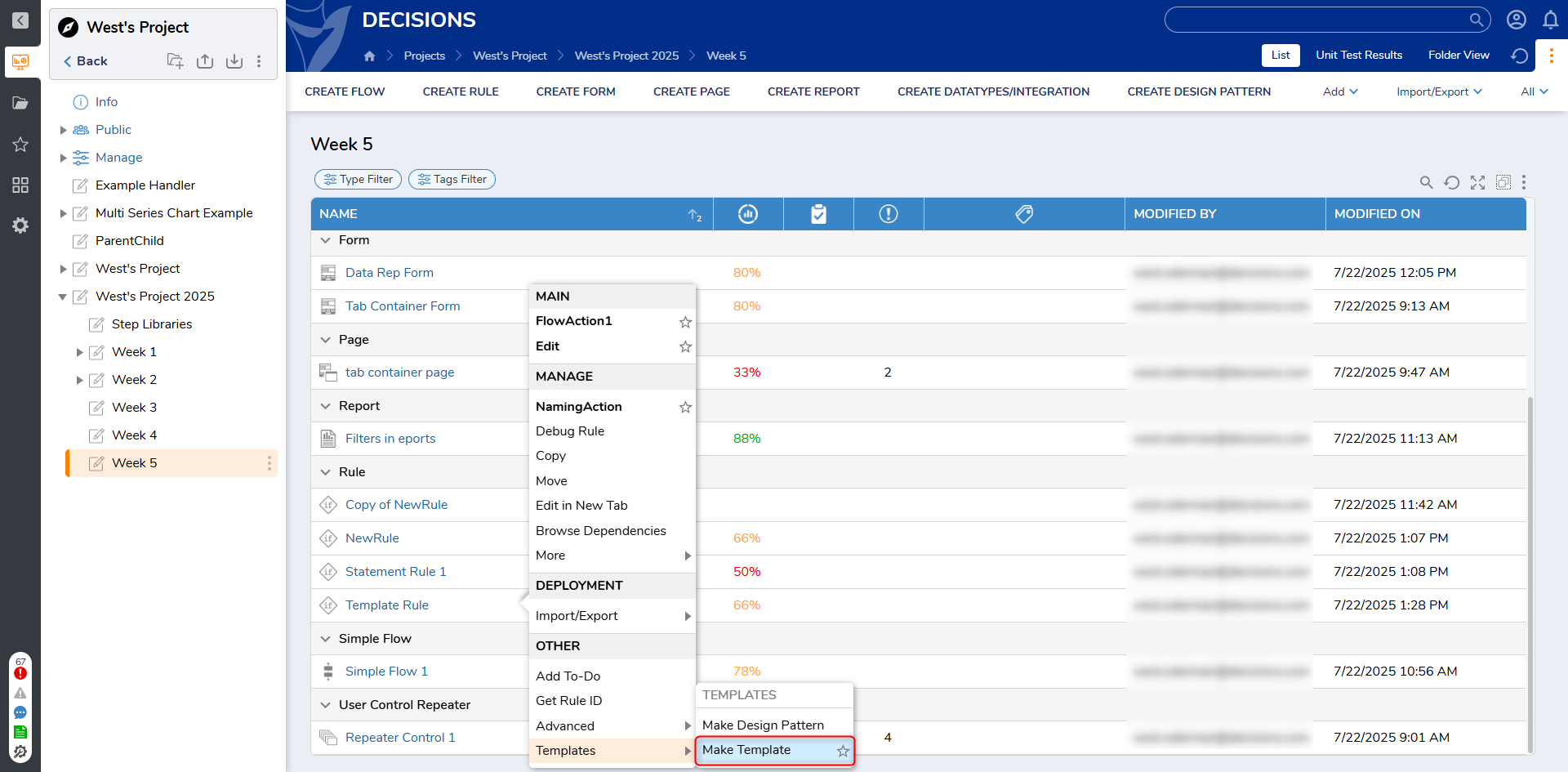
2 Right click the rule and navigate to Templates > Make Template
3 A popup will appear asking whether you are sure you want this designated rule to be a template. Select YES
4 The template has now been created and can be used
Using the Template
1 In a location intended to create a rule using the previously created template, select Create Rule
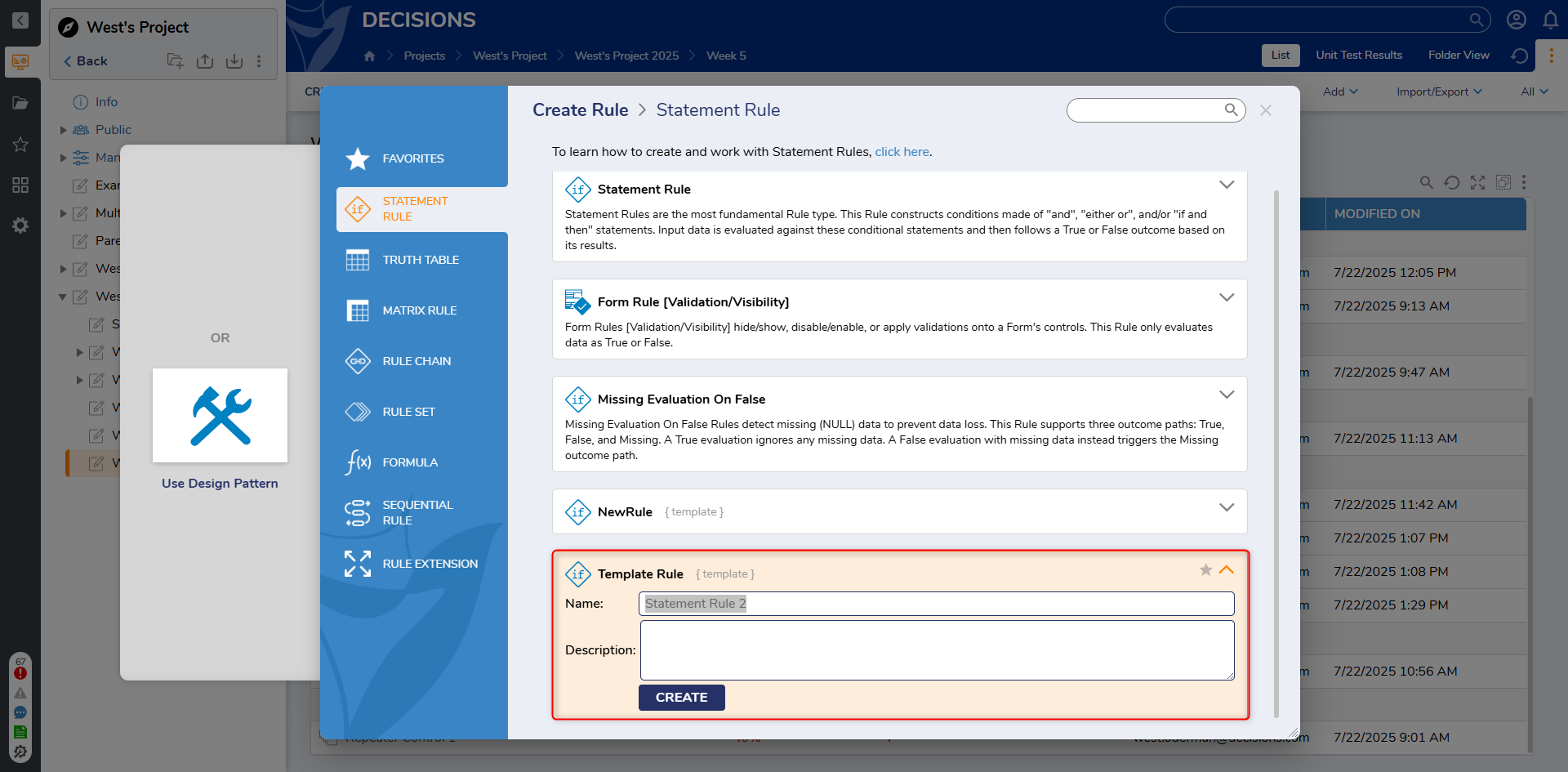
2 Navigate to the section with regards to the type of rule template you created, in this case, a statement rule
3 Select the newly revealed Template
4 Name and create this template
5 Ensure success