Repo architecture and deploying projects

Comments
-
Hello there,
Thank you for reaching out in our community forum.
The recommended repository architecture is to use Development as the lowest environment, followed by Testing/QA, and then Production as the highest environment where end users interact with projects.
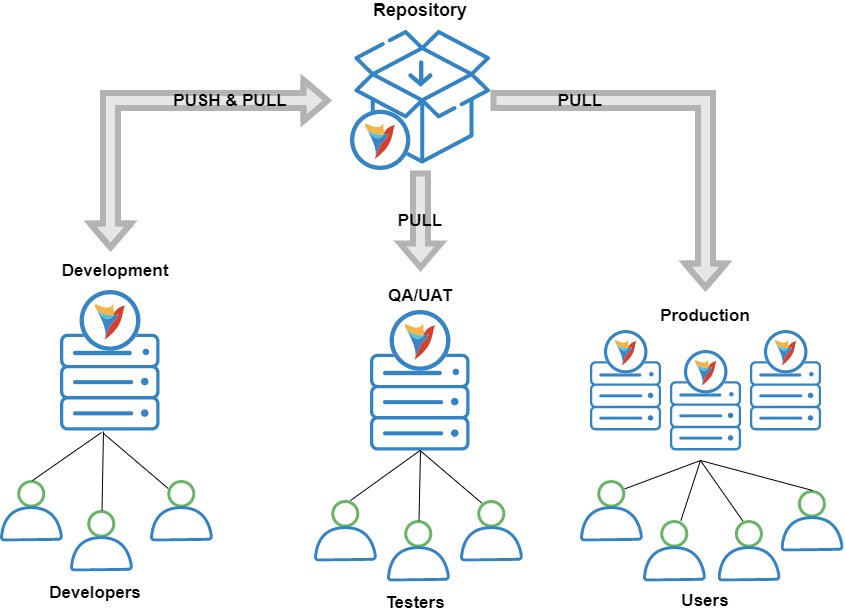
For project promotion, the recommended order from environment to environment is:
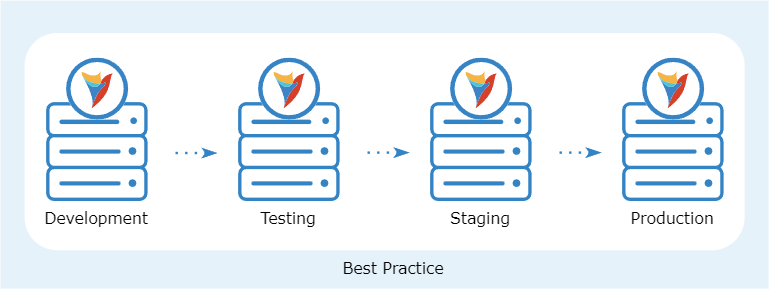
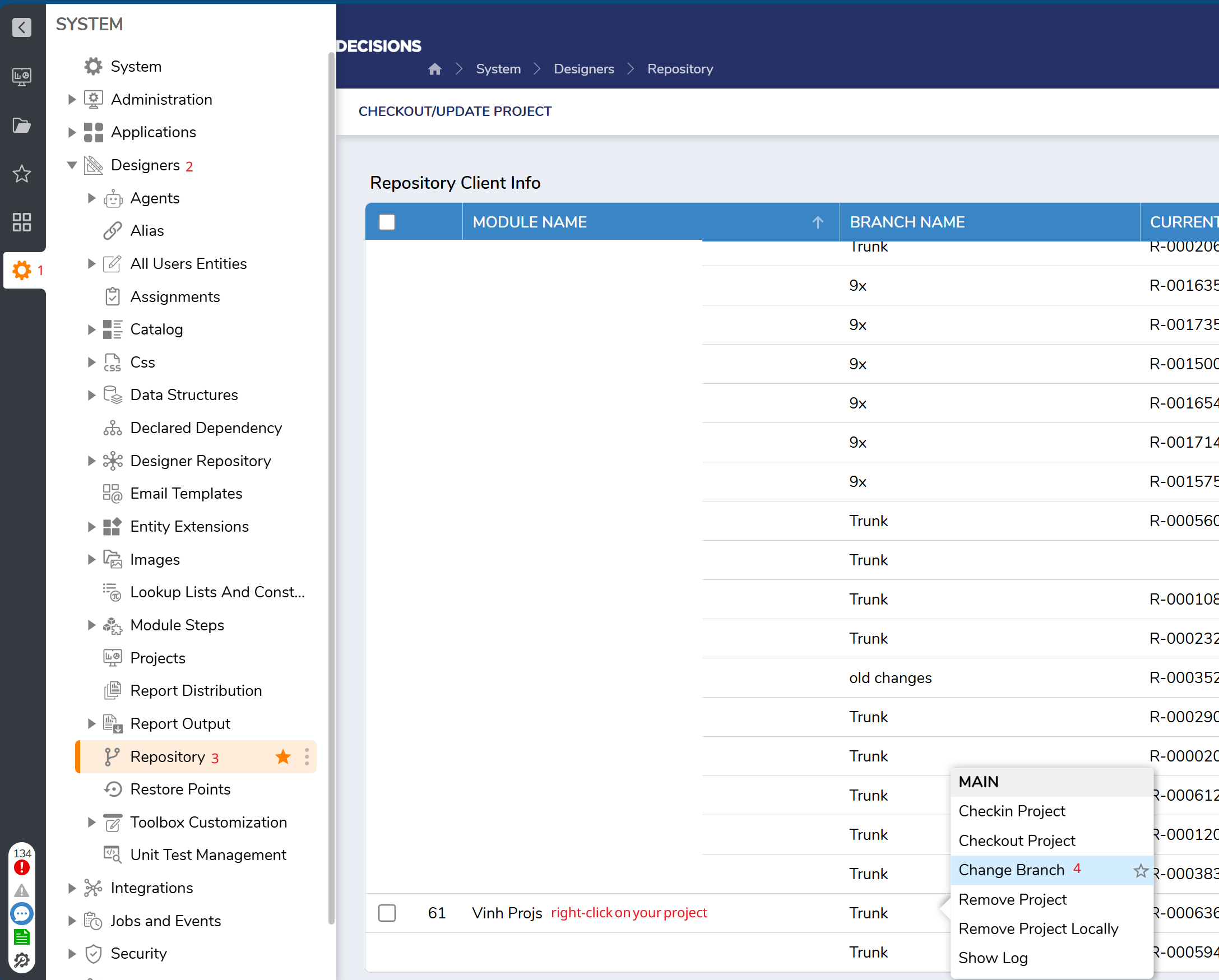
To support this workflow, each environment should be connected to its corresponding repository branch. For example, the DEV environment should be connected to the DEV branch. This ensures that changes are pushed from the correct source branch and then promoted to the next environment in a controlled way. To check which branch you are connected to and change accordingly, you can refer to the following:
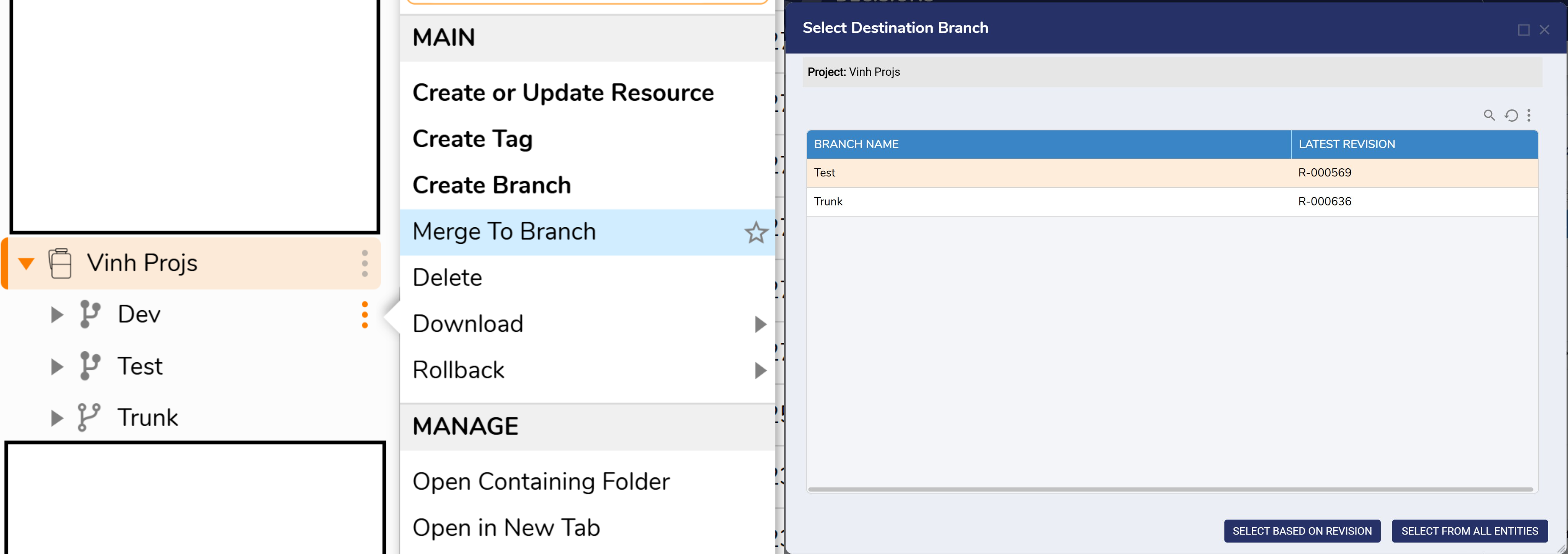
Once changes are made and checked into the DEV branch and the project is ready for testing, you can use the Merge To action on the repository server to merge the DEV branch into the TEST branch. During this process, you will be prompted to select the target branch (TEST in this scenario) and choose whether to merge from all entities or only specific revisions.
After the merge is completed, you can confirm it by reviewing the TEST branch in the repository and checking the most recent revision message.
Next, in the TEST environment:
- If this is the first time the project is being brought into that environment, connect the environment to the repository server and go to System > Designers > Repository > Checkout/Update Project > Then select the project and the appropriate branch, in this case TEST.
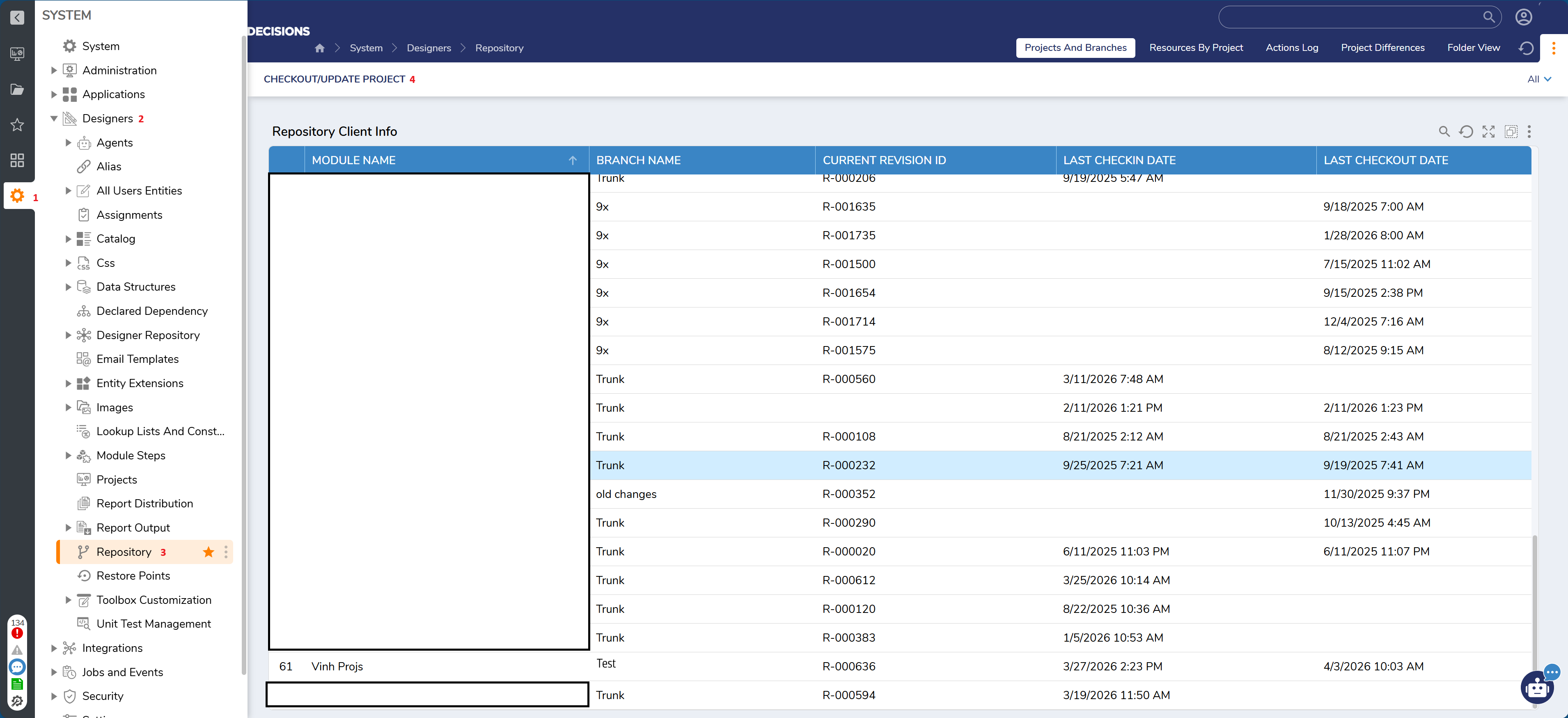
- If the project already exists in that environment, you can simply update or check out the latest changes from the repository directly in your project.
This completes the promotion process from one environment to the next, such as DEV → TEST.
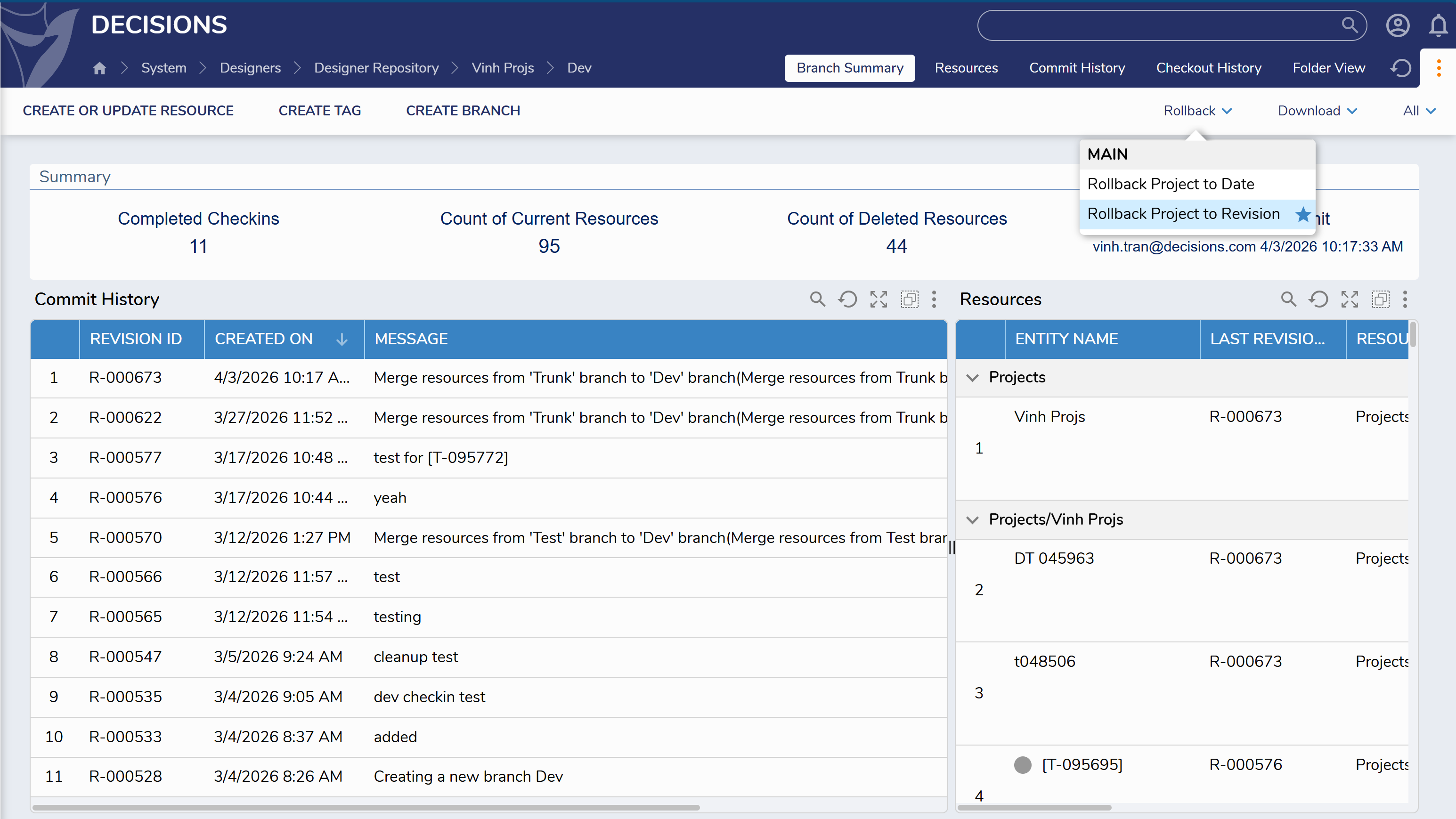
This method is recommended because it creates revision number and history for check-ins, merges, and other repository actions. Those revision numbers, along with the merge dates, can serve as useful checkpoints if you need to revert changes to a branch or rollback changes. You can also perform other actions on these revisions, such as, creating branches from a specific revision, show changes, etc.
Regards,
Vinh Tran | Decisions Support
0

Howdy, Stranger!