File Download from my Report

Comments
-
Good afternoon Harvey,
Thank you for reaching out in our Decisions + ProcessMaker Community. It is expected behavior that displaying FileData in a report will not trigger a download upon clicking. One way to achieve your goal of users being able to download files from a report is to utilize the calculated column 'RunFlowInlineField' and a Report Field Action Handler Flow. Below are some steps to set this up:
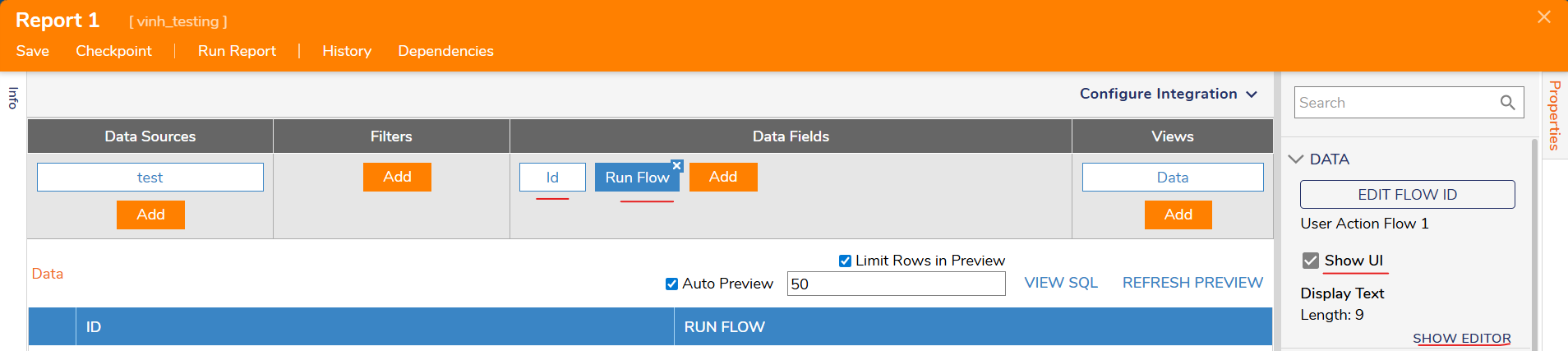
1. In your report, add an 'ID' field in data fields
2. Add another data field and search for 'RunFlowInlineField'
3. Click on 'Pick or Create Flow ID' and check Show UI and set the display text to what you want the user to see via the Show Editor (i.e. Download)
a. Create New > Report Field Action
4. In the Report Field Action Handler Flow
5. In your toolbox, scroll down to User Defined Types > Database Structures > {the structure where the FileData is stored} > Get {structure name} by Id
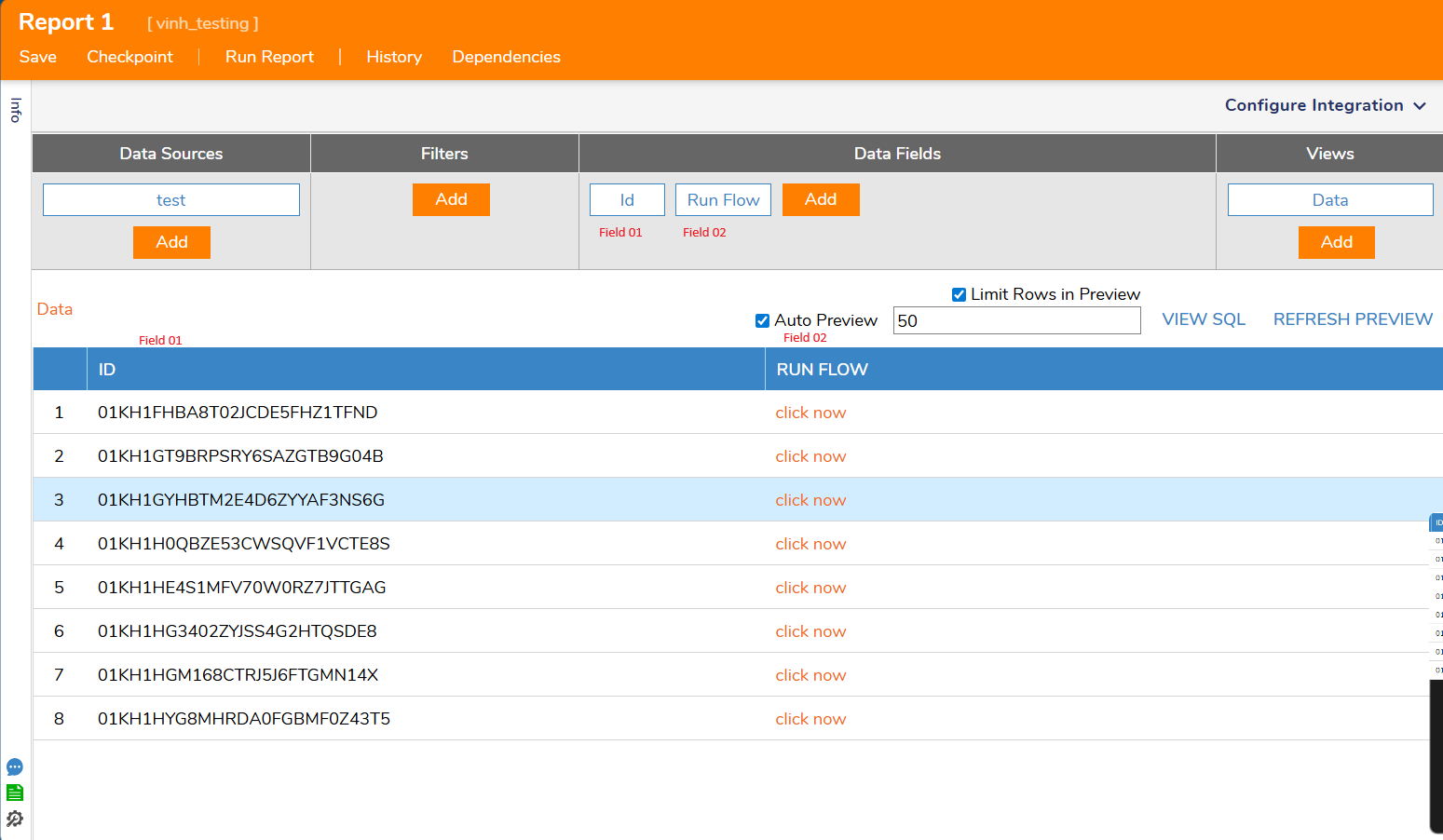
a. Map in Id based on where your ID field is located in your report (if your Id field is the first column, then it would be SelectedRow.Field01)
6. Add a Show Form step and create a simple form (if you want more customizations, use Form)
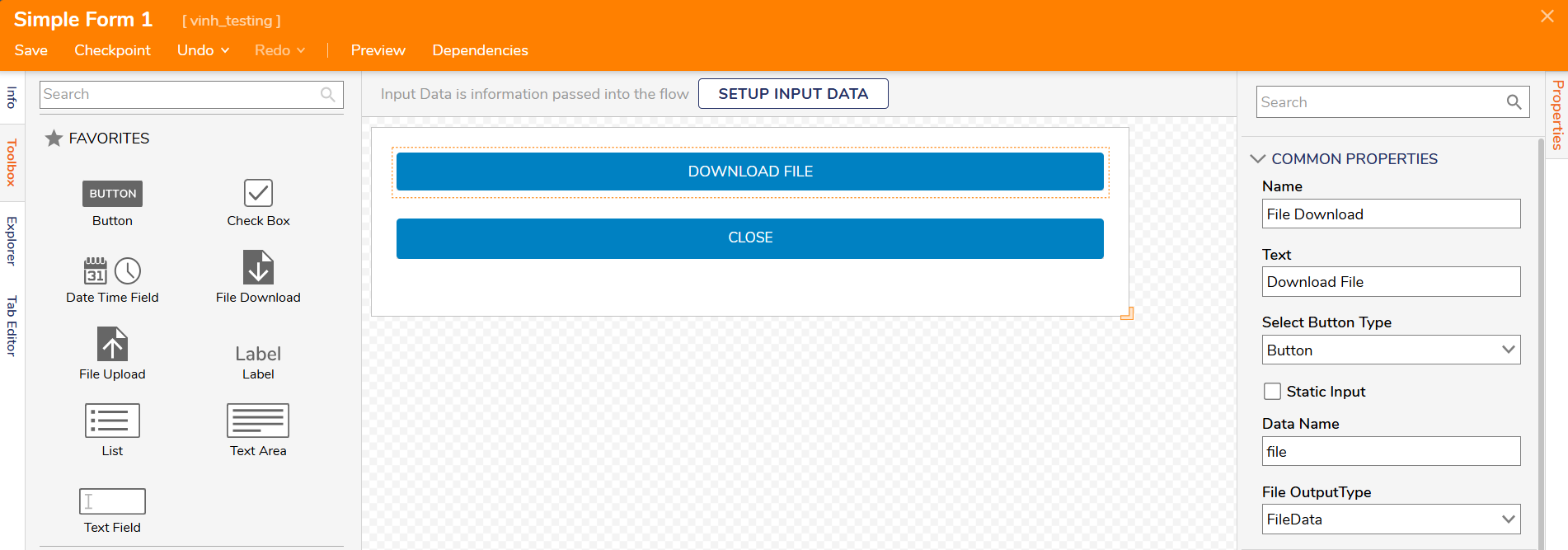
7. Add a File Download and a button on the simple form
8. For the file download configurations
a. Select Button Type can be up to you
b. Give it a Data Name
c. Select File Output Type as FileData
9. Button configuration
a. Set Text to 'Close'
10. Save form and back out to the Report Field Action Handler Flow
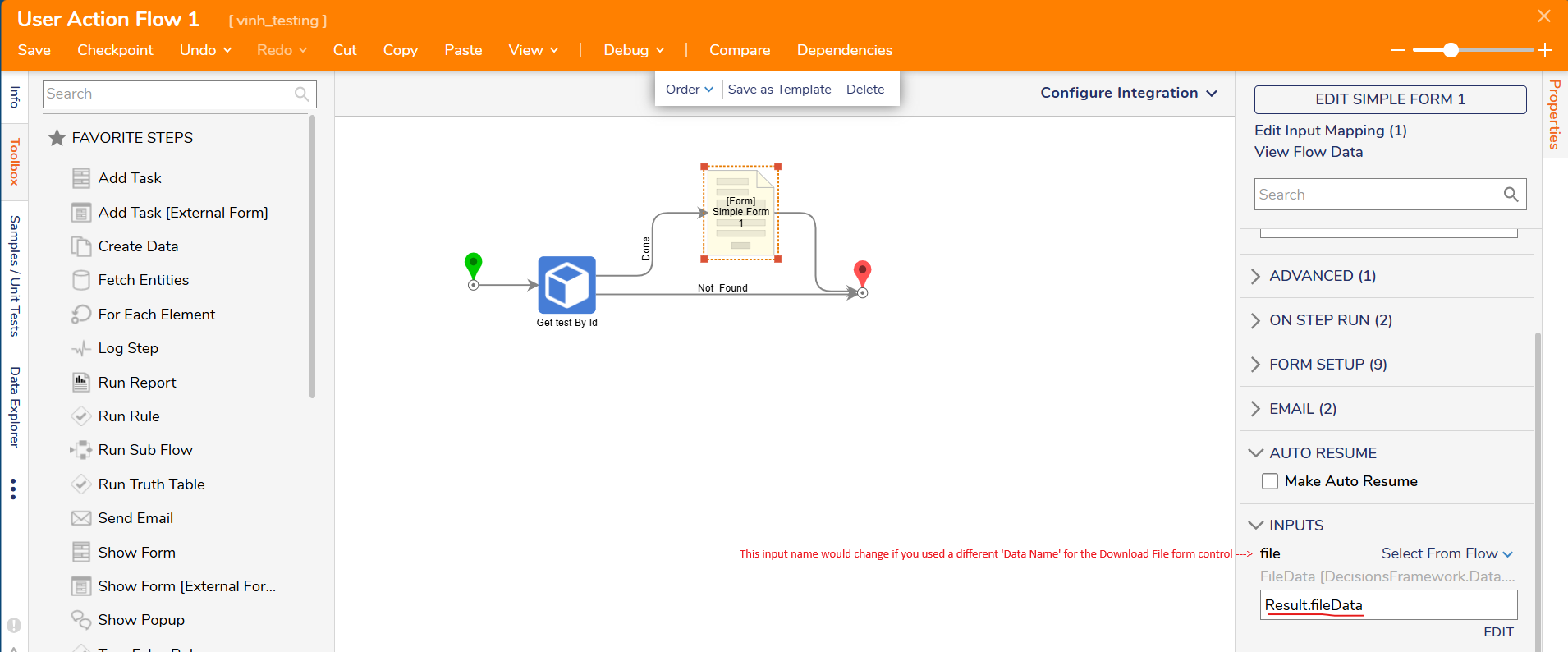
11. Connect the Done path from the Get By Id step to the form and on the form map in the input for the file (should be something like 'Results.fileData'
12. Map the form to the end step
13. Back out to the report and run the report
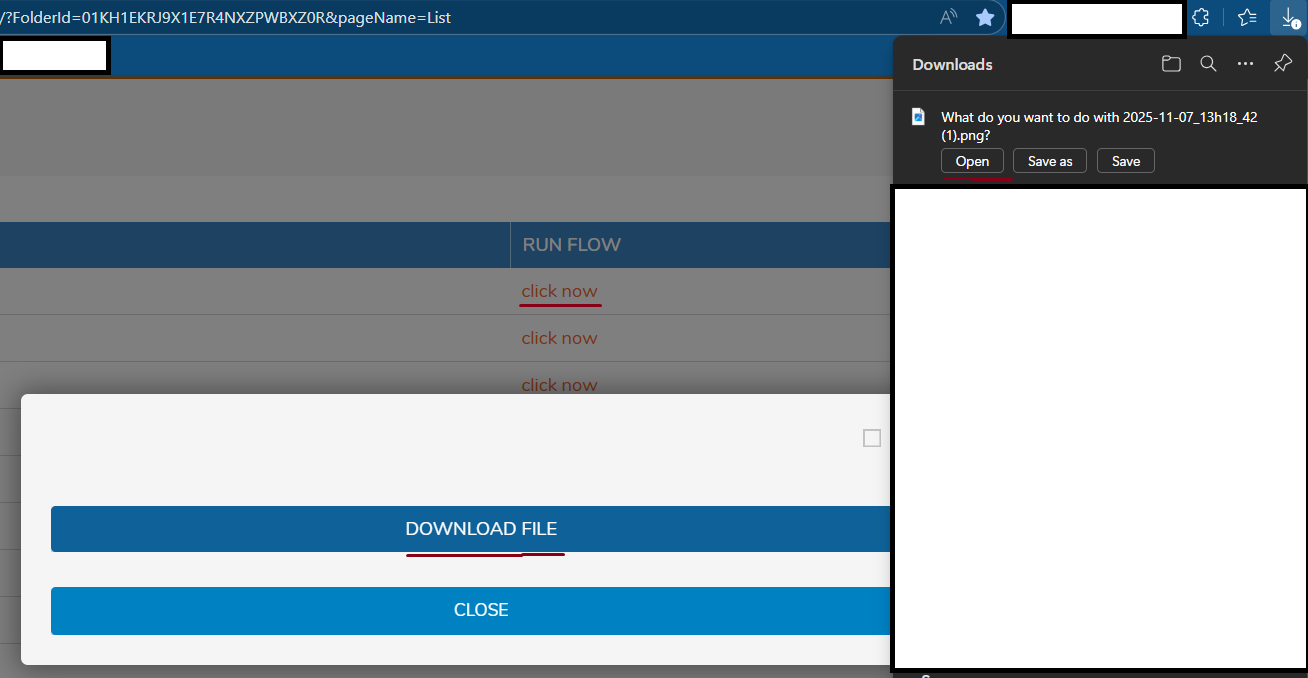
14. When you click the download file button or link, it will trigger a download
Regards,
Vinh Tran | Decisions Support
0

Howdy, Stranger!