Hide or Restrict Case View for End Users

How can we hide or restrict end-user access to the Case View page so that users cannot make modifications from the Case View screen?
Comments
-
Hi there!
Yes, you can add a page visibility rule to a configuration folder to hide the Case View page from users. You can also add a condition that will allow Administrators to still view the page.
Page Visibility Rules can be added to the following User-Defined Types:
· Case Entity
· Entity
· Entity Extension
· External Entity
· Folder Extension
First, you’ll need one of the above listed User-Defined Types. If you don’t already have one, it’s easy to add one.
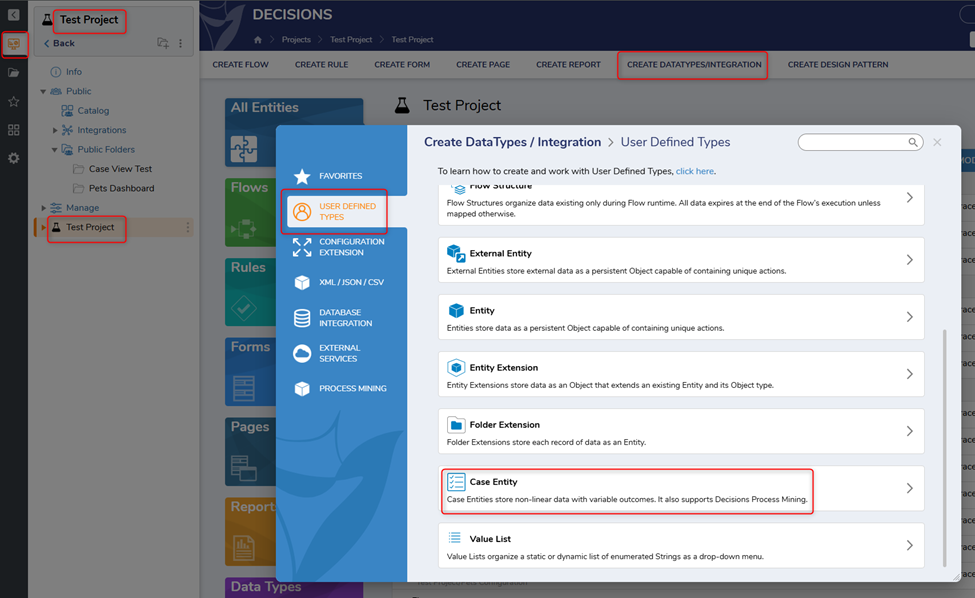
In the Project folder, click CREATE DATATYPES/INTEGRATION. Select USER DEFINED TYPES and select Case Entity.
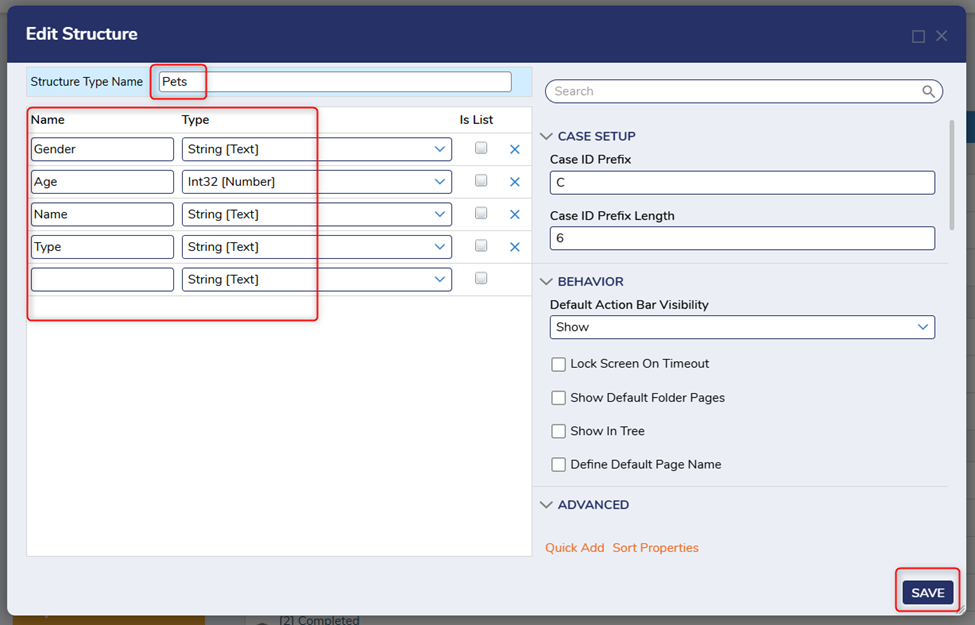
Provide a Structure Type Name and required field names with their respective types as seen below. Click SAVE.
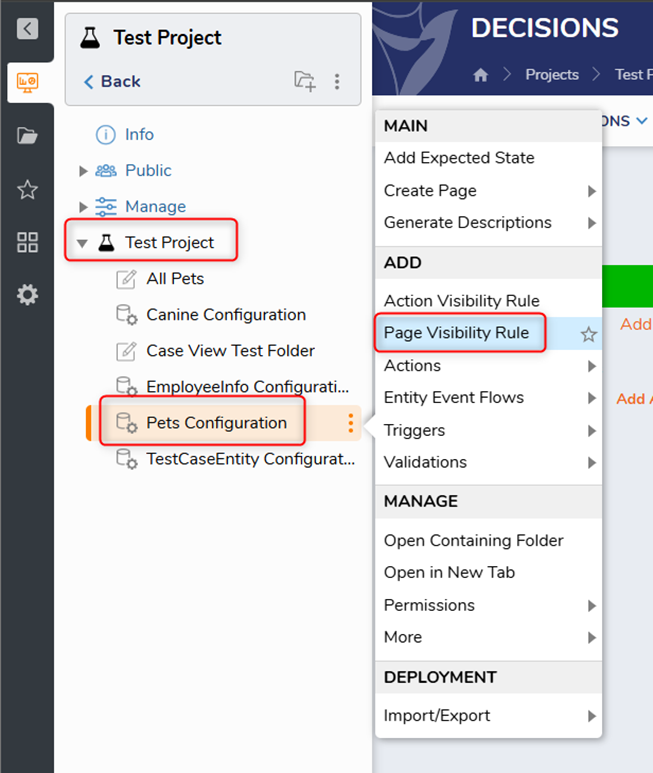
Right-click the newly created Configuration folder and select Page Visibility Rule.
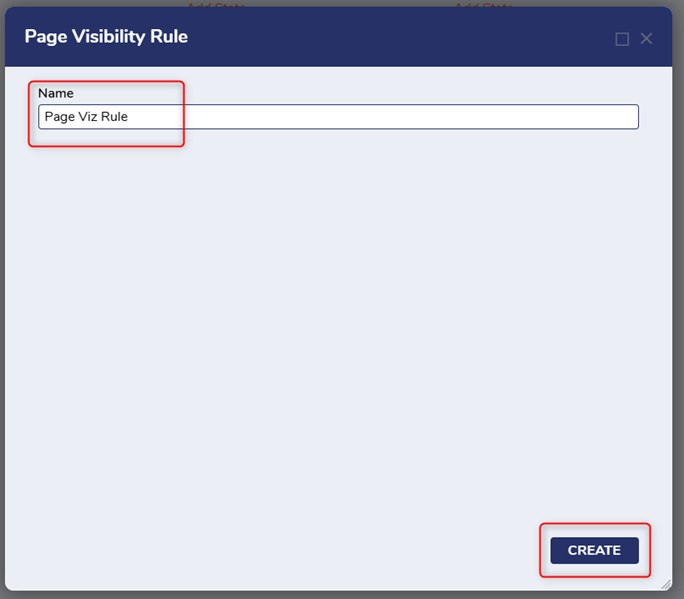
Give it a Name and click CREATE.
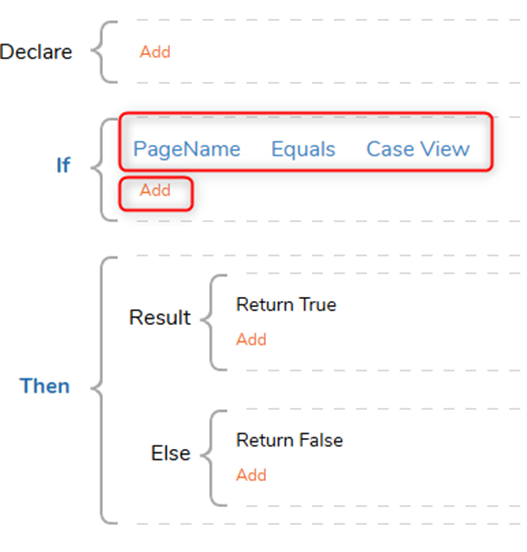
In the Page Visibility Rule Designer, build the If statement in a way that defines which Page will be HIDDEN.
While still in the If statement, click Add >> Add Condition.
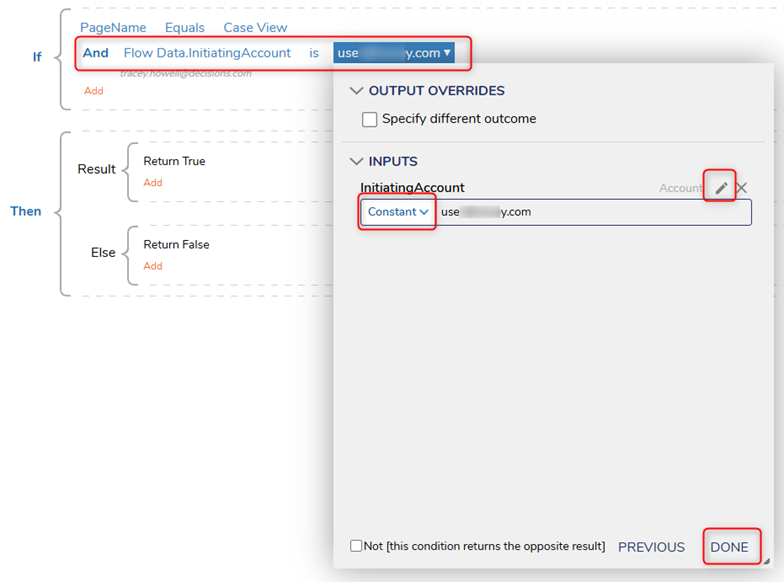
Click Select Data Element and select Flow Data >> InitiatingAccount. Under the Verb, select IS, and then under [empty string], select Constant and map the Email for the desired Account that will be hidden. Click DONE and CLOSE. SAVE and exit.
TEST/DEBUG
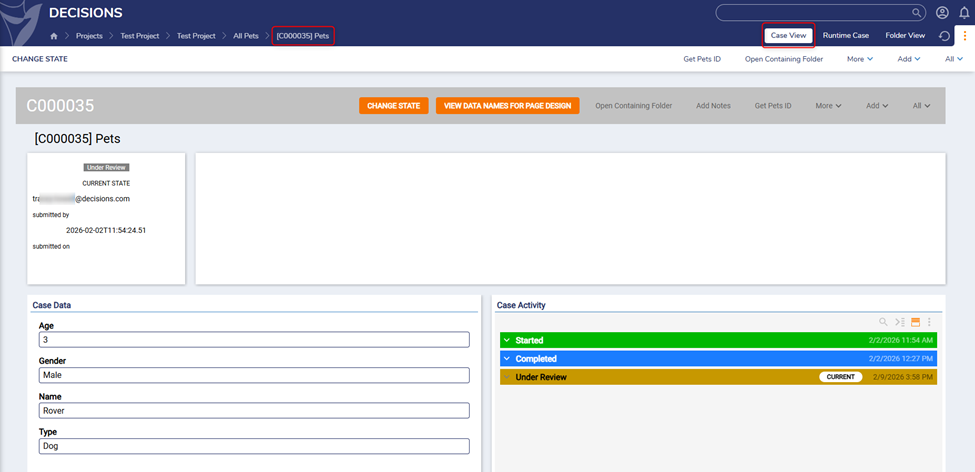
From the Admin Account, confirm access to the Case View page.
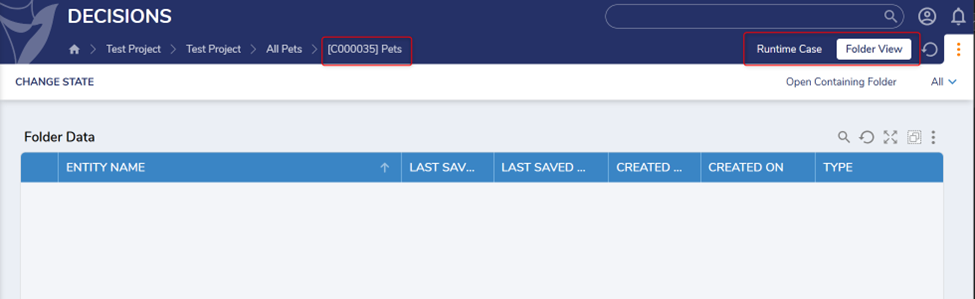
Now, log out of the Admin Account and log into the restricted account that was defined in the Page Visibility Rule.
Navigate to the appropriate Folder and attempt to view the Case View page. The page should not appear in the navigable tabs at the top of the Folder.
If needed, here are some additional resources for your review:
Configuration Folder
https://documentation.decisions.com/docs/configuration-folder
Page Visibility Rule
https://documentation.decisions.com/docs/page-visibility-rule
Create Custom Case Page
https://documentation.decisions.com/docs/creating-custom-case-pages
All the best,
Tracey | Decisions Support0

Howdy, Stranger!