Delete Form Templates with Custom Toolbox Category Name

in Forms
I created form templates using a custom Toolbox Category rather than the default Templates category and would like to remove them. What are the steps to delete these templates?
0
Comments
-
Hi There,
- To delete a form template with a custom Toolbox Category, you can navigate to:
System → Designers → Catalog → Folder View - Locate and open the folder with the custom name in the Folder Data Report
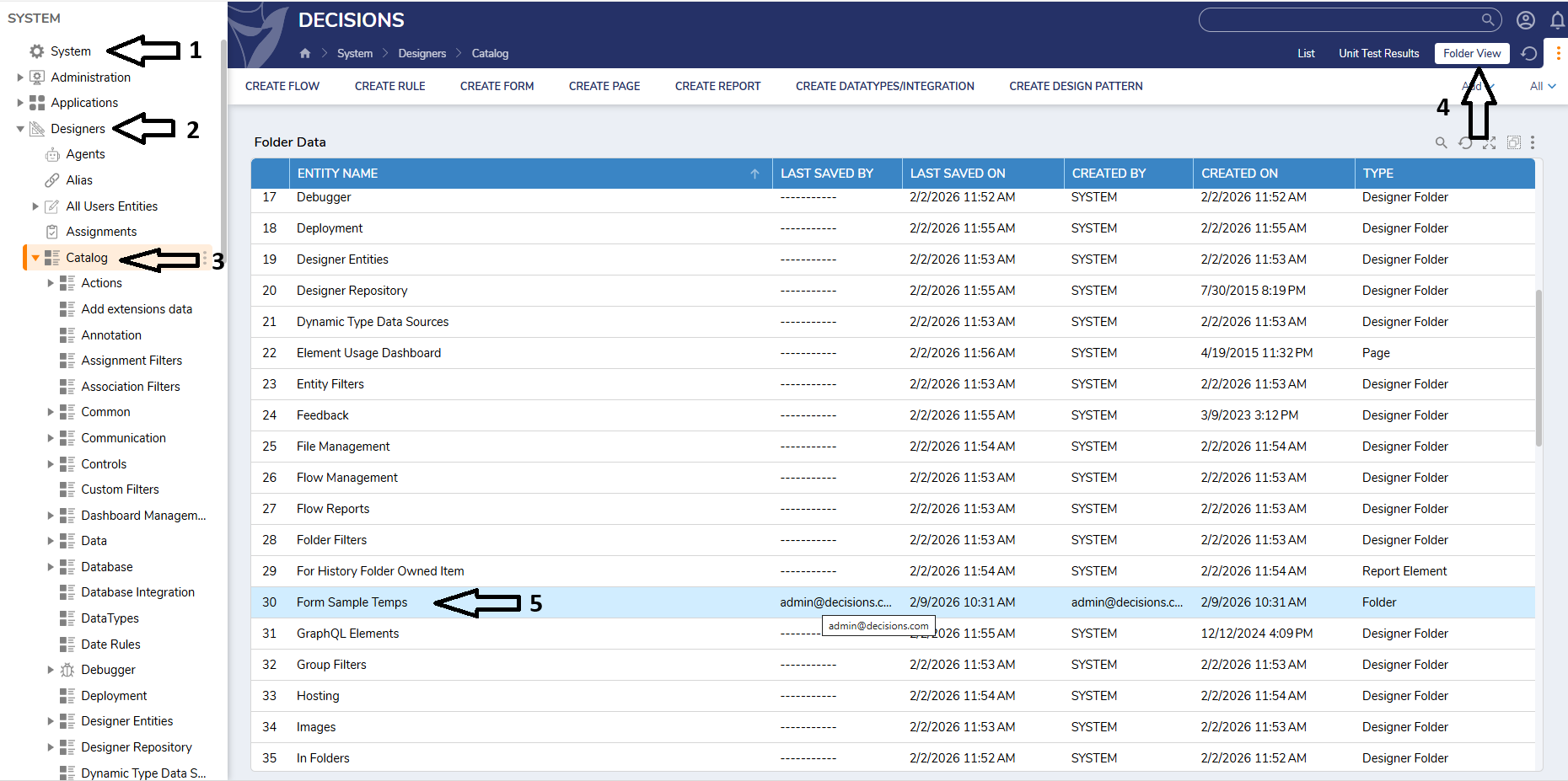
- Right-click the form template and select More → Delete Form Element
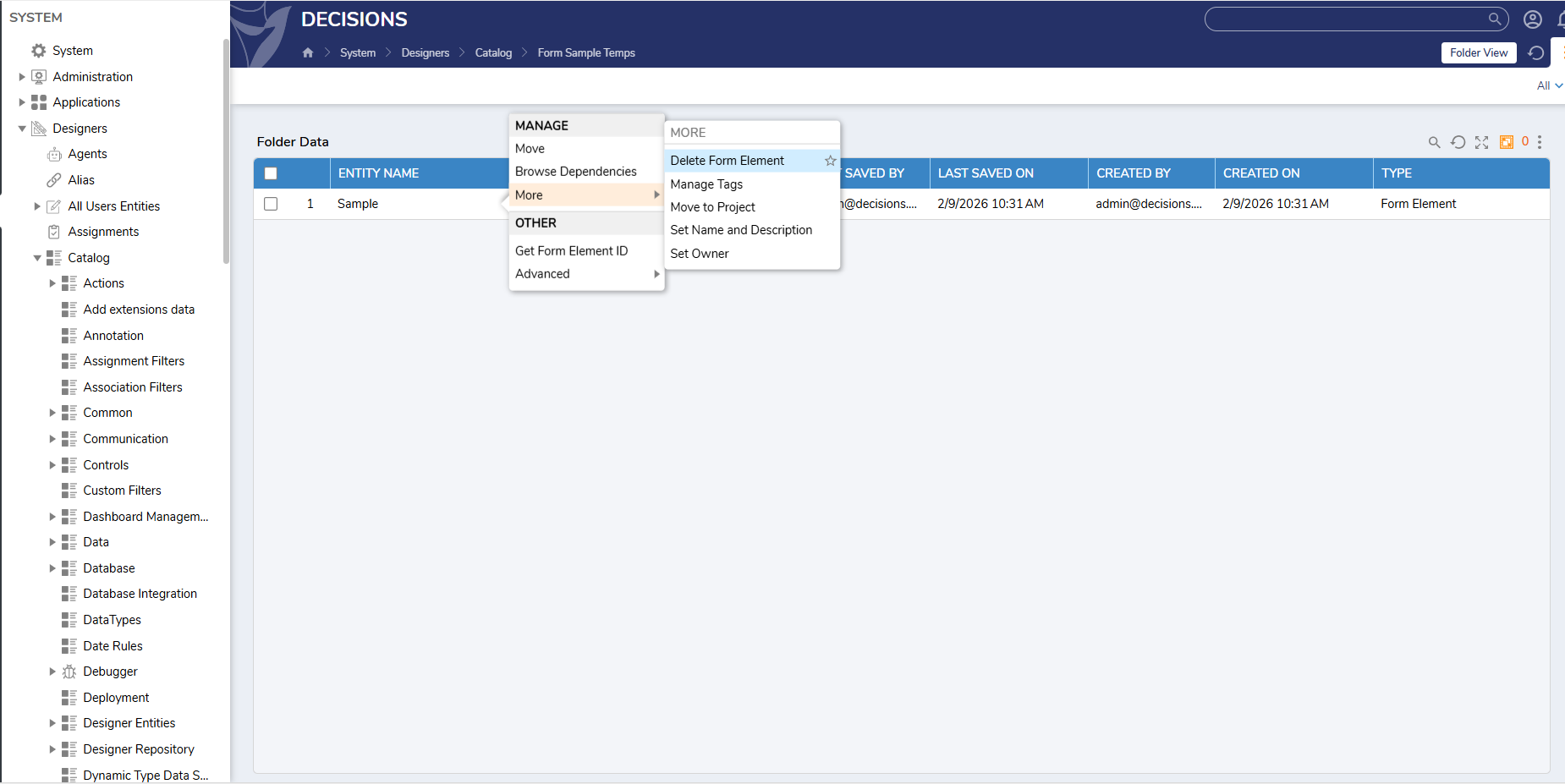
0 - To delete a form template with a custom Toolbox Category, you can navigate to:

Howdy, Stranger!