Page Access Without an Account

I’m looking for guidance on how to allow users without login credentials to view a specific page that currently resides in a protected folder. We’re open to alternative ways of granting access to this page.
Comments
-
Hi there!
There are two primary ways to allow users to access your Decisions server without requiring login credentials:
1. Guest Account
2. Named Session (recommended approach)
Steps to configure access:
Start by either enabling the Guest Account or creating a Named Session. Since creating a Named Session the recommended approach, we will proceed with that option here.
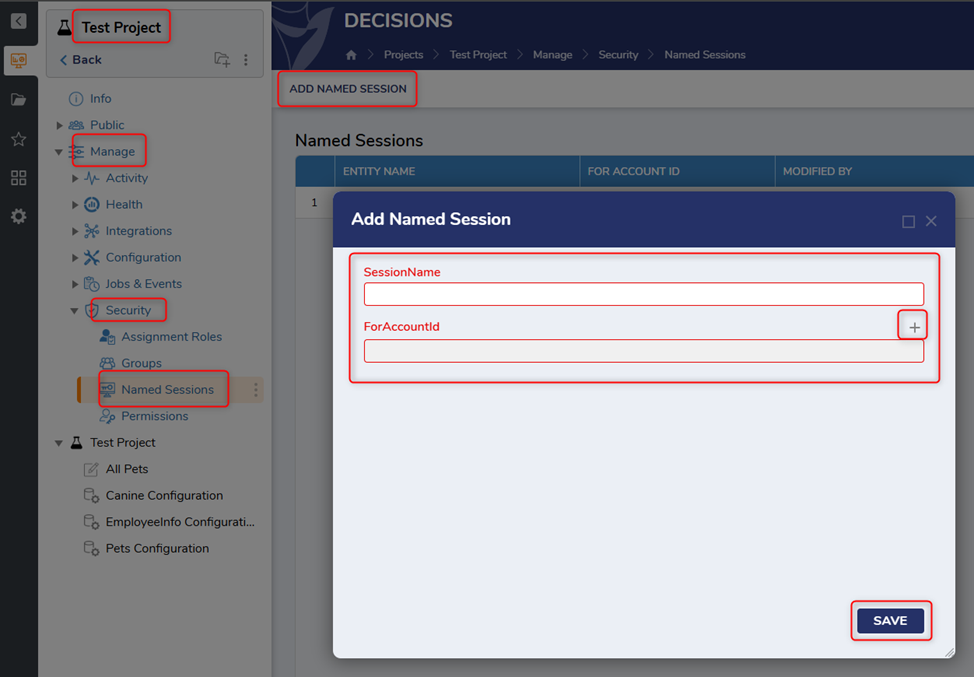
In the Project, navigate to Manage >> Security >> Named Sessions, and click ADD NAMED SESSION. Give it a Session Name and select the appropriate Account ID. Click SAVE.
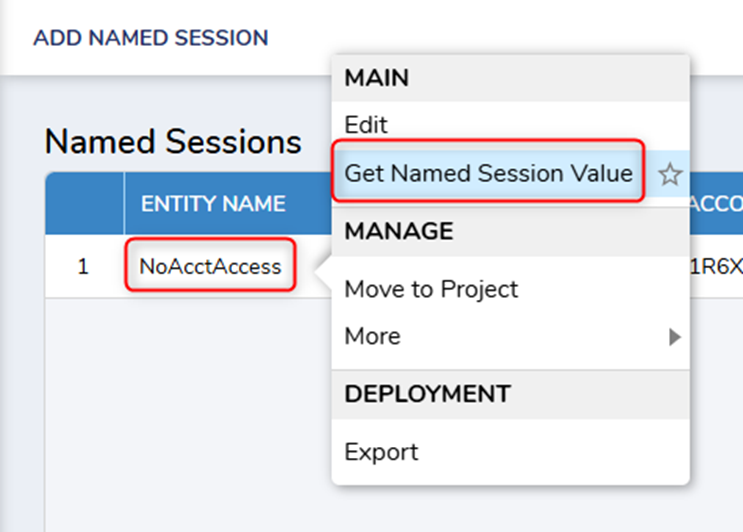
Right-click the Named Session you just created and select ‘Get Named Session Value.’
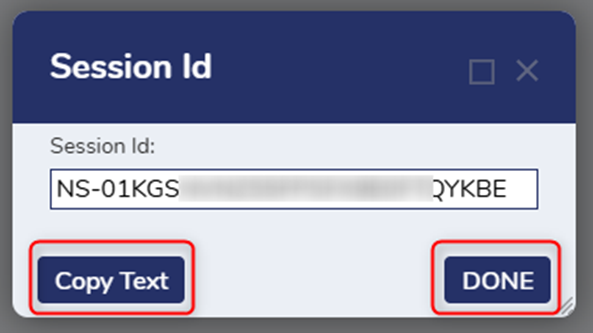
Copy Text and click DONE. Paste this in a notepad or somewhere you can refer to later.
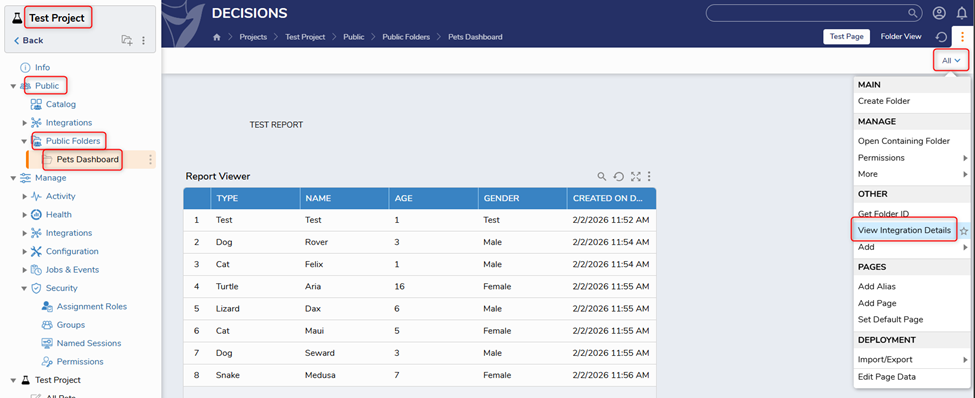
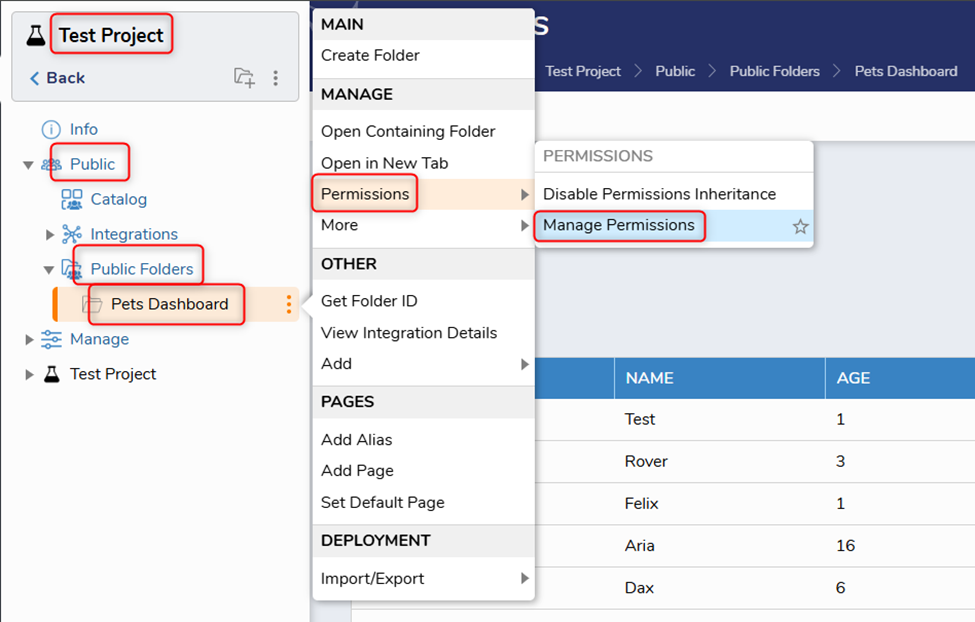
Navigate to the page you’d like accessed by the unauthorized user. In the screenshot below, that would be Project >> Public >> Public Folders >> Pets Dashboard. Click ALL in the upper right corner and select ‘View Integration Details.’
On the ‘View Integration Details’ page, under Setup, select ‘Use Current Session ID’ from the drop-down menu. Expand Display Settings and set Chrome to OFF.
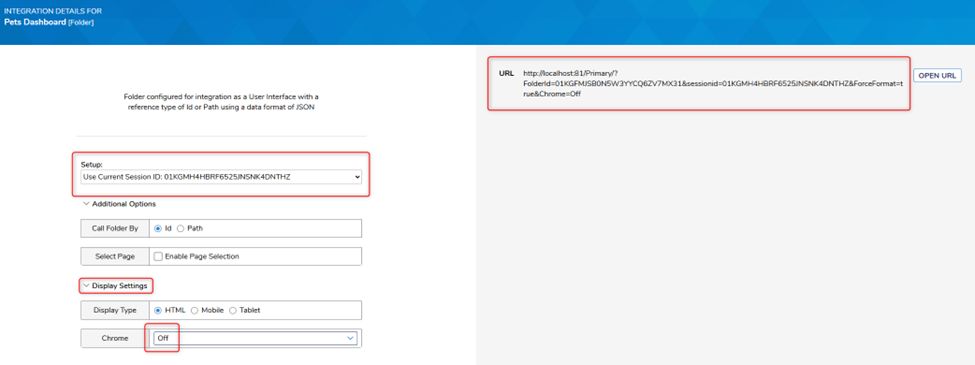
Copy the URL on the right. Paste it in notepad and replace the provided Session ID in the URL with the Named Session Value copied earlier.

Grant Permissions to the Named Session:
In the Project folder, navigate to Public >> Public Folders, and right-click the appropriate page/dashboard. Select Permissions >> Manage Permissions.
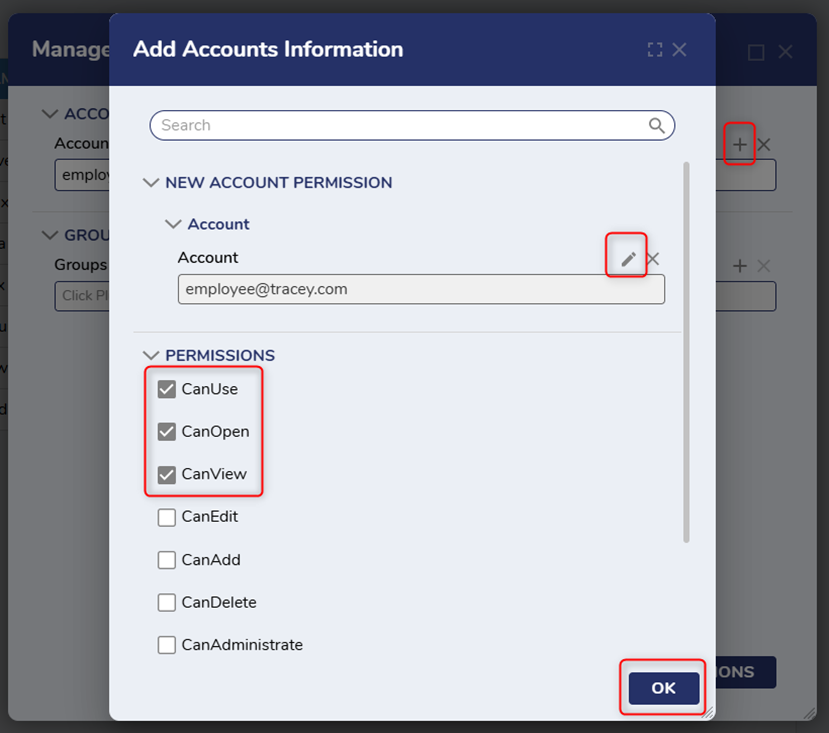
Add the Account Information associated with the Named Session by clicking ‘+.’ Under Account, click the ‘+’ to add the appropriate account, and check CanUse, CanOpen, and CanView. Click OK.
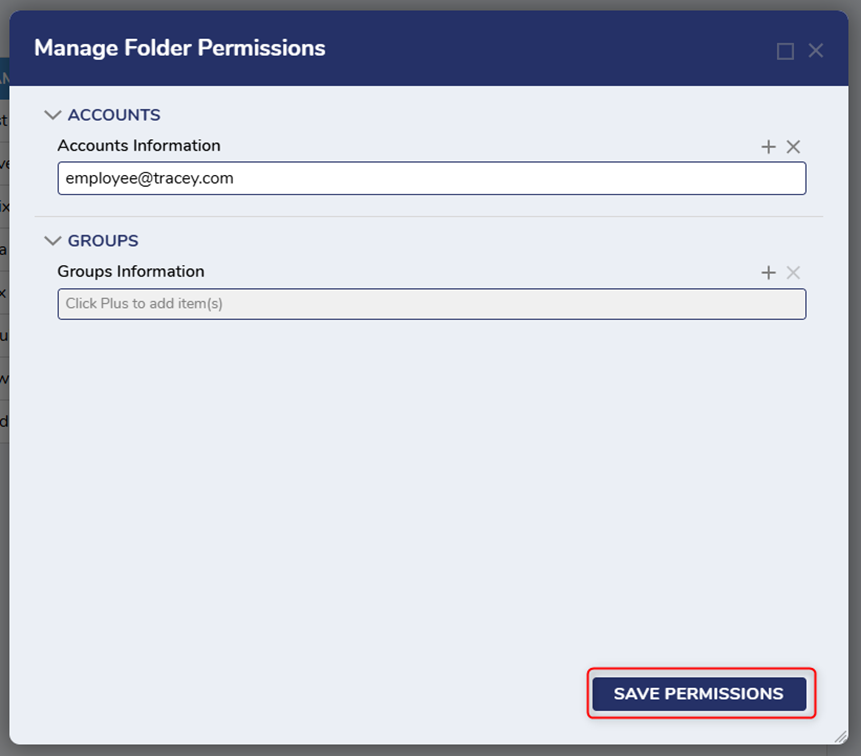
Click SAVE PERMISSIONS.
Test the URL by opening the it in an incognito/private browser window.
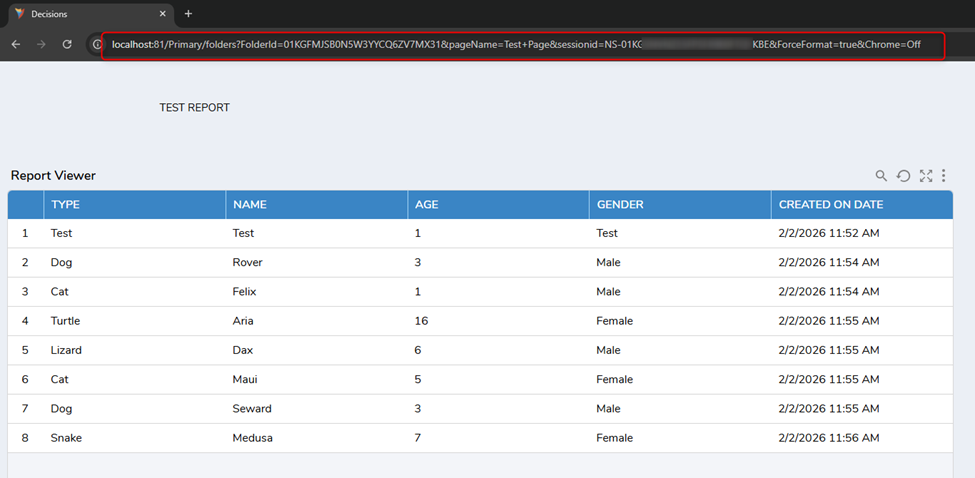
🎉🎉🎉
Here are some additional resources if needed:
Enabling the Guest Account:
https://documentation.decisions.com/docs/enabling-a-guest-account
Creating a Named Session:
https://documentation.decisions.com/docs/named-session
For more details on configuring permissions, see:
https://documentation.decisions.com/v8/docs/en/setting-folder-permissions
All the best,
Tracey | Decisions Support0

Howdy, Stranger!