Not seeing fields in the Conditional Formatting for a Report

Hello,
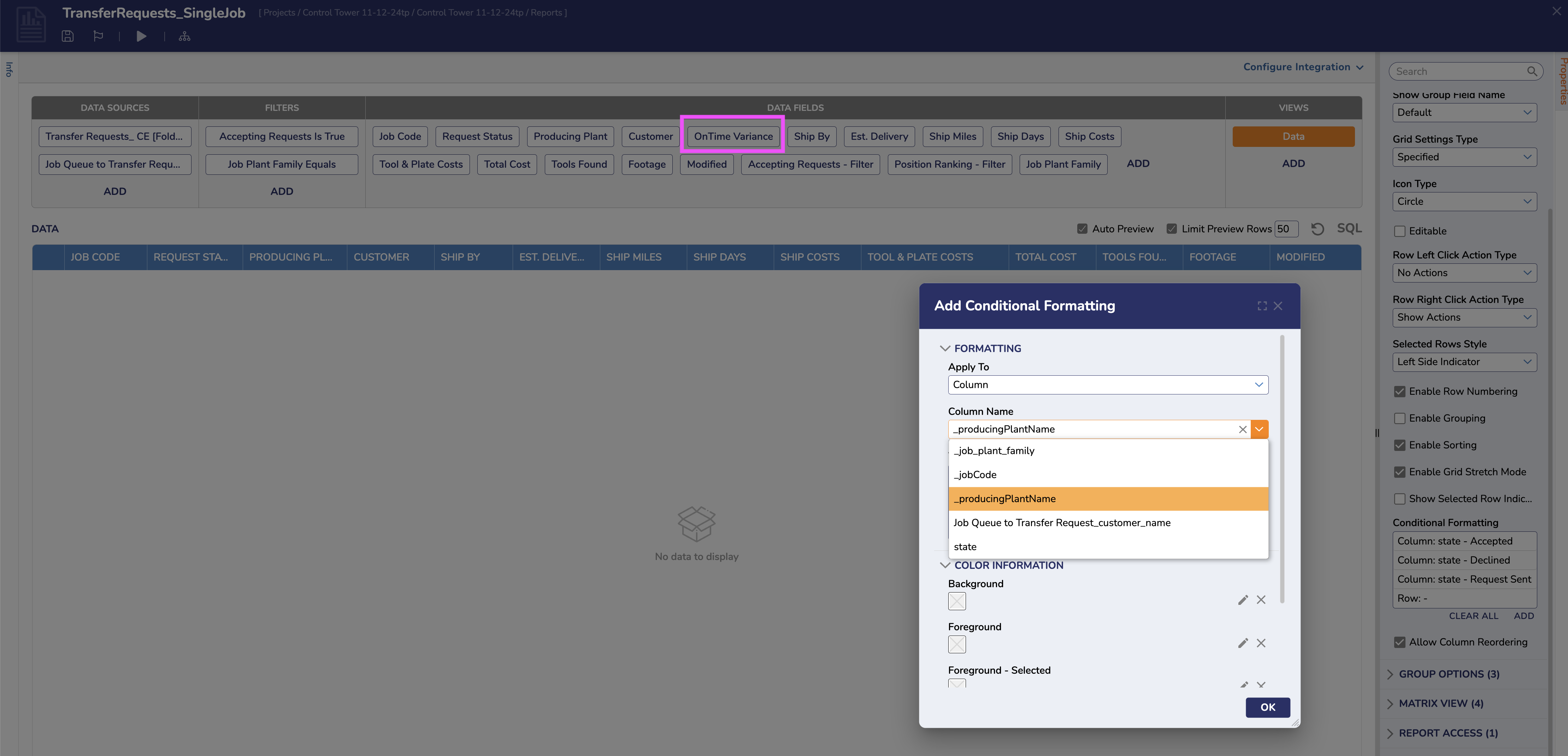
I have many missing fields in the drop down for selecting a column that I wanted to conditionally format on a Report via highlighting. I'm on version 9.4 and I've provided a screenshot. See how the Data Field "OnTime Variance" is not an option below.
0
Comments
-
Hello,
Only string-type variables appear in the dropdown list after the following sequence:
- Removing them from the report’s data fields
- Saving and exiting the report
- Recompiling the data type
- Re-entering and re-adding them to the report
What you are experiencing is the result of a known issue within your version of Decisions. This is addressed in later versions and it is recommended that you upgrade to the latest release of Decisions.
0

Howdy, Stranger!