Why doesn’t Secondary Sorting change my Report view?

Hello,
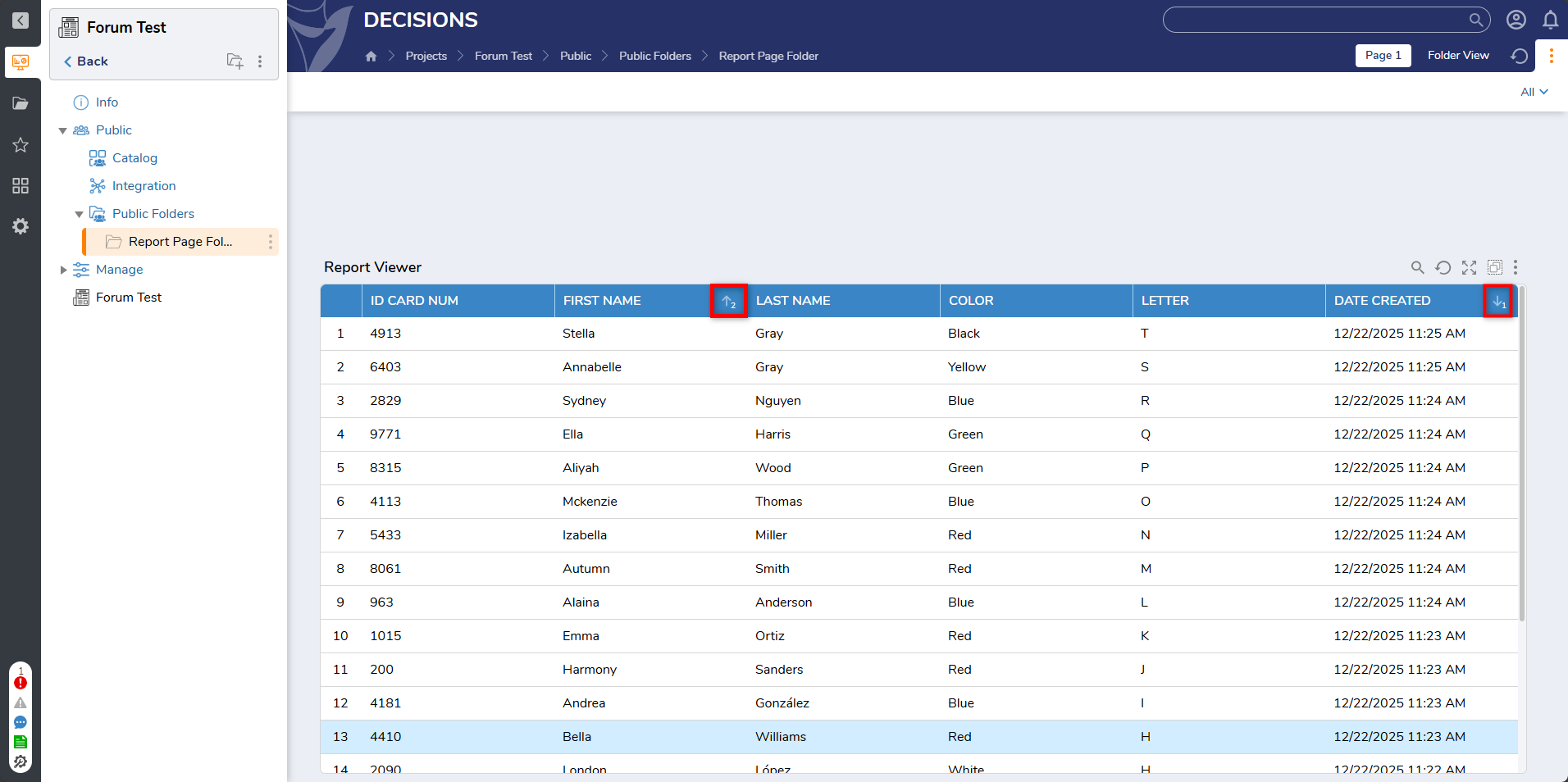
I’m running into an issue with multi-column sorting in Reports. When I set the primary sort to the " Date Created" column (descending) and then try to apply a secondary sort to another column (like "Name" ascending), the secondary sort doesn’t seem to do anything—the report order doesn’t change within the primary sort group.
My report settings are:
In-Memory Data Pagination: Yes
Filter Mode: Entire Data Set
Rows per Page: 20
Paging Mode: Numeric
"Can Sort" enabled for all columns
No default sort set on columns
I’ve tried clearing and reapplying sorts, toggling paging, and using different browsers, but the issue persists. Is this a known limitation, or am I missing a setting? Any advice would be appreciated!
Comments
-
Hello,
This is expected behavior in Decisions reports. The primary sort field (especially date or numeric fields) takes precedence, and secondary sorting is only applied within groups of identical primary values. If all primary values are unique, Decisions will do its best to respect the secondary sort, but will not have a visible effect.
With you using the Date Created field as your primary sort you will see no changes using any secondary sorts. Please consider changing your primary sort to a different filed or swapping the First name and Date fields.
Documentation link for reference:
Hope this helps!
0

Howdy, Stranger!
Categories
Training YouTube Channel
- Subscribe to the Decisions Training channel