How to Undelete the accounts and groups

How can we undelete the accounts and groups in Decisions?
0
Comments
-
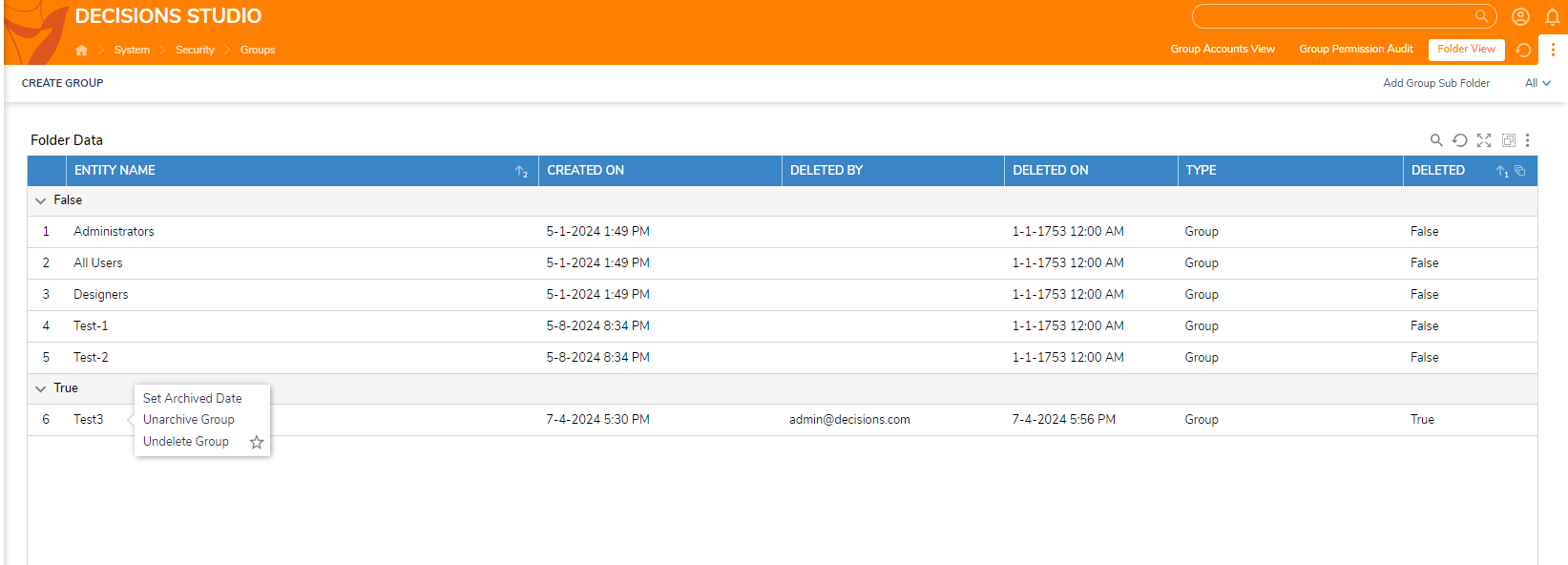
Please follow the below steps to undelete the groups:-
Step1: Navigate to System --> Security --> Groups
Step 2: Select Folder View --> Click on 3 dots on Right Top corner and Click on Change
Step 3: Change the report view to All folder Items(with Deleted)
Step 4: In the True section, Right click on the Group --> Select Undelete Group and refresh the Tab
After performing the above steps, you should be able to undelete the groups.
0

Howdy, Stranger!