Decisions Studio Inactivity Timeout

Is there a way to configure a session timeout on the Decisions Studio such that the user is logged out or the session ended after a period of inactivity? For example, if I don’t interact with the Studio in the browser session, I would be logged out after 15 minutes of inactivity?
0
Comments
-
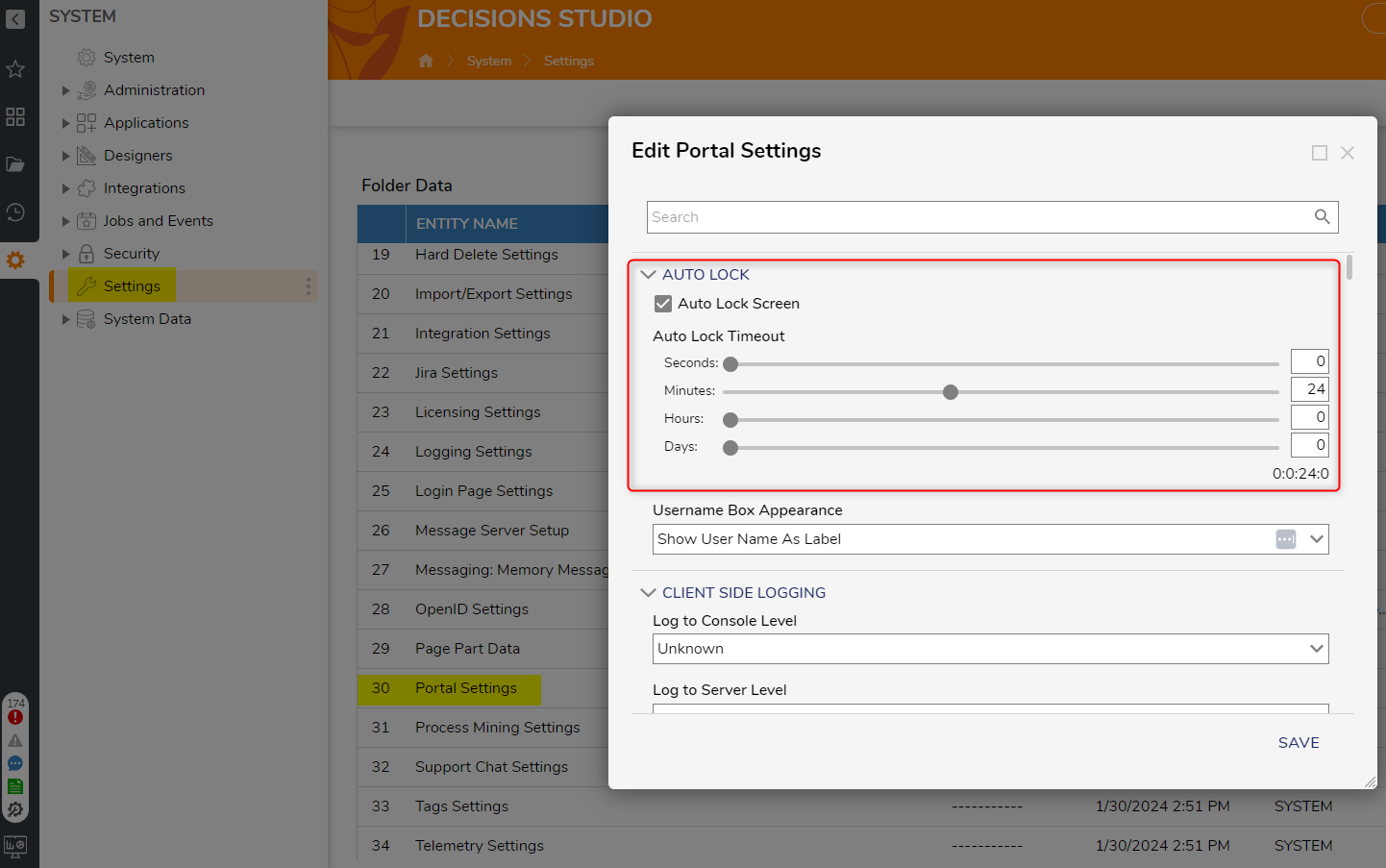
This setting is under System > Settings > Portal Settings > Auto Lock. You can customize it to lock at whatever interval you choose.
 0
0

Howdy, Stranger!