Understanding The Differences Between Create Account and Add New Account
![[Deleted User]](https://w4.vanillicon.com/v2/405e65ccf7b995f883e9718428cf100b.svg)
I would like to give users the permission to create accounts and assign permissions without adding these users to the ADMIN group but instead via a flow. I have found two different locations in the toolbox for steps regarding Accounts. What is the difference between the System > Accounts > Create Account or Add Group To User and Integration > Internal Services > Account Service > Add New Account?
Comments
-
I found the Add New Account step provides more built-in options to customize an account upon creation. There are three input options: Account, Member of, and Password. The Build Data for Account option creates a window that displays numerous features that can be chosen by toggling the checkbox to true. See an example below:
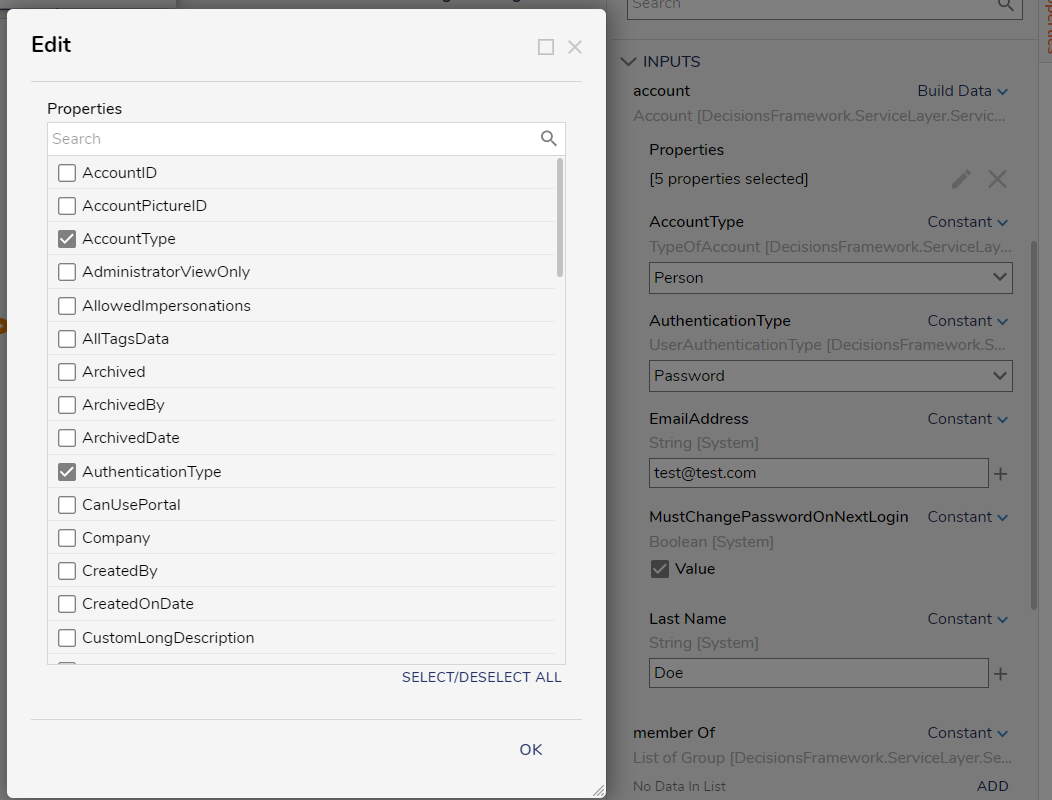
The Constant options provides you with an ADD button with the option to choose the group(s) you would like this user to go into. Here I can change the Type of group, define a Sync Group or Linked Group, and even configure URL Parameters. See Below:
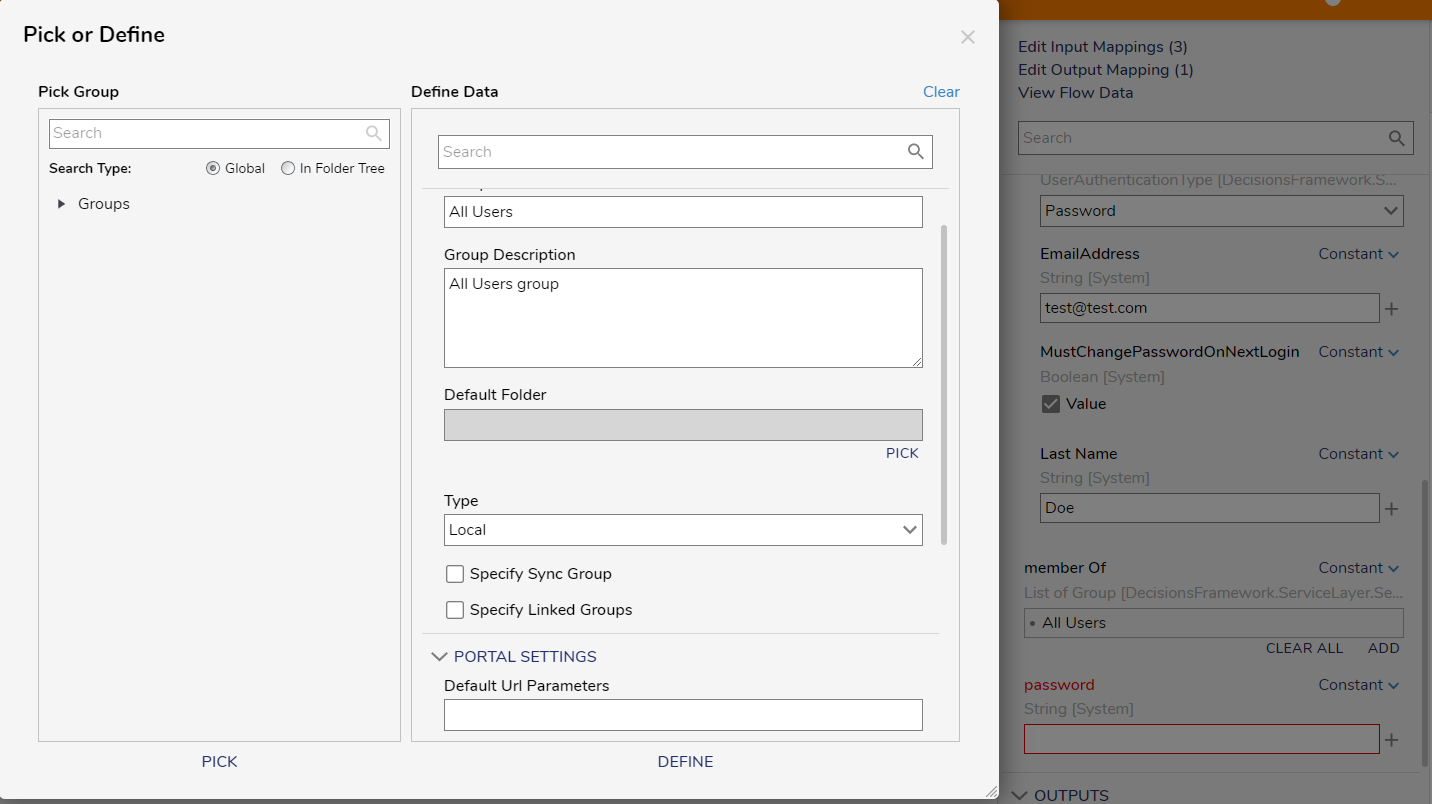
Overall, the Add New Account step combines the Create Account and Add Group To User steps with added features.
0
![[Deleted User]](https://wa.vanillicon.com/v2/afc3a198b6337c4c433ae70b6b323525.svg)
Howdy, Stranger!