Get excel headers

Comments
-
You can get the headers from your excel file in a list by setting up a flow with the Get Row step and the Split String step.
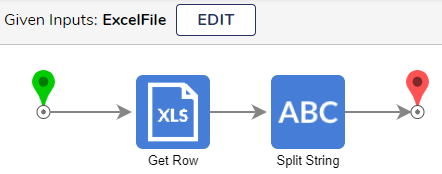
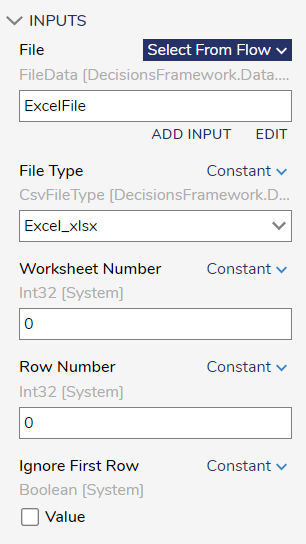
The step Get Row returns the values from the row as a string. It is listed in the tool box under Data / Excel & CSV. If you set the input for Row Number to 0 and Ignore First Row set to False, it will return the header values.
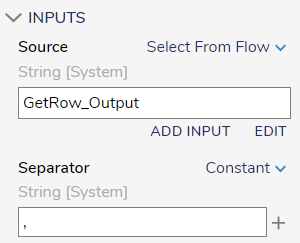
From there, you can use string manipulation steps such as Split String with a comma as the separator to get each header value and output them as a list of strings.
 0
0

Howdy, Stranger!