Event Image to change Dynamically

Comments
-
I have an image I want to change to another image if it is clicked on? Event Image buttons are only allowing a Static image.
0 -
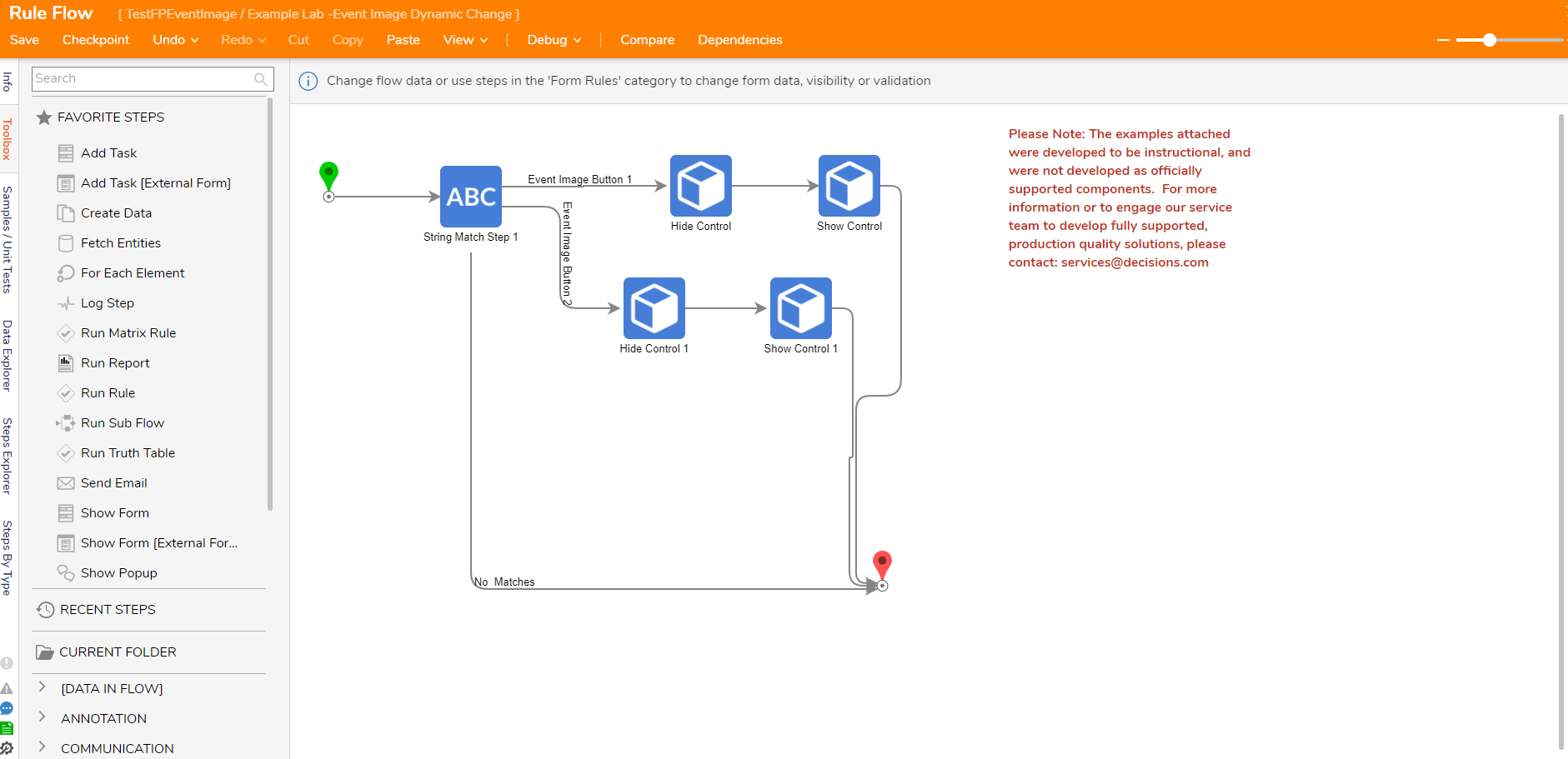
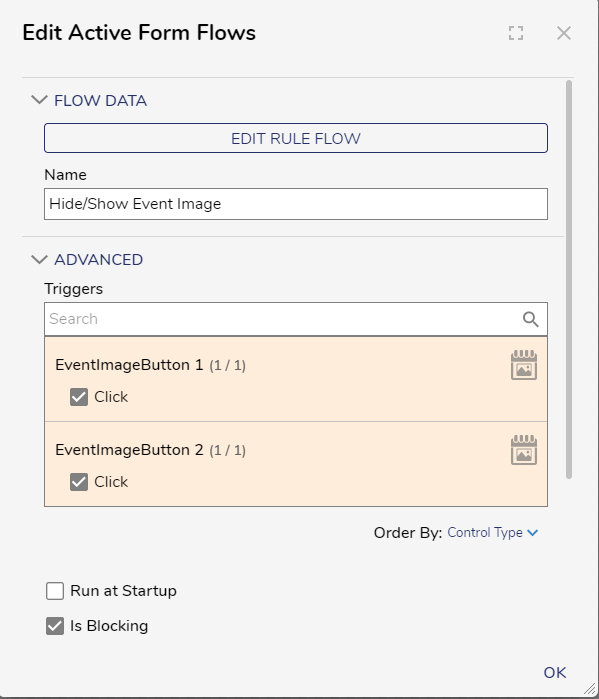
Put both event image buttons into a vertical stack, hide the second event image button. After that, set up an active form flow to hide and show the event images based on what image is clicked.
Inside the Active Form Flow, use a stringmatch step. Have both Event Images as Possible Matches. For each possible path, utilize the Hide Control step and Show Control step. I have screenshots to help guide you in doing this correctly.
 35028
35028