Change Error Message if Upload File Exceeds Limit

Comments
-
Hi,
We can not modify the error message if the uploaded file size exceeds the limit.
0 -
Is there a different way to validate the size of the file/s being uploaded? I tried using a rule and an end form to display the error but I can’t see any property that can be used to validate or compare the file size of the file/s.
0 -
[color=rgb(29, 28, 29)][font=Slack-Lato, Slack-Fractions, appleLogo, sans-serif]Hi,
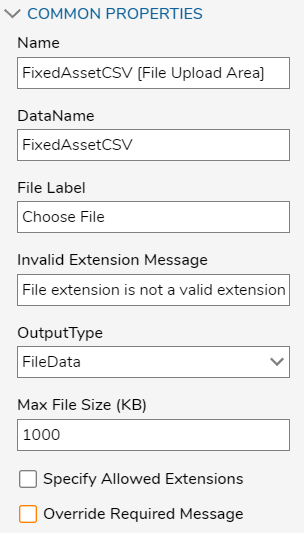
[/font][/color][color=rgb(29, 28, 29)][font=Slack-Lato, Slack-Fractions, appleLogo, sans-serif]We can modify the error message by changing the form component output type to FileReference instead of FileData. FileReference doesnt have a max size limit. Using it, we could set up the Validation Rule/Flow to check the size of the File, and then we can give an appropriate validation message.
[/font][/color][color=rgb(29, 28, 29)][font=Slack-Lato, Slack-Fractions, appleLogo, sans-serif]Attached is the sample project for reference.[/font][/color]
0 -
Thanks for the help!
0 -
Hi,
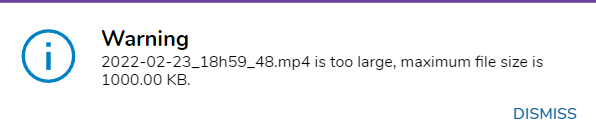
I am currently creating an import system and want to modify the error message if the file size of the file being uploaded exceed the limit. As per checking in the properties, only the invalid extension message can be modified. How can I edit the file size error message? Currently using version 7.10.2.
Current error message.
Regards,
Ezra32152