Removing page from Dashboard

Comments
-
To remove the duplicate page that youve added to the Dashboard, You need to navigate to the Folder View -> Right click on the Page Data and select Delete Page Data.
Please refer the attached screenshot.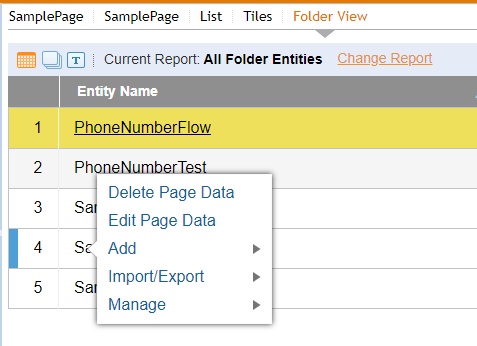
Let us know if that works for you.
0