Unable to force label to not wrap

Comments
-
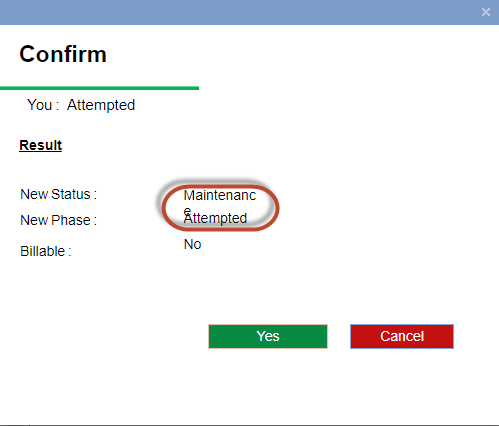
The first field is wrapping before the end of the word “Maintenance”… :
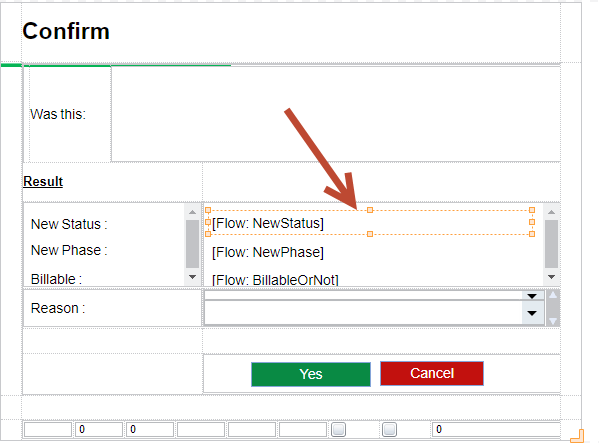
… but the label is already set to extend the length of the cell:
 0
0 -
Is this in a horizontal stack?
0 -
The labels are in a vertical stack.
0 -
Can you send us an export of this form, or tell me what your column width for that cell is? Also, are you using a vertical stack there because youre also hiding things with a visibility rule?
0 -
0
-
Yes, the canvas is whats making it wrap. I would suggest using a grid here.
0 -
Sorry, my mistake. The dropdown is the vertical stack on this form. Looks like the three labels in question above it (marked as “Flow”) are on a canvas. I don’t know why he put them on a canvas rather than a grid. If that’s the issue I can change it to a grid.
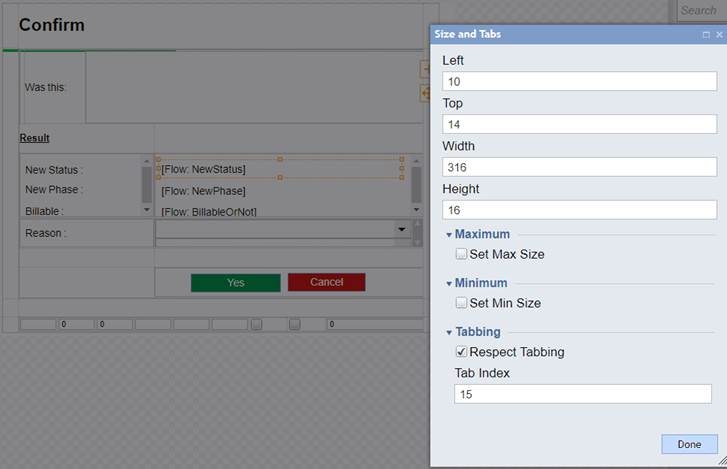
These are the label settings:
These are the canvas settings:
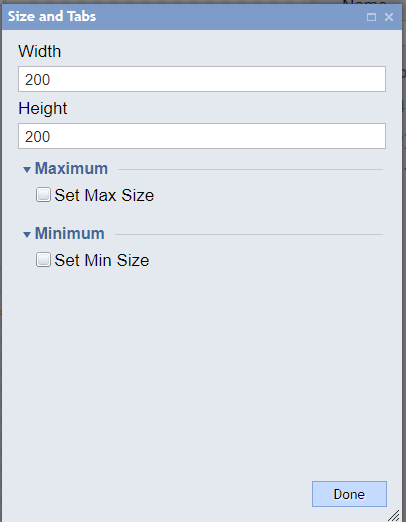
The label’s width was set by dragging the handles of the label object to the right (not through the size editor) so I don’t know why it shows the label length (316) is longer than the canvas size (200).
1466